







Question: This is my problem that I need to solve. I have also attached what I have done for the 4 files but when I try
This is my problem that I need to solve. I have also attached what I have done for the 4 files but when I try run them as a whole nothing works. 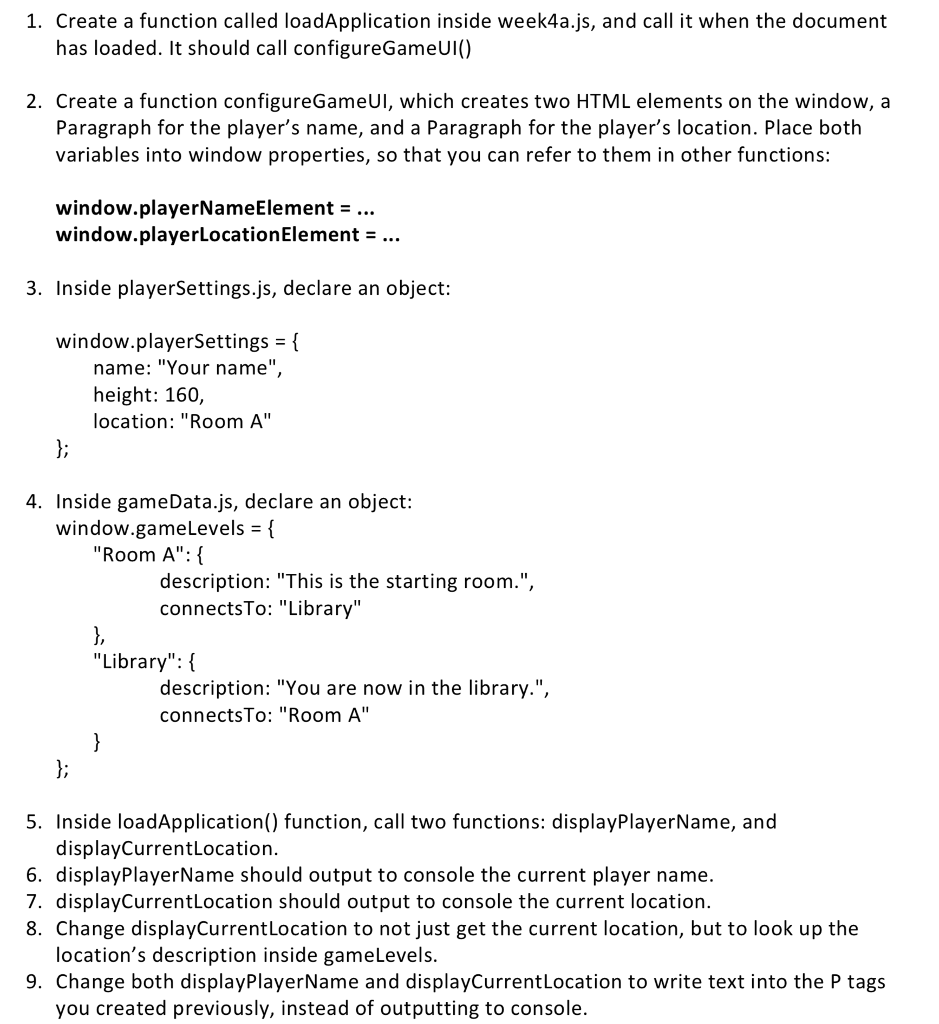
gameData.js: window.gameLevels = { "Room A": { description: "This is the starting room.", connectsTo: "Library" }, "Library": { description: "You are now in the library.",
connectsTo: "Room A" } };
playerSettings.js: window.playerSettings = { name: "Your name", height: 160, location: "Room A" }; window.playerNameElement.innerHTML = "Player Name : "+window.playerSettings.name; window.playerLocationElement.innerHTML = "Location : "+window.playerSettings.location+" Description : "+window.gameLevels[window.playerSettings.location].description; }
week7a.js: function loadApplication() { configureGameUI(); displayPlayerName(); displayCurrentLocation(); } function displayPlayerName(){ document.body.appendChild(window.playerNameElement); } function displayCurrentLocation(){ document.body.appendChild(window.playerLocationElement); } function configureGameUI() { window.playerNameElement = document.createElement("p"); window.playerLocationElement = document.createElement("p"); window.playerSettings = { name: "Your name", height: 160, location: "Room A" };
What am I missing??
1. Create a function called loadApplication inside week4a.js, and call it when the document has loaded. It should call configureGameUI() 2. Create a function configureGameUl, which creates two HTML elements on the window, a Paragraph for the player's name, and a Paragraph for the player's location. Place both variables into window properties, so that you can refer to them in other functions: window.playerNameElement-... window.playerLocationElement-... 3. Inside playerSettings.js, declare an object: window.playerSettings - name: "Your name", height: 160, location: "Room A" 4. Inside gameData.js, declare an object: window.gameLevels "Room A": description: "This is the starting room." connectsTo: "Library" "Library": f description: "You are now in the library." connectsTo: "Room A 5. Inside loadApplication() function, call two functions: displayPlayerName, and displayCurrentLocation. 6. displayPlayerName should output to console the current player name. 7. displayCurrentLocation should output to console the current location. 8. Change displayCurrentLocation to not just get the current location, but to look up the location's description inside gameLevels 9. Change both displayPlayerName and displayCurrentLocation to write text into the P tags you created previously, instead of outputting to console
Step by Step Solution
There are 3 Steps involved in it

Get step-by-step solutions from verified subject matter experts
 Study Help