







Question: This is Object Oriented Programming course in Java language. Note:- when Open the Search Form button is clicked, it will open a new form. So,
This is Object Oriented Programming course in Java language.
Note:- when Open the Search Form button is clicked, it will open a new form. So, this means we need to create another form ,name it as form 2 and call it when Open the Search Form button is clicked.
It would be highly appreciated if you write the code for all the requirements and send it to me, so when I run the program I get the expected output as the question suggested.
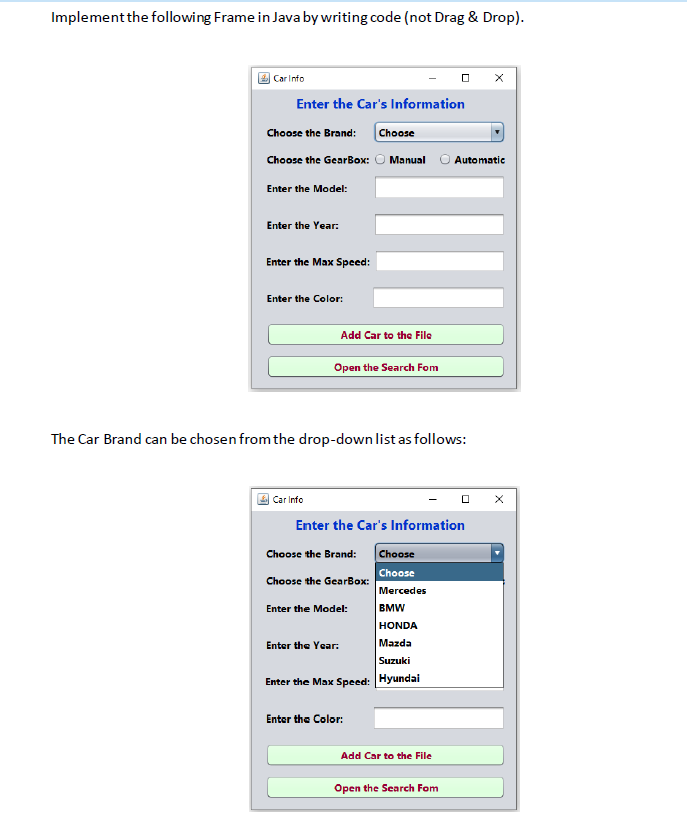
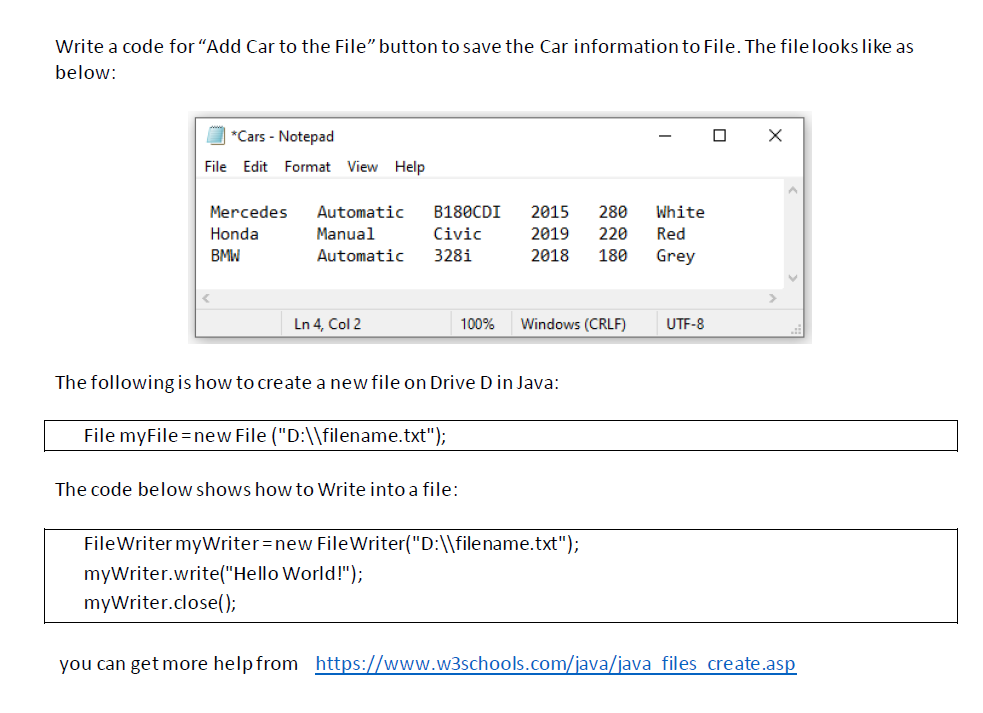
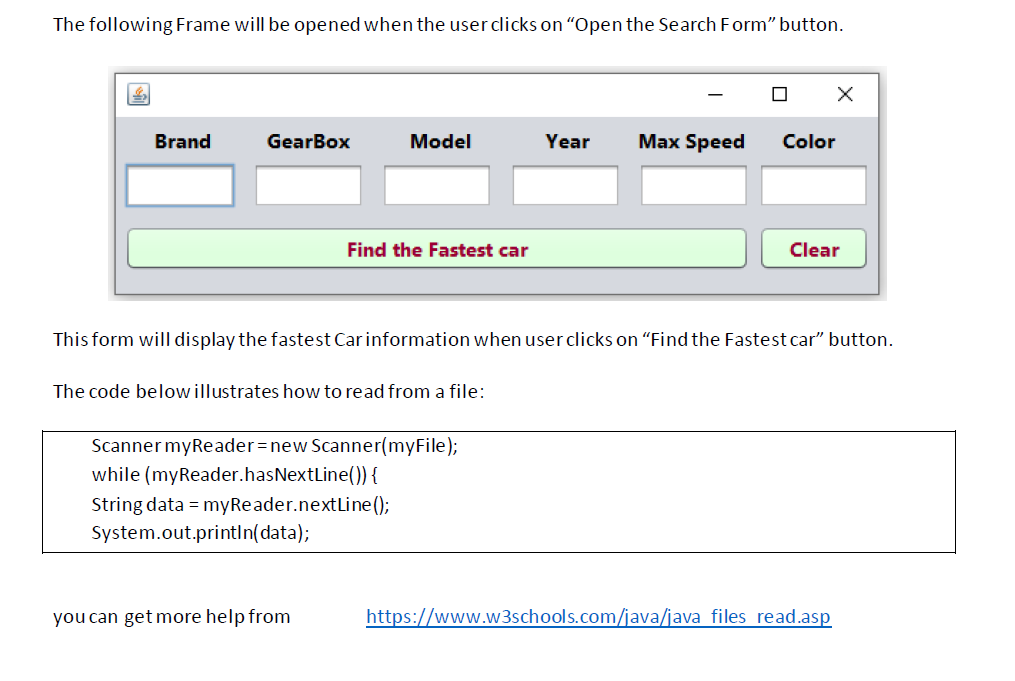
Implement the following Frame in Java by writing code (not Drag \& Drop). The Car Brand can be chosen from the drop-down list as follows: Write a code for "Add Car to the File" button to save the Car information to File. The file looks like as below: The following is how to create a new file on Drive D in Java: File myFile= new File ("D: \\ filename.txt"); The code below shows how to Write into a file: The following Frame will be opened when the user clicks on "Open the Search Form" button. This form will display the fastest Car information when user clicks on "Find the Fastest car" button. The code below illustrates how to read from a file: Scanner myReader = new Scanner(myFile); while (myReader.hasNextLine()) \{ String data = myReader. nextLine(); System.out.println(data); you can get more help from
Step by Step Solution
There are 3 Steps involved in it

Get step-by-step solutions from verified subject matter experts
 Study Help