







Question: This is Programming that is beginner. Please use easy code for this. Make sure you have read the assigned sections of Chapter 2 before you
This is Programming that is beginner. Please use easy code for this.
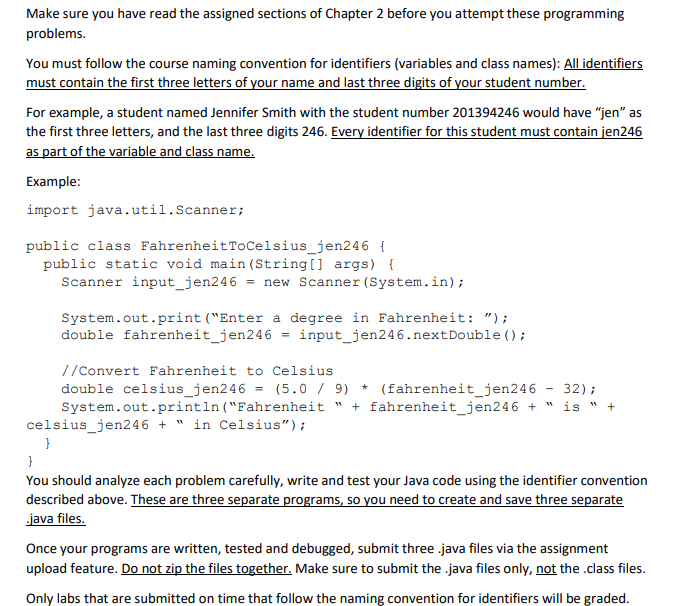
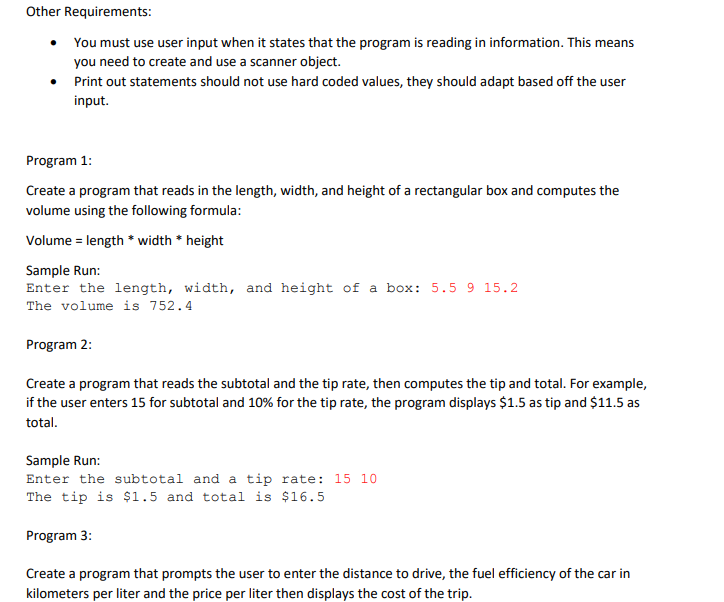
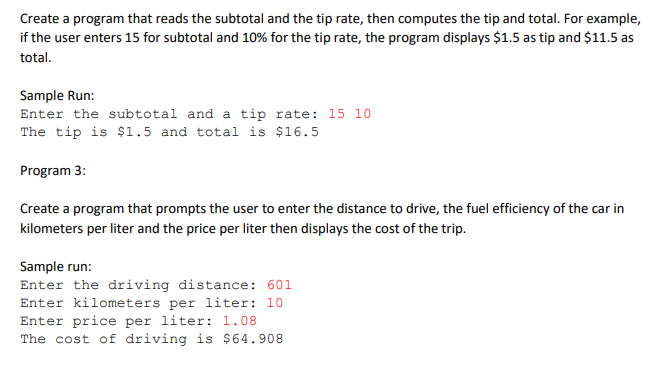
Make sure you have read the assigned sections of Chapter 2 before you attempt these programming problems. You must follow the course naming convention for identifiers (variables and class names): All identifiers must contain the first three letters of your name and last three digits of your student number. For example, a student named Jennifer Smith with the student number 201394246 would have "jen" as the first three letters, and the last three digits 246. Every identifier for this student must contain jen246 as part of the variable and class name. Example: import java.util.Scanner; public class FahrenheitToCelsius_jen246 { public static void main(String[] args) { Scanner input_jen246 = new Scanner (System.in); System.out.print("Enter a degree in Fahrenheit: "); double fahrenheit_jen246 = input_jen246.nextDouble(); + //Convert Fahrenheit to Celsius double celsius_jen246 (5.0 / 9) * (fahrenheit_jen246 - 32); System.out.println("Fahrenheit " + fahrenheit_jen246 + is celsius_jen246 + " in Celsius"); } } You should analyze each problem carefully, write and test your Java code using the identifier convention described above. These are three separate programs, so you need to create and save three separate .java files. Once your programs are written, tested and debugged, submit three.java files via the assignment upload feature. Do not zip the files together. Make sure to submit the .java files only, not the class files. Only labs that are submitted on time that follow the naming convention for identifiers will be graded. Other Requirements: You must use user input when it states that the program is reading in information. This means you need to create and use a scanner object. Print out statements should not use hard coded values, they should adapt based off the user input. Program 1: Create a program that reads in the length, width, and height of a rectangular box and computes the volume using the following formula: Volume = length * width * height Sample Run: Enter the length, width, and height of a box: 5.5 9 15.2 The volume is 752.4 Program 2: Create a program that reads the subtotal and the tip rate, then computes the tip and total. For example, if the user enters 15 for subtotal and 10% for the tip rate, the program displays $1.5 as tip and $11.5 as total. Sample Run: Enter the subtotal and a tip rate: 15 10 The tip is $1.5 and total is $16.5 Program 3: Create a program that prompts the user to enter the distance to drive, the fuel efficiency of the car in kilometers per liter and the price per liter then displays the cost of the trip. Create a program that reads the subtotal and the tip rate, then computes the tip and total. For example, if the user enters 15 for subtotal and 10% for the tip rate, the program displays $1.5 as tip and $11.5 as total. Sample Run: Enter the subtotal and a tip rate: 15 10 The tip is $1.5 and total is $16.5 Program 3: Create a program that prompts the user to enter the distance to drive, the fuel efficiency of the car in kilometers per liter and the price per liter then displays the cost of the trip. Sample run: Enter the driving distance: 601 Enter kilometers per liter: 10 Enter price per liter: 1.08 The cost of driving is $64.908
Step by Step Solution
There are 3 Steps involved in it

Get step-by-step solutions from verified subject matter experts
 Study Help