







Question: This is runner code: import java.util.Scanner; import java.util.ArrayList; public class runner_U7_L4_Activity_Two{ public static void main(String[] args){ Scanner scan = new Scanner(System.in); ArrayList words = new
This is runner code: import java.util.Scanner; import java.util.ArrayList;
public class runner_U7_L4_Activity_Two{
public static void main(String[] args){ Scanner scan = new Scanner(System.in); ArrayList
}
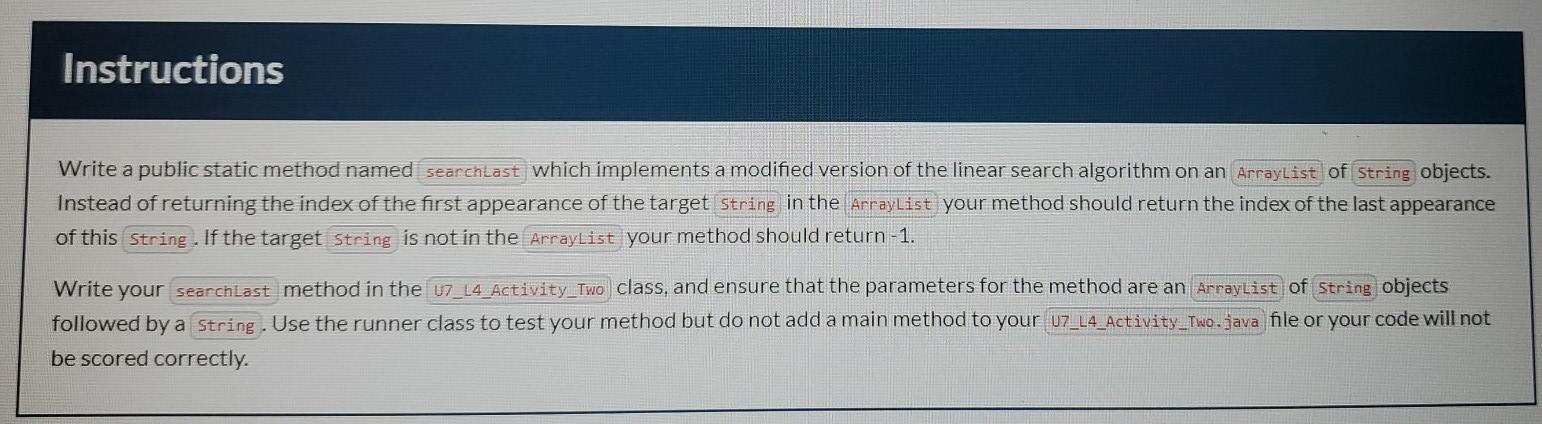
Instructions Write a public static method named searchtast which implements a modified version of the linear search algorithm on an ArrayList of string objects. Instead of returning the index of the first appearance of the target String in the ArrayList your method should return the index of the last appearance of this String. If the target String is not in the ArrayList your method should return -1. Write your searchlast method in the U7_14_Activity_Two class, and ensure that the parameters for the method are an ArrayList of String objects followed by a String. Use the runner class to test your method but do not add a main method to your U7_L4_Activity_Two.java file or your code will not be scored correctly
Step by Step Solution
There are 3 Steps involved in it

Get step-by-step solutions from verified subject matter experts
 Study Help