







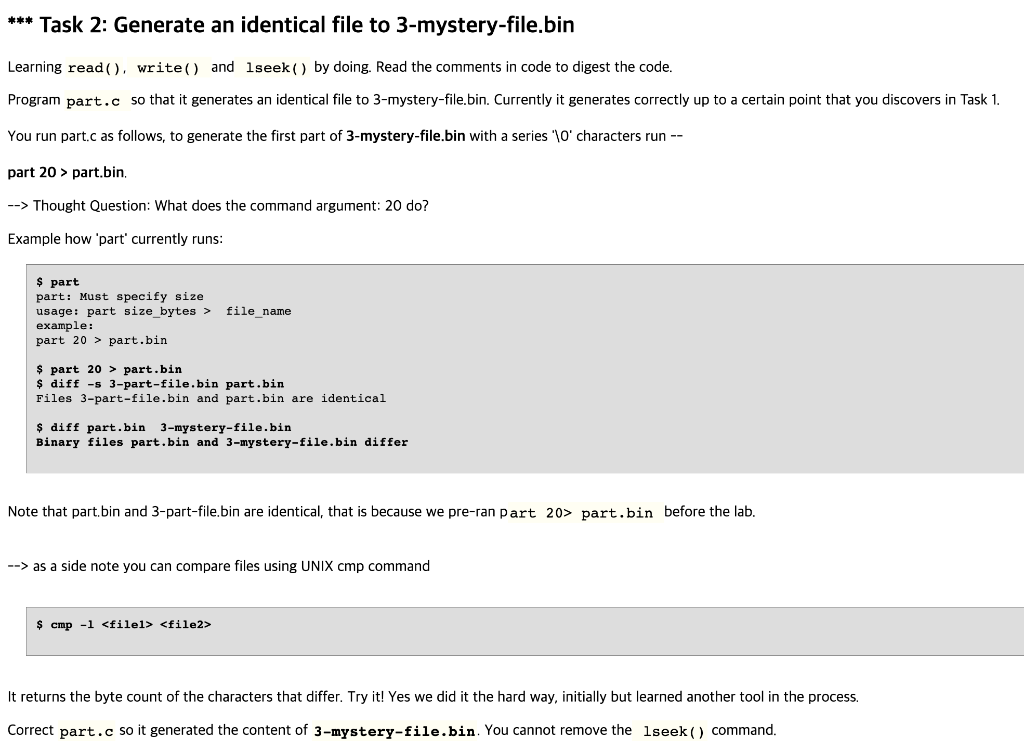
Question: this is the code for part.c this is 3-mystery-file.bin this is part.bin please show the code with an explanation. thank you. *** Task 2: Generate
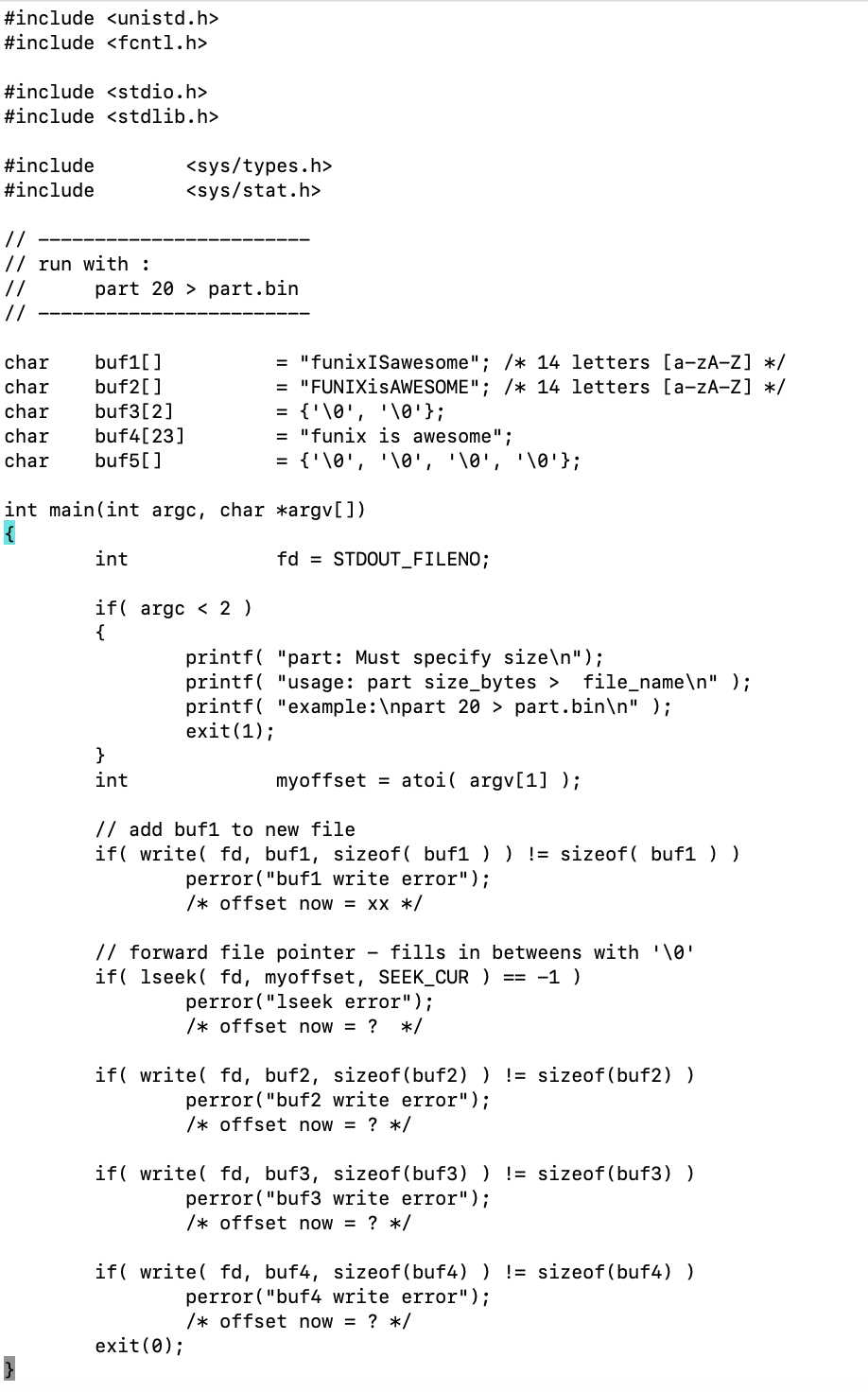
this is the code for part.c
this is 3-mystery-file.bin
 this is part.bin
 please show the code with an explanation. thank you.
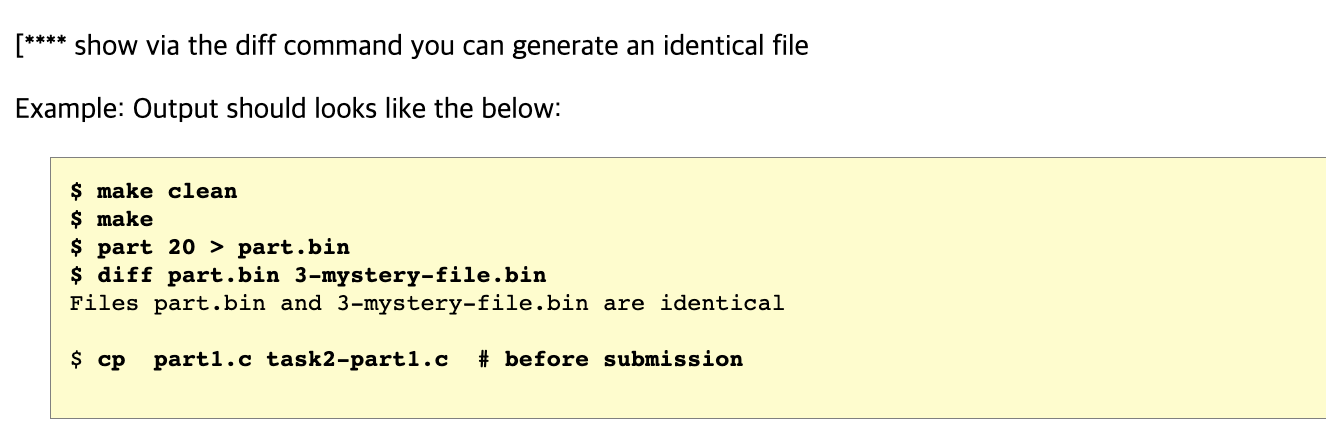
*** Task 2: Generate an identical file to 3-mystery-file.bin Learning read ( ), write( ) and lseek( ) by doing. Read the comments in code to digest the code. Program part. c so that it generates an identical file to 3-mystery-file.bin. Currently it generates correctly up to a certain point that you discovers in Task 1. You run part.c as follows, to generate the first part of 3-mystery-file.bin with a series ' 10charactersrun part 20> part.bin. Thought Question: What does the command argument: 20 do? Example how 'part' currently runs: \$ part part: Must specify size usage: part size_bytes > file_name example: part 20> part.bin \$ part 20> part.bin diff -s 3-part-file.bin part.bin Files 3-part-file.bin and part.bin are identical \$ diff part.bin 3-mystery-file.bin Binary files part.bin and 3-mystery-file.bin differ Note that part.bin and 3-part-file.bin are identical, that is because we pre-ran part 20> part.bin before the lab. as a side note you can compare files using UNIX cmp command $cmp1file1file2 It returns the byte count of the characters that differ. Try it! Yes we did it the hard way, initially but learned another tool in the process. Correct part. c so it generated the content of 3 -mystery-file.bin. You cannot remove the lseek () command. [**** show via the diff command you can generate an identical file Example: Output should looks like the below: \$ make clean \$ make \$ part 20> part.bin \$ diff part.bin 3-mystery-file.bin Files part.bin and 3-mystery-file.bin are identical \$ cp part1.c task2-part1.c \# before submission
Step by Step Solution
There are 3 Steps involved in it

Get step-by-step solutions from verified subject matter experts
 Study Help