







Question: This is the code for that method. 1. Download the Vino dataset from the Canvas home page of the course. 2. Upload the Vino dataset
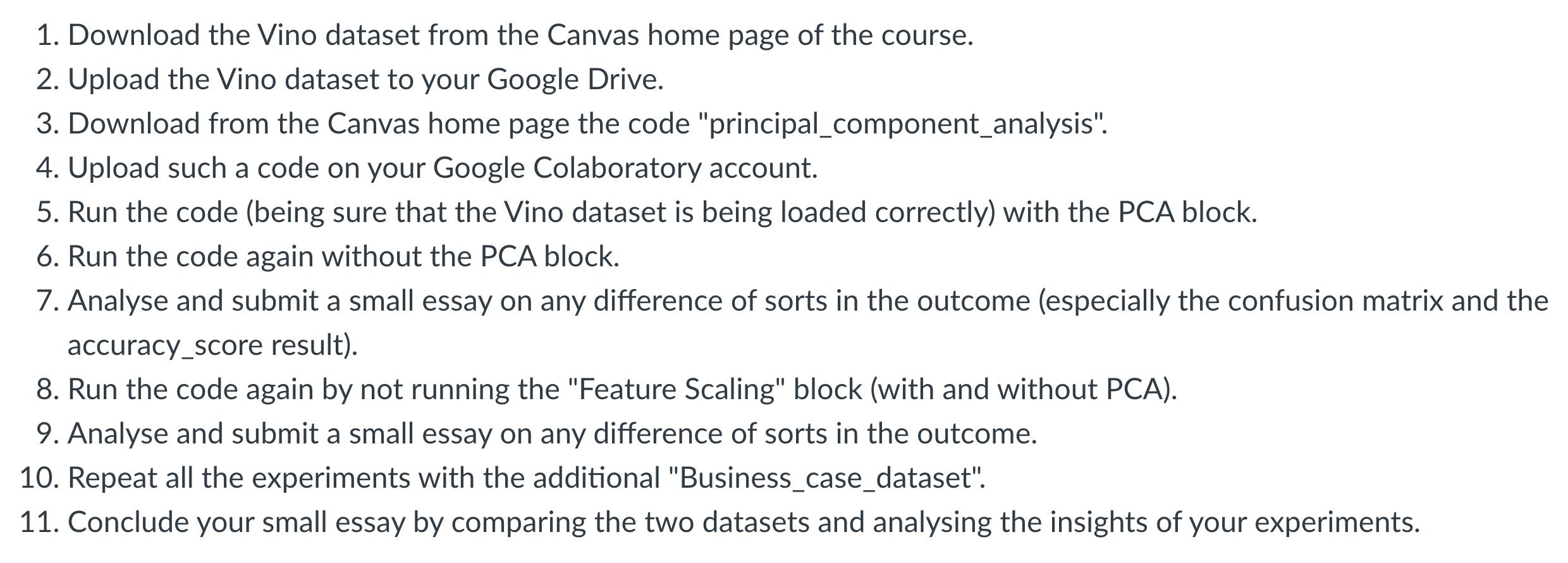
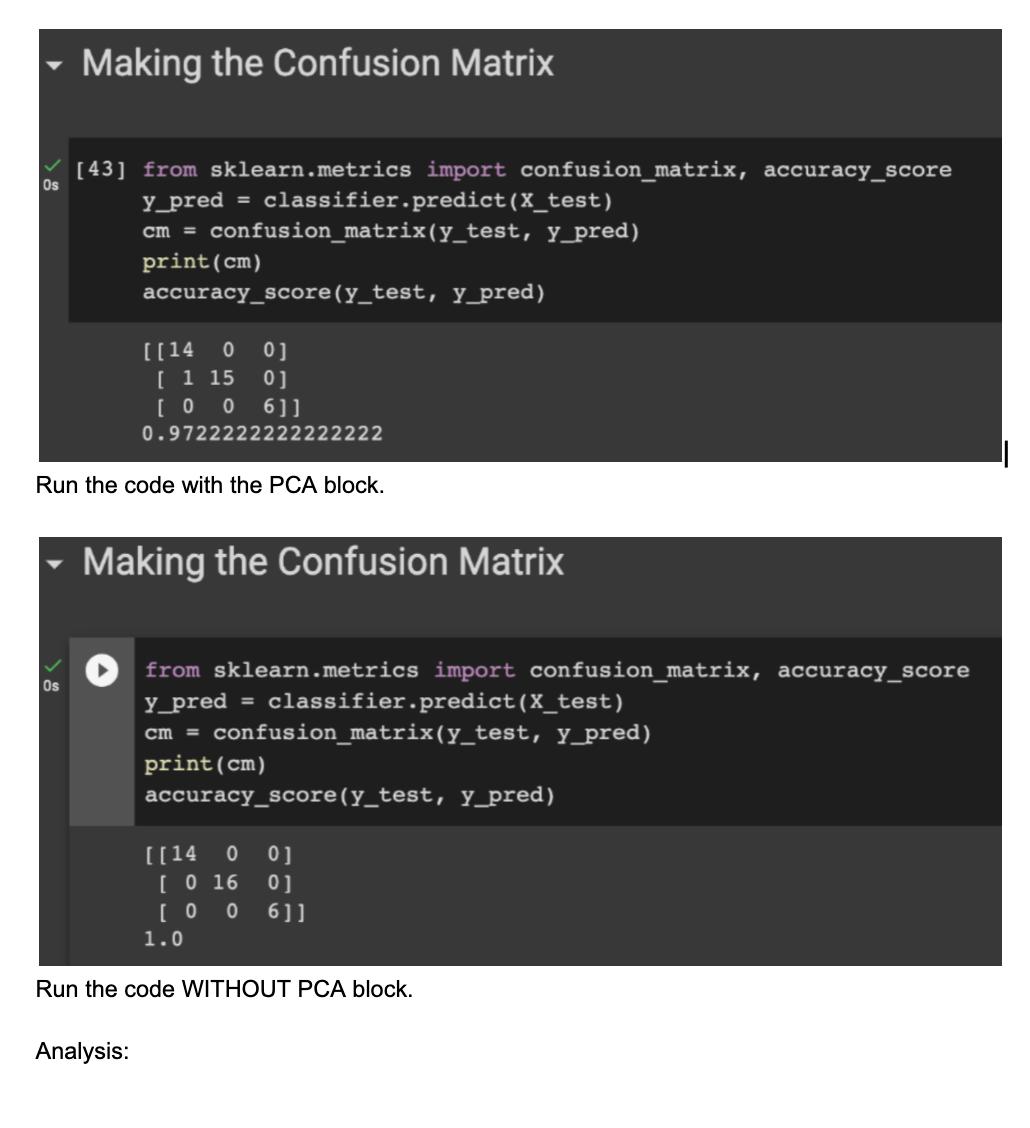
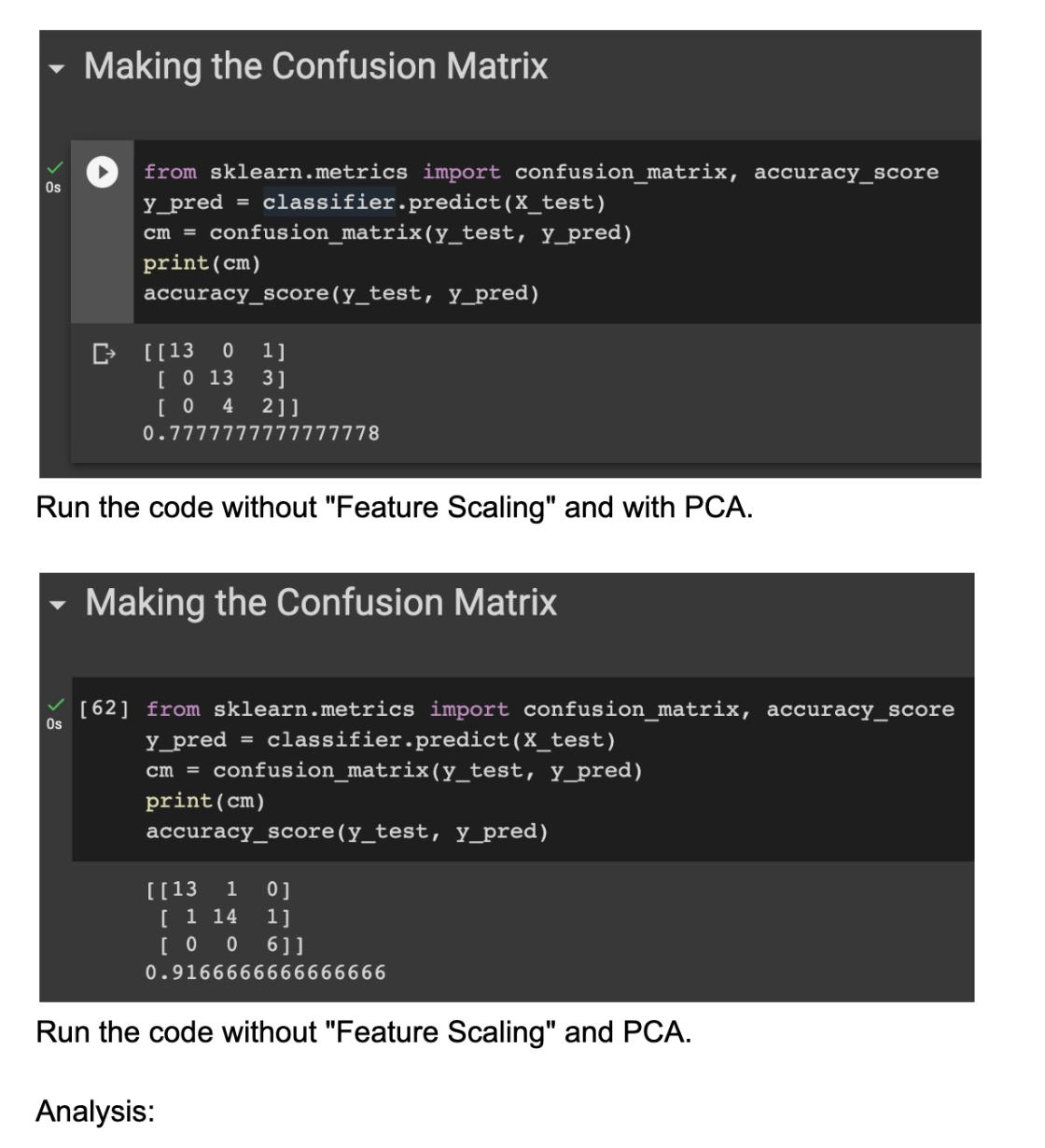
This is the code for that method.
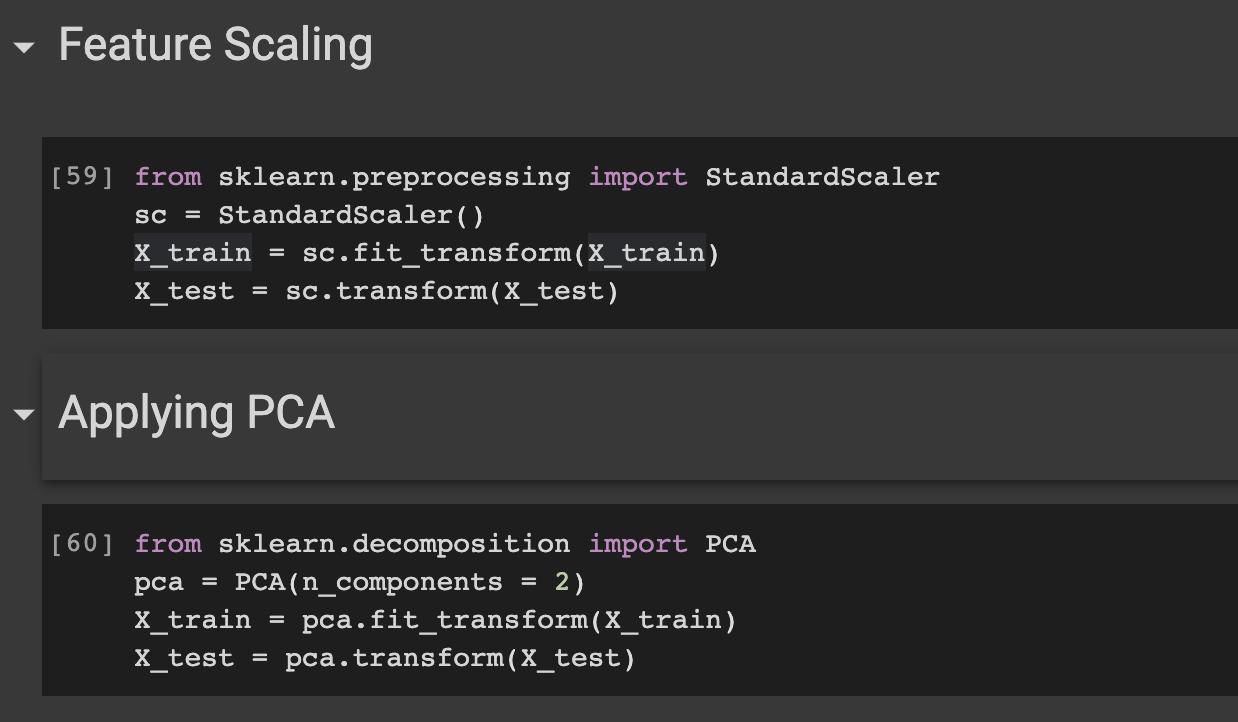
1. Download the Vino dataset from the Canvas home page of the course. 2. Upload the Vino dataset to your Google Drive. 3. Download from the Canvas home page the code "principal_component_analysis". 4. Upload such a code on your Google Colaboratory account. 5. Run the code (being sure that the Vino dataset is being loaded correctly) with the PCA block. 6. Run the code again without the PCA block. 7. Analyse and submit a small essay on any difference of sorts in the outcome (especially the confusion matrix and the accuracy_score result). 8. Run the code again by not running the "Feature Scaling" block (with and without PCA). 9. Analyse and submit a small essay on any difference of sorts in the outcome. 10. Repeat all the experiments with the additional "Business_case_dataset". 11. Conclude your small essay by comparing the two datasets and analysing the insights of your experiments.
Step by Step Solution
3.42 Rating (149 Votes )
There are 3 Steps involved in it
1 Download the Vino dataset from the Canvas home page of the course The Vino dataset is a dataset of wine reviews It contains 13350 reviews of 3800 different wines Each review has a score from 0 to 5 ... View full answer

Get step-by-step solutions from verified subject matter experts
 Study Help