







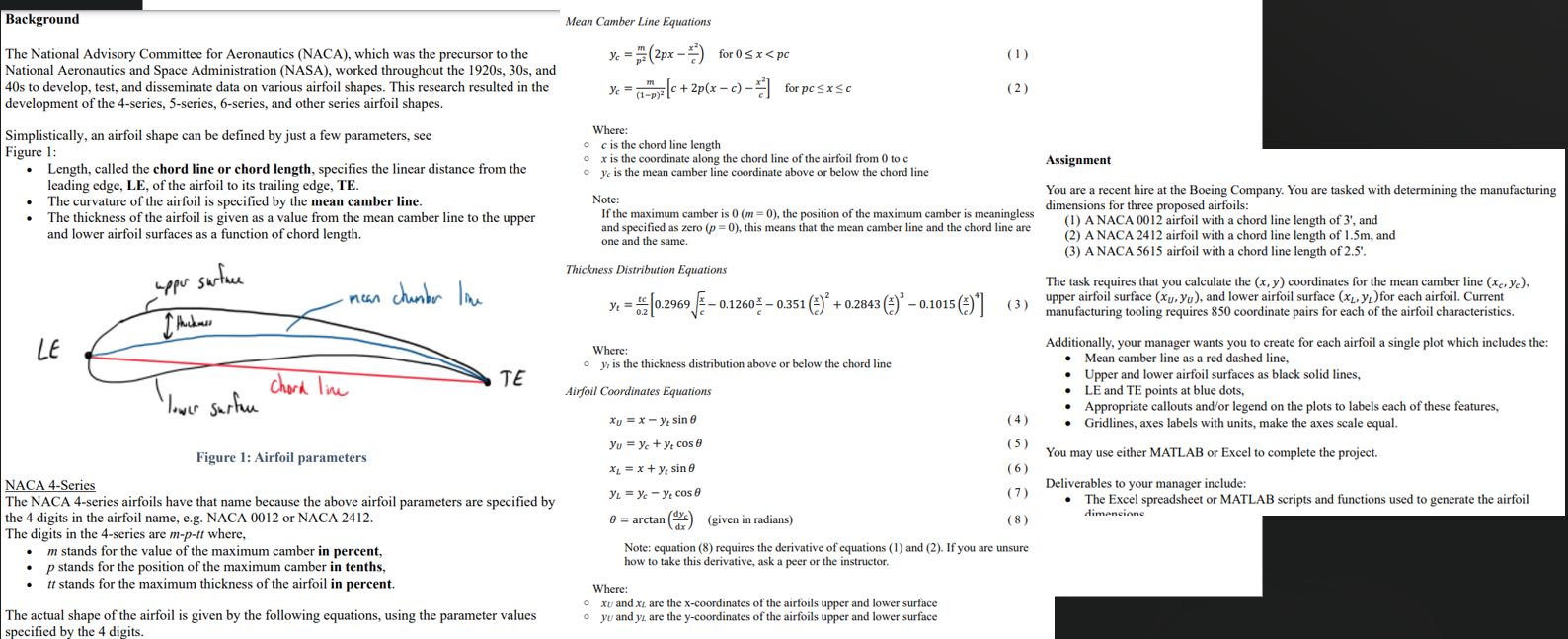
Question: This is the code i have, and figure 1 is missing the upper and lower profile, figure 3 has a jump in the graph. Could
This is the code i have, and figure is missing the upper and lower profile, figure has a jump in the graph. Could you fix the issues with my code and give the full new code. my code is below,
nacas
structmptt 'chordlength', ;
structmptt 'chordlength', ;
structmptt 'chordlength',
;
Calculations and Plots
for i :numelnacas
xc yc xU yU xL yL calculateairfoilcoordinatesnacasi;
plotairfoilxc yc xU yU xL yLNACA numstrnacasim numstrnacasip numstrnacasitt;
end
Function
function xc yc xU yU xL yL calculateairfoilcoordinatesnaca
m naca.m ;
p naca.p ;
tt naca.tt ;
c naca.chordlength;
Coordinates
x linspace c;
yc zerossizex;
yt tt sqrtxcxcxcxcxc;
ytisnanyt;
for i :lengthx
if xi pc
yci m ppxi xi;
dycdx m ppxi xi;
else
yci m p p p xi xi;
dycdx m p p pxi xi;
end
theta atandycdx;
xci xi yti sintheta;
yci yci yti costheta;
end
xU xc yt sinatanmxpxc dycdxc xcdycdxxc;
yU yc yt cosatanmxpxc dycdxc xcdycdxxc;
xL xc yt sinatanmxpxc dycdxc xcdycdxxc;
yL yc yt cosatanmxpxc dycdxc xcdycdxxc;
end
Plot Function
function plotairfoilxc yc xU yU xL yL label
figure;
plotxU yUk 'LineWidth', ; hold on;
plotxL yLk 'LineWidth', ;
plotxc ycr 'LineWidth', ;
plotxc xUyc yUbo 'MarkerFaceColor', b 'MarkerSize', ;
plotxcend xUendycend yUendbo 'MarkerFaceColor', b 'MarkerSize', ;
grid on;
axis equal;
xlabelChord Length';
ylabelThicknessCamber;
titlelabel;
legendUpper Surface', 'Lower Surface', 'Mean Camber Line', 'Location', 'Best';
end
Step by Step Solution
There are 3 Steps involved in it
1 Expert Approved Answer
Step: 1 Unlock

Question Has Been Solved by an Expert!
Get step-by-step solutions from verified subject matter experts
Step: 2 Unlock
Step: 3 Unlock
 Study Help