







Question: This is the code I have so far and this has to be added. I also have my own database code written 1) Write the
This is the code I have so far and this has to be added. I also have my own database code written
1) Write the code for the 'Update' button. When the user clicks on a ROW in the JTable where the data is displayed, the data from that row should be displayed in the Text boxes on the left. The user will then make changes in the Textboxes and click the 'Update' button to update the DVD Table. Clicking the 'Load Table' button should display the updated table data.
2) Write the code for the 'Delete' button. When the user clicks on a ROW in the JTable where the data is displayed, the data from that row should be displayed in the Text boxes on the left. The user will then click the 'Delete' button to delete the clicked row from the DVD Table. Clicking the 'Load Table' button should display the table data with the row deleted.
HINT:
int row =table.getSlectedRow(); String title = table.getModel().getValueAt(row,1)).toString();
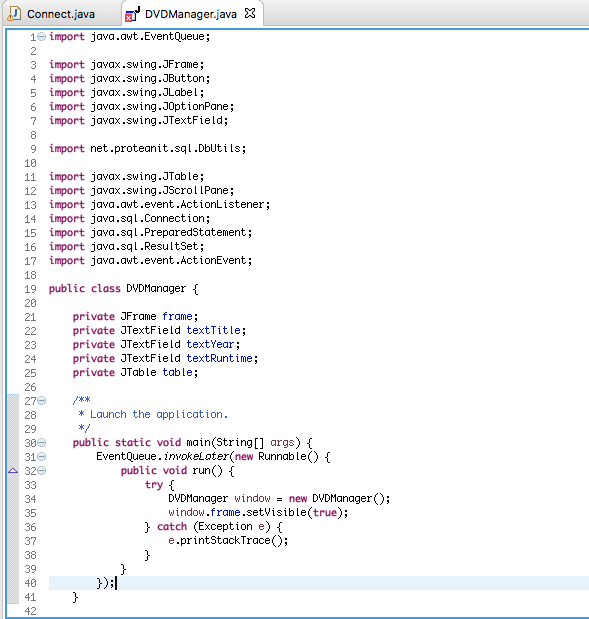
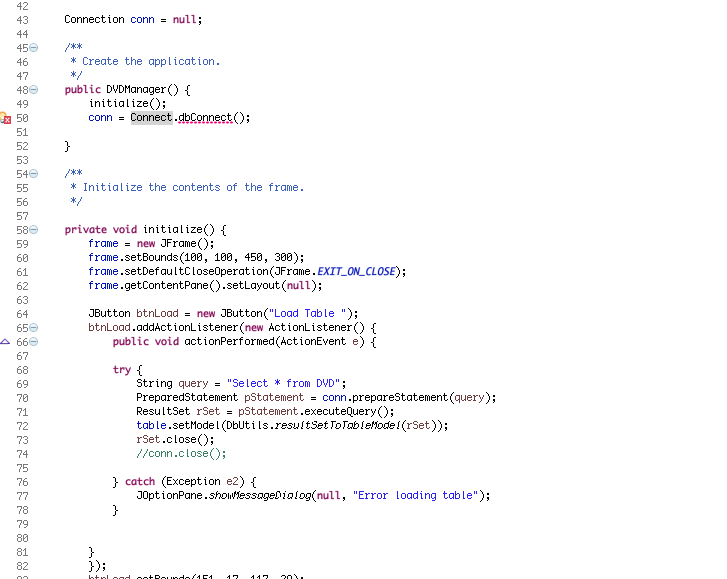
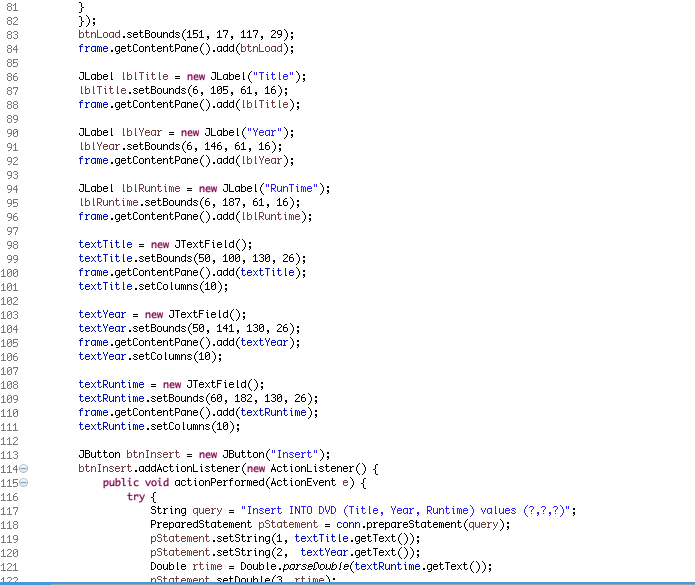
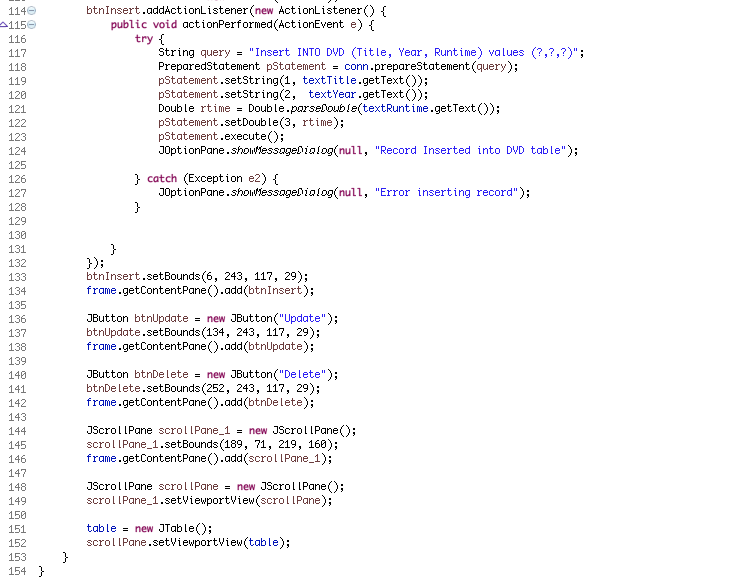
Connect java DVDManager,java 1e import java-awt.Event Queue 3 import javax.swing.JFrame 4 import javax.swing.JButton 5 import javax.swing.JLabel 6 import javax.swing. J0ptionPane 7 import javax.swing. JTextField 9 import net .proteanit.sql .Dbut i Ls; 10 11 import javax.swing. JTable 12 import javax.swing. JScrol Pane 13 import java.awt.event.ActionListener 14 import java.sql.Connection 15 import java.sgl Prepared Statement. 16 import java.sql.ResultSet 17 import java awt.event.ActionEvent. 18 19 public class DWDManager 1 20 21 private JFrame frame 22 private JTextField text Title 23 private JTextField text Year 24 private JTextField textRuntime 25 private JTable table 26 27 Launch the application. 28 29 30 public static void main String[] args Event Queue invokeLater(new Runnable() 31 public void run A 32 try 33 DVD Manager window new DVDManager 34 window frame .setVisible true 35 catch (Exception e) 36 e printStackTrace 37 38 39 40 41 42
Step by Step Solution
There are 3 Steps involved in it

Get step-by-step solutions from verified subject matter experts
 Study Help