







Question: This is the guide line Web Activity 8 - Guidance ========================= createBoard() function ---------------------- Use nested for loops to iterate through the board table in
This is the guide line 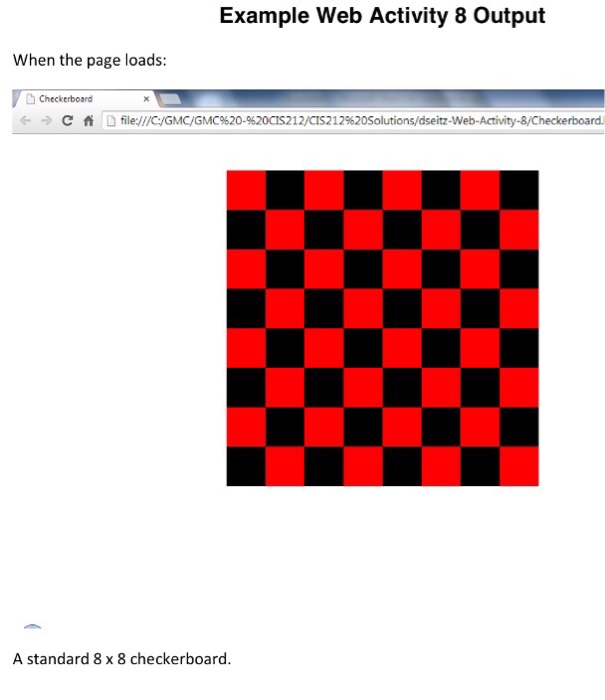
 Type the answer
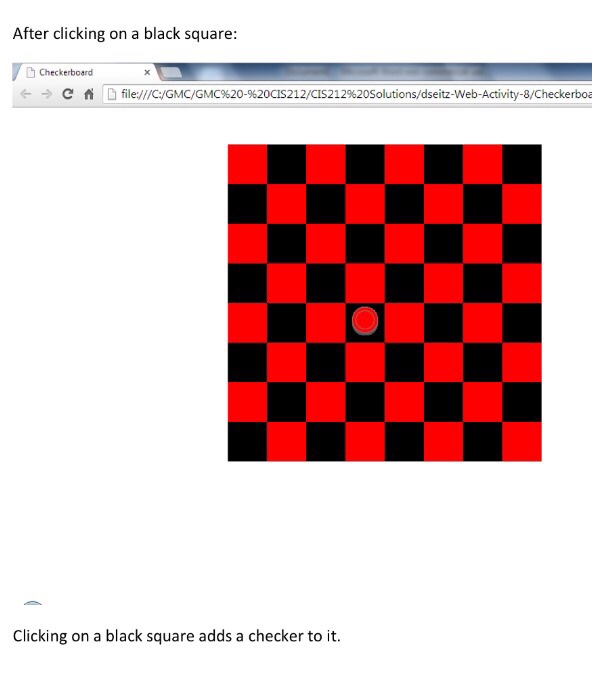
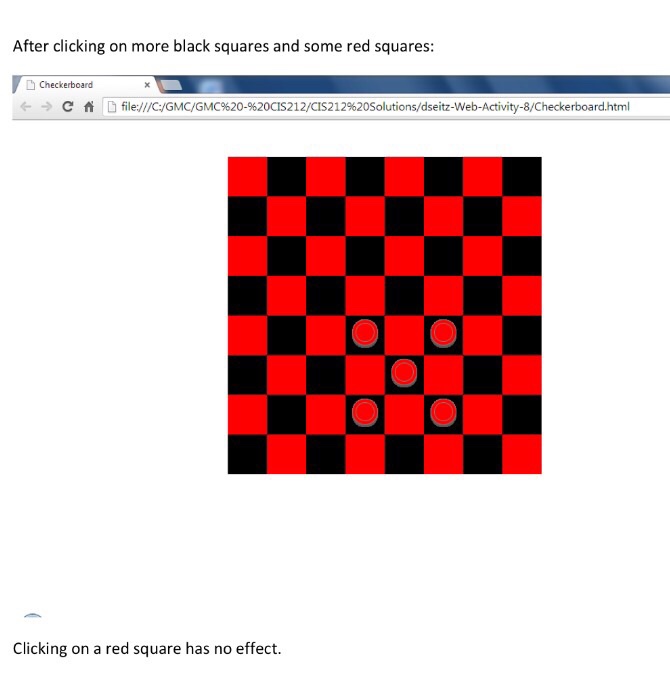
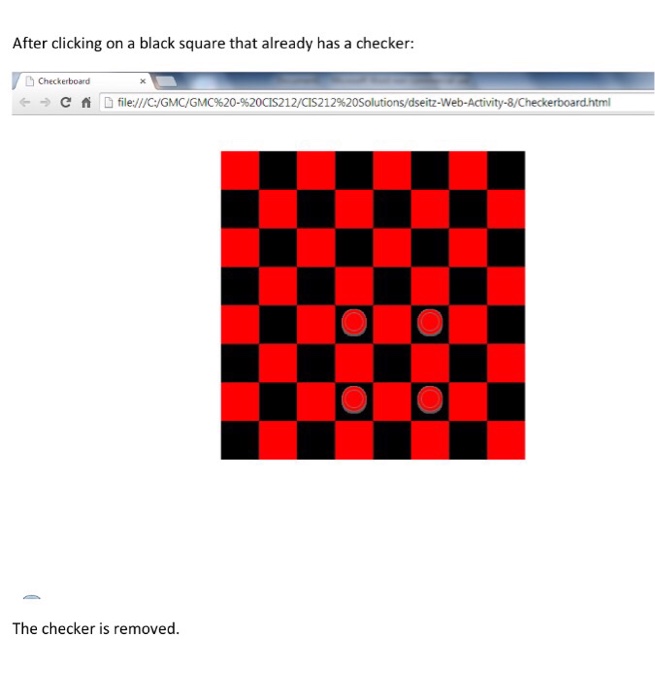
Web Activity 8 - Guidance ========================= createBoard() function ---------------------- Use nested "for" loops to iterate through the "board" table in row-by-row order. Each row has the same number of columns (cells). Each of these cells is a td, which represents a checkerboard square. As you iterate through these squares, let "square" be a local variable that refers to the current cell: var square = board.rows[iRow].cells[iCol]; For each square: Change the square's background color to either black or red. Here is an "if" condition that identifies a black square: if ((iRow + iCol) % 2 != 0) Make sure you understand why/how this works. Here is how you can change a black square's background color: square.style.backgroundColor = "black"; For each black square, register an onclick handler as follows: square.onclick = onClickBlackSquare; onClickBlackSquare() event handler function ------------------------------------------- If the user clicks on the checker image, since there is no event handler registered on the image, the event bubbles to its parent td (the black square that contains the image). In this case, the source of the event is the image. Check to see if the source of the event was the checker image. if (source.tagName == "IMG") If it is from the checker image, remove the image from the square as follows: source.parentElement.innerHTML = ""; Then return from the handler. If the source was not the image, then add a checker image to the square: source.innerHTML = ""; ///////////////////////////////////////////////////////////////// Create an interactive checkerboard web page.The following requirements must be met:You must use the provided starter HTML, image, CSS, and JavaScript files.The user interface's behavior must be implemented ENTIRELY via JavaScript.There are comments in the JavaScript file that show where your code must appear.When the user clicks on an empty black square, show a checker piece on it (using the provided image).When the user clicks on an occupied black square, remove the checker piece from it.When the user clicks on a red square, make no change to it.
Type the answer ////////////////////////////////////////////////////////////////////////////////////////////////////////////////////////////////// Double check the answer show the preview after done with the answer Answer in HTML format Example Web Activity 8 output When the page loads: D Checkerboard C fi D eb-Activity 8/Checkerboard. A standard 8x8 checkerboard
Step by Step Solution
There are 3 Steps involved in it
1 Expert Approved Answer
Step: 1 Unlock

Question Has Been Solved by an Expert!
Get step-by-step solutions from verified subject matter experts
Step: 2 Unlock
Step: 3 Unlock
 Study Help