





Question: this is the link to Co2.html,SeaLevel.csv, and Sqlite.py https://drive.google.com/drive/u/0/folders/1rDUl2YEzl9NRYdijPq5TNszzf11AszCa 2002 4 2002.292 2002 5 2002.375 2002 6 2002.458 Sealevel.cSV 2002.3797,3.43000,1.23000, 2002.4069,1.13000,0.33000, 2002.4340,5.67000,2.17000, Where necessary, reduce

this is the link to Co2.html,SeaLevel.csv, and Sqlite.py https://drive.google.com/drive/u/0/folders/1rDUl2YEzl9NRYdijPq5TNszzf11AszCa
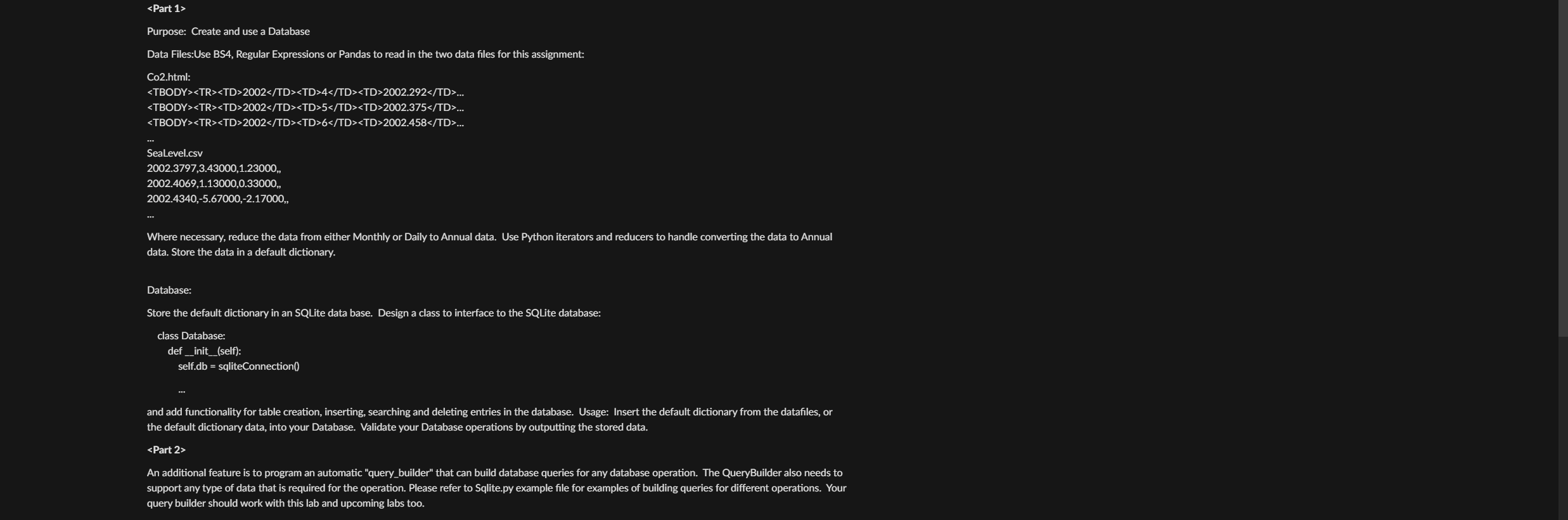
this is the link to Co2.html,SeaLevel.csv, and Sqlite.py https://drive.google.com/drive/u/0/folders/1rDUl2YEzl9NRYdijPq5TNszzf11AszCa 200242002.292 200252002.375 200262002.458

2002

42002.292200252002.375 200262002.458 Sealevel.cSV 2002.3797,3.43000,1.23000, 2002.4069,1.13000,0.33000, 2002.4340,5.67000,2.17000, Where necessary, reduce the data from either Monthly or Daily to Annual data. Use Python iterators and reducers to handle converting the data to Annual data. Store the data in a default dictionary. Database: Store the default dictionary in an SQLite data base. Design a class to interface to the SQLite database: class Database: def__init_(self): self.db = sqliteConnection0 and add functionality for table creation, inserting, searching and deleting entries in the database. Usage: Insert the default dictionary from the datafiles, or the default dictionary data, into your Database. Validate your Database operations by outputting the stored data. support any type of data that is required for the operation. Please refer to Sqlite.py example file for examples of building queries for query builder should work with this lab and upcoming labs too

Step by Step Solution

There are 3 Steps involved in it

1 Expert Approved Answer
Step: 1 Unlock blur-text-image

Question Has Been Solved by an Expert!

Get step-by-step solutions from verified subject matter experts

Step: 2 Unlock
Step: 3 Unlock

Students Have Also Explored These Related Databases Questions!