







Question: this is the STARTER CODE, please code in C++. without any functions // TODO (1): #include directives and namespace statement here enum Ranks{ACE=1,TWO,THREE,FOUR,FIVE,SIX,SEVEN,EIGHT,NINE,TEN,JACK,QUEEN,KING}; enum Suits{CLUBS=0,
this is the STARTER CODE, please code in C++. without any functions
// TODO (1): #include directives and namespace statement here
enum Ranks{ACE=1,TWO,THREE,FOUR,FIVE,SIX,SEVEN,EIGHT,NINE,TEN,JACK,QUEEN,KING};
enum Suits{CLUBS=0, HEARTS, SPADES, DIAMONDS};
int main() {
const string LINE = "--------------------";
// TODO (2): declare variables here
string suitName, rankName;
// TODO (3): prompt user for matchword; read in the value
// TODO (4): consider declaring and initializing additional variables
// TODO (5): start output with a line
for (int suit = CLUBS; suit
// TODO (6): if suit == CLUBS, then suitName = "Clubs", , else if suit == HEARTS, then suitName = "Hearts", ...
for (int rank = ACE; rank
// TODO (7): if rank == ACE, then rankName = "Ace", ...
// TODO (8): output the current card info if the match word equals the suitName OR the match word equals the rankName
}
}
// TODO: (7) output (no matches) if nothing matched
// TODO: (8) finish output with a line
return 0;
}
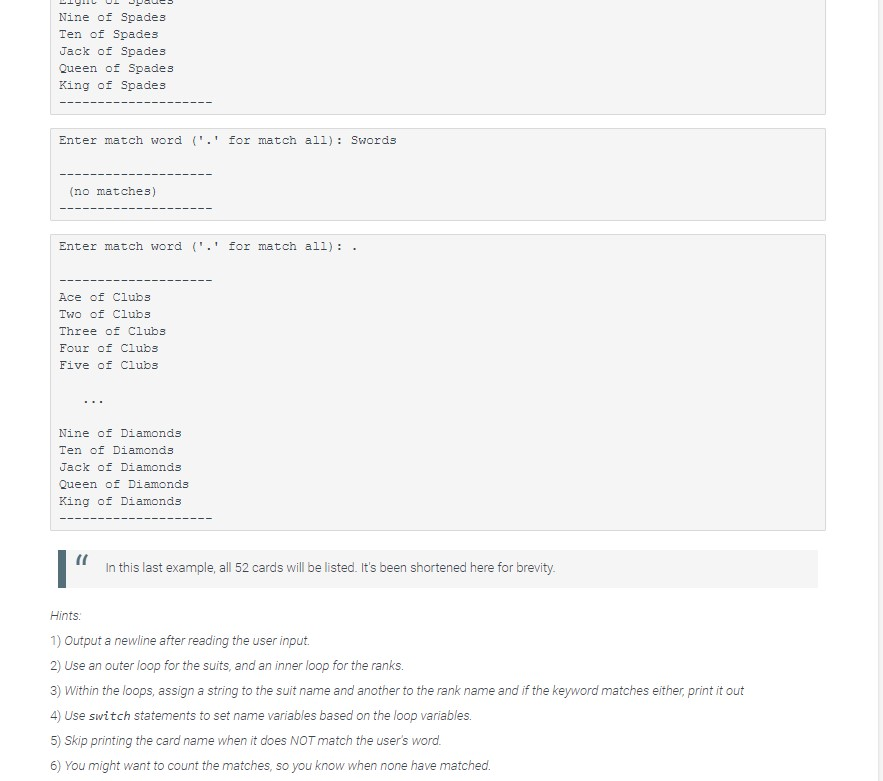
Nine of Spades Ten of Spades Jack of Spades Queen of Spades King of Spades Enter match word ('.' for match all): Swords (no matches) Enter match word ('.' for match all): Ace of Clubs Two of Clubs Three of Clubs Four of Clubs Five of Clubs Nine of Diamonds Ten of Diamonds Jack of Diamonds Queen of Diamonds King of Diamonds 1 In this last example, all 52 cards will be listed. It's been shortened here for brevity. Hints 1) Output a newline after reading the user input. 2) Use an outer loop for the suits, and an inner loop for the ranks. 3) Within the loops, assign a string to the suit name and another to the rank name and if the keyword matches either, print it out 4) Use switch statements to set name variables based on the loop variables. 5) Skip printing the card name when it does NOT match the user's word. 6) You might want to count the matches, so you know when none have matched
Step by Step Solution
There are 3 Steps involved in it

Get step-by-step solutions from verified subject matter experts
 Study Help