







Question: This is to be done in MARS Its from class - introduction to computer architecture Please give me the complete working code This is the
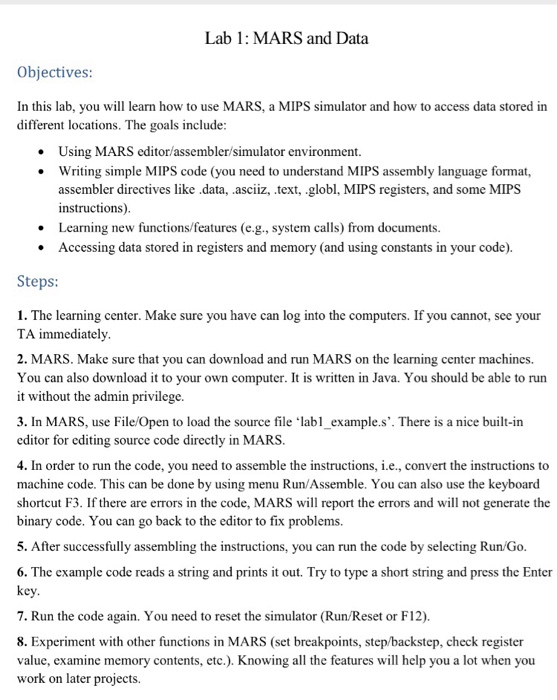
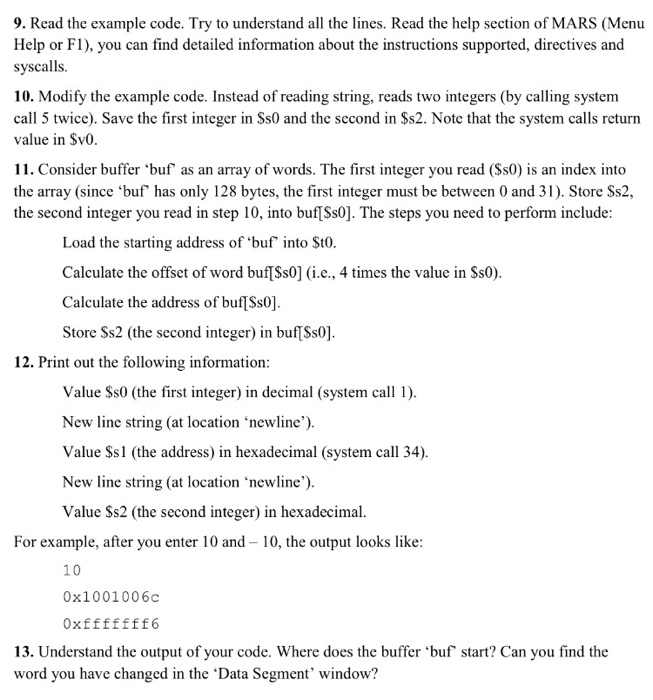
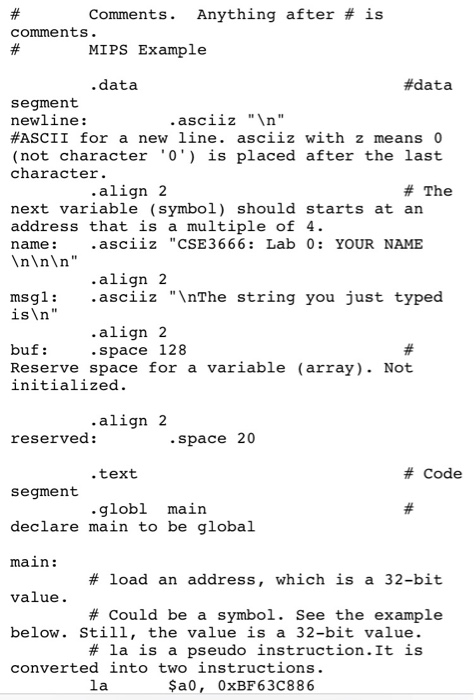
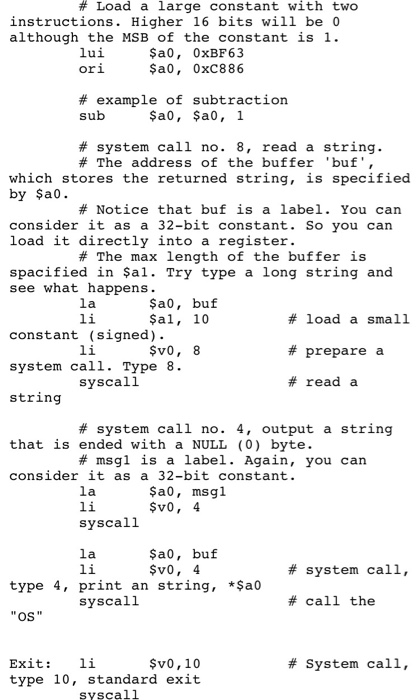
Lab 1: MARS and Data Objectives In this lab, you will learn how to use MARS, a MIPS simulator and how to access data stored in different locations. The goals include Using MARS editor/assembler/simulator environment. Writing simple MIPS code (you need to understand MIPS assembly language format, assembler directives like .data, .asciiz, .text, .globl, MIPS registers, and some MIPS instructions) Learning new functions/features (e.g., system calls) from documents. Accessing data stored in registers and memory (and using constants in your code). Steps 1. The learning center. Make sure you have can log into the computers. If you cannot, see your TA immediately 2. MARS. Make sure that you can download and run MARS on the learning center machines. You can also download it to your own computer. It is written in Java. You should be able to run it without the admin privilege 3. In MARS, use File/Open to load the source file labl_example.s'. There is a nice built-irn editor for editing source code directly in MARS 4. In order to run the code, you need to assemble the instructions, i.e., convert the instructions to machine code. This can be done by using menu Run/Assemble. You can also use the keyboard shortcut F3. If there are errors in the code, MARS will report the errors and will not generate the binary code. You can go back to the editor to fix problems. 5. After successfully assembling the instructions, you can run the code by selecting Run Go. 6. The cxample code reads a string and prints it out. Try to type a short string and press the Enter key 7. Run the code again. You need to reset the simulator (Run/Reset or F12). 8. Experiment with other functions in MARS (set breakpoints, step/backstep, check register value, examine memory contents, etc.). Knowing all the features will help you a lot when you work on later projects
Step by Step Solution
There are 3 Steps involved in it

Get step-by-step solutions from verified subject matter experts
 Study Help