







Question: This lab takes as input a CSV ( comma separated values ) file ( . csv extension ) that is used for generating tabular data
This lab takes as input a CSV comma separated values file csv extension that is used for generating tabular data
in spreadsheets. Specifically, for this assignment, you will NEED to assume this CSV file was generated in
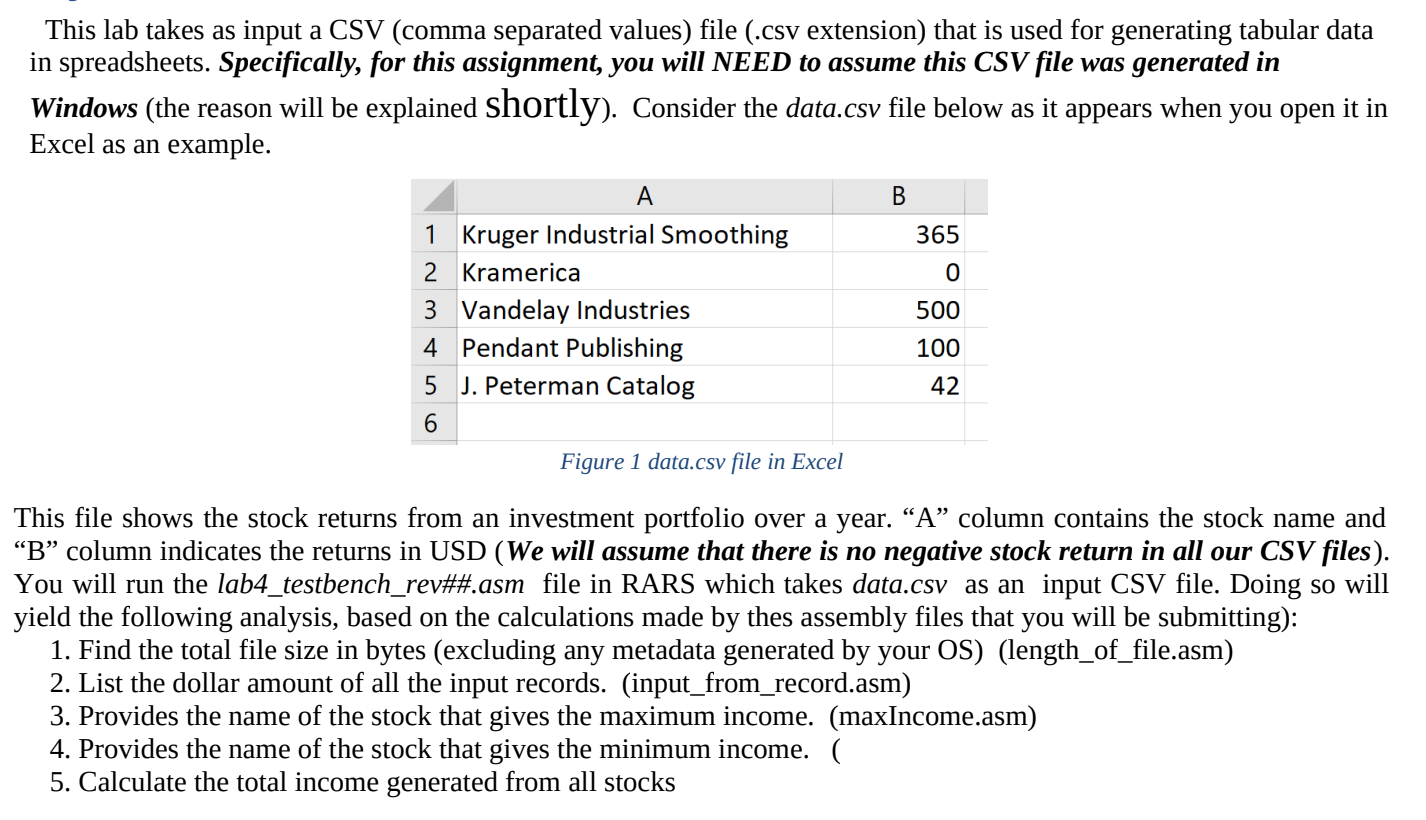
Windows the reason will be explained shortly Consider the data.csv file below as it appears when you open it in
Excel as an example.
Figure data.csv file in Excel
This file shows the stock returns from an investment portfolio over a year. A column contains the stock name and
column indicates the returns in USD We will assume that there is no negative stock return in all our CSV files
You will run the labtestbenchrev##asm file in RARS which takes data.cSv as an input CSV file. Doing so will
yield the following analysis, based on the calculations made by thes assembly files that you will be submitting:
Find the total file size in bytes excluding any metadata generated by your OSlengthoffile.asm
List the dollar amount of all the input records. inputfromrecord.asm
Provides the name of the stock that gives the maximum income. maxIncomeasm
Provides the name of the stock that gives the minimum income.
Calculate the total income generated from all stocks rars assembly
Step by Step Solution
There are 3 Steps involved in it
1 Expert Approved Answer
Step: 1 Unlock

Question Has Been Solved by an Expert!
Get step-by-step solutions from verified subject matter experts
Step: 2 Unlock
Step: 3 Unlock
 Study Help