





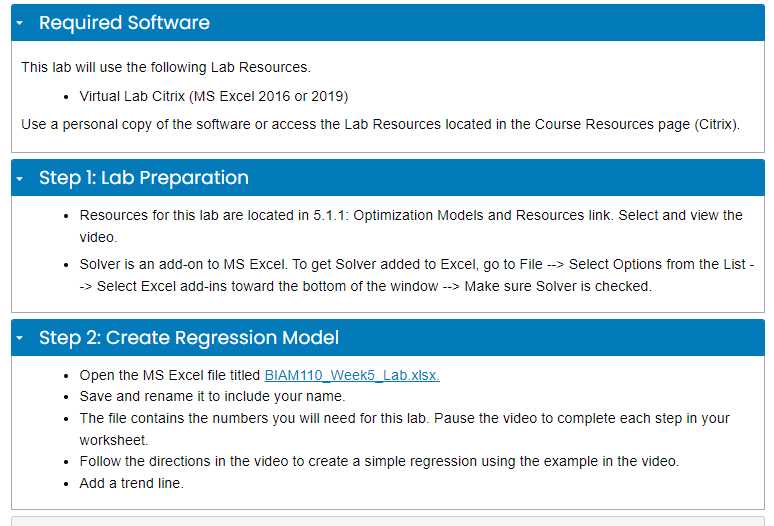
Question: This lab will use the following Lab Resources. - Virtual Lab Citrix (MS Excel 2016 or 2019) Use a personal copy of the software or
This lab will use the following Lab Resources. -This lab will use the following Lab Resources. -

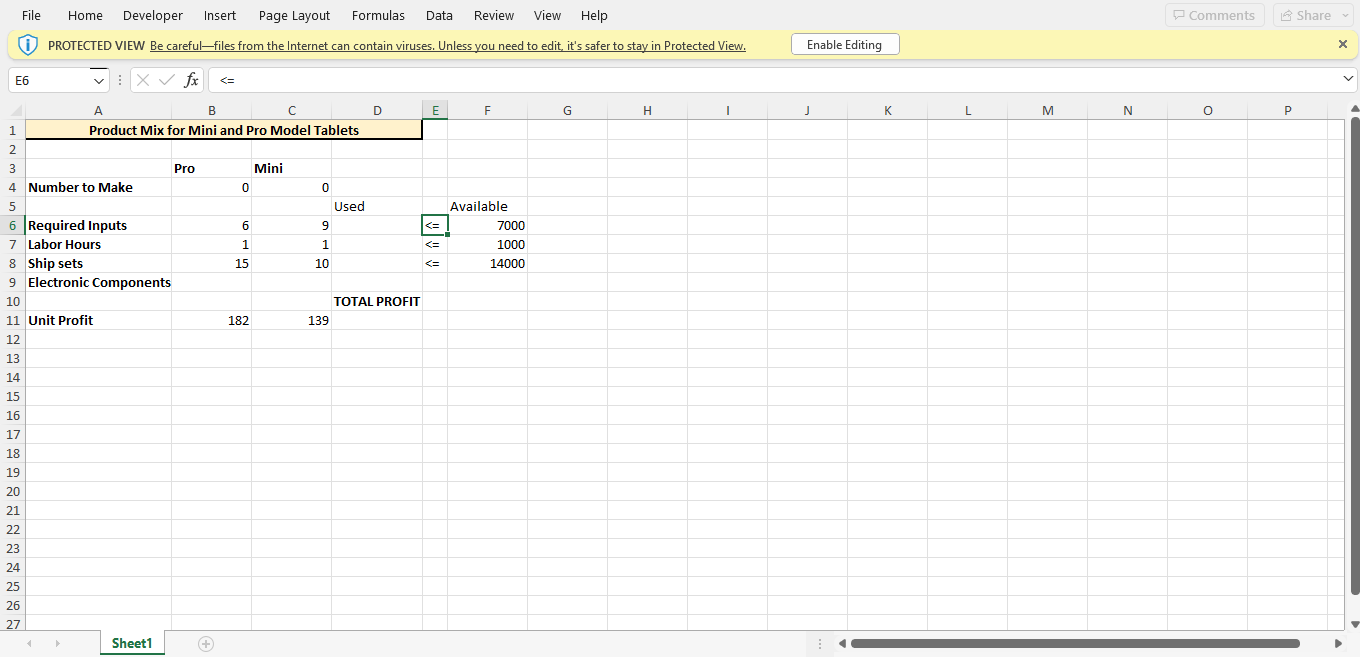
This lab will use the following Lab Resources. - Virtual Lab Citrix (MS Excel 2016 or 2019) Use a personal copy of the software or access the Lab Resources located in the Course Resources page (Citrix). Step 1: Lab Preparation - Resources for this lab are located in 5.1.1: Optimization Models and Resources link. Select and view the video. - Solver is an add-on to MS Excel. To get Solver added to Excel, go to File > Select Options from the List Select Excel add-ins toward the bottom of the window Make sure Solver is checked. Step 2: Create Regression Model - Open the MS Excel file titled BIAM110_Week5_Lab.xIsx. - Save and rename it to include your name. - The file contains the numbers you will need for this lab. Pause the video to complete each step in your worksheet. - Follow the directions in the video to create a simple regression using the example in the video. - Add a trend line. File Home Developer Insert Page Layout Formulas Data Review View Help (1) PROTECTED VIEW Be careful-files from the Internet can contain viruses. Unless you need to edit, it's safer to stay in Protected View

Step by Step Solution

There are 3 Steps involved in it

1 Expert Approved Answer
Step: 1 Unlock blur-text-image

Question Has Been Solved by an Expert!

Get step-by-step solutions from verified subject matter experts

Step: 2 Unlock
Step: 3 Unlock

Students Have Also Explored These Related General Management Questions!