







Question: This MUST be answered in MATLAB. After the code is created, the plotting code provided should create the graph shown. My projectile UDF is as
This MUST be answered in MATLAB. After the code is created, the plotting code provided should create the graph shown. My projectile UDF is as follows:
function a = projectile ( t, theta, V)
g = 9.8;
y = t. *V.*sin(theta) - 1/2*g*t.^2;
a = max (y); 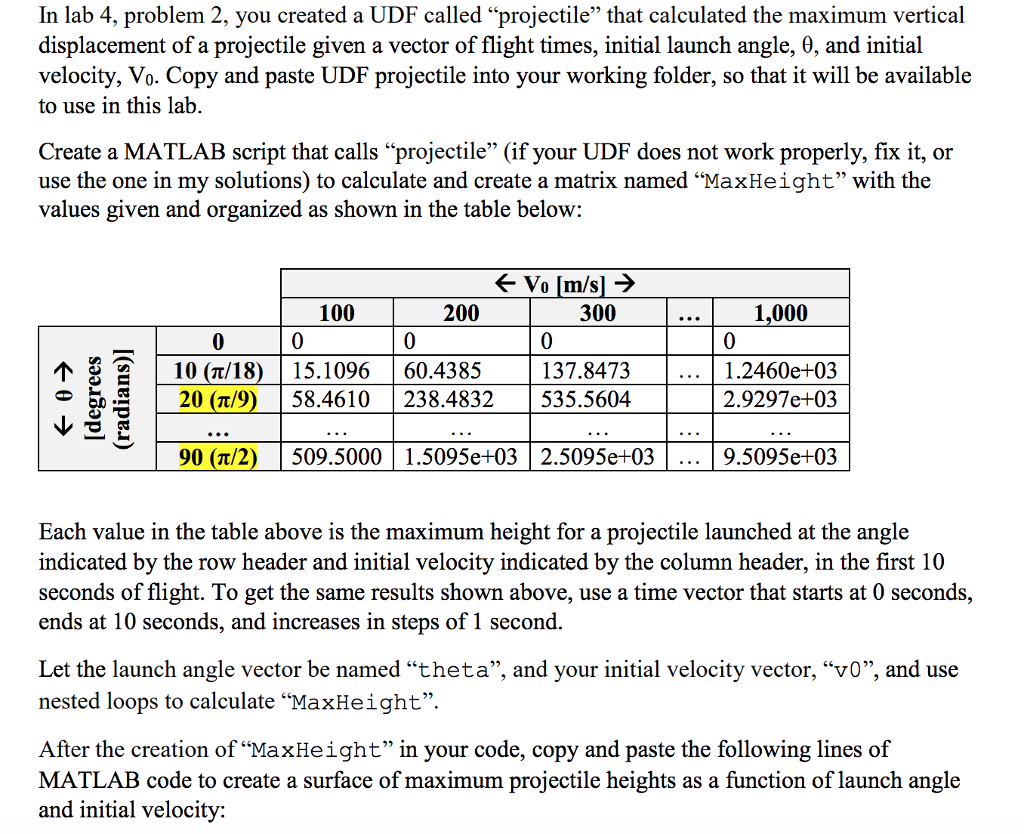
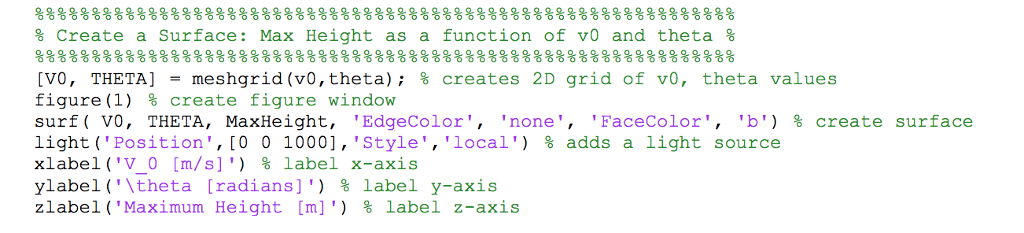
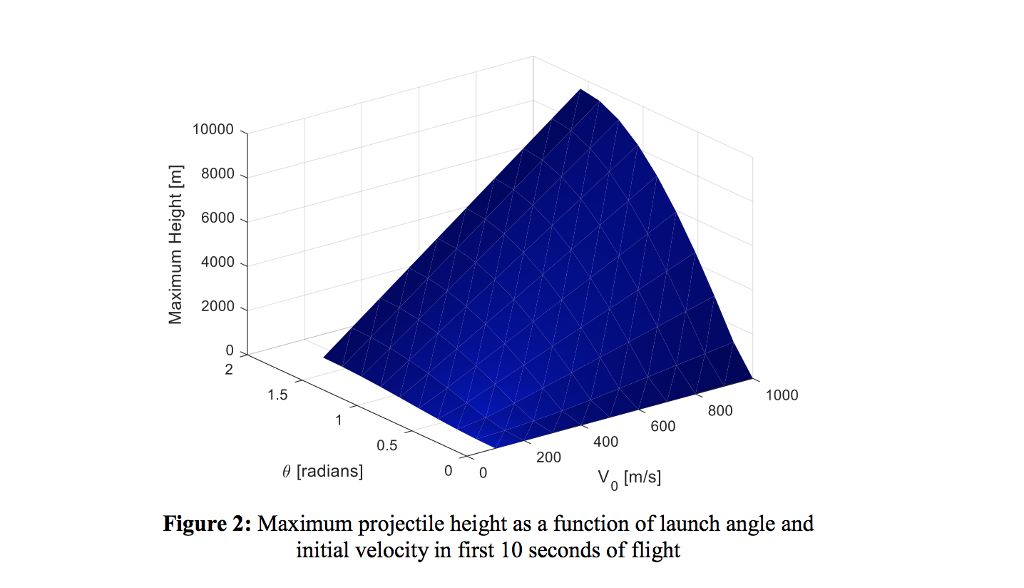
In lab 4, problem 2, you created a UDF called "projectile" that calculated the maximum vertical displacement of a projectile given a vector of flight times, initial launch angle, ?, and initial velocity, Vo. Copy and paste UDF projectile into your working folder, so that it will be available to use in this lab Create a MATLAB script that calls "projectile" (if your UDF does not work properly, fix it, or use the one in my solutions) to calculate and create a matrix named "MaxHeight" with the values given and organized as shown in the table below: 100 0 200 300 0 | 137.8473 | 535.5604 1,000 0 1.2460e+03 2.9297e+03 0 , | 10 (?/ 18) | 15.1096 | 20(n/9) | 58.4610 160.4385 | 238.4832 90 (7a/2) 509.50001.5095e+03 2.5095e+0:3 9.5095e+03 Each value in the table above is the maximum height for a projectile launched at the angle indicated by the row header and initial velocity indicated by the column header, in the first 10 seconds of flight. To get the same results shown above, use a time vector that starts at 0 seconds, ends at 10 seconds, and increases in steps of 1 second. Let the launch angle vector be named "theta", and your initial velocity vector, "vO", and use nested loops to calculate "MaxHeight". After the creation of "MaxHeight" in your code, copy and paste the following lines of MATLAB code to create a surface of maximum projectile heights as a function of launch angle and initial velocity
Step by Step Solution
There are 3 Steps involved in it

Get step-by-step solutions from verified subject matter experts
 Study Help