







Question: This needs to be done in Java Sample Output: (green is user input) Enter 1 to initialize a default array, 2 to initialize an array
This needs to be done in Java
Sample Output: (green is user input)
Enter 1 to initialize a default array,
2 to initialize an array of input size,
3 fill array with values,
4 display values in array,
5 to display average of the values
in the array,
6 to quit
3
Enter the float numbers as values in
the array:
Enter value:
1
Enter value:
2
Enter value:
3
Enter value:
4
Enter value:
5
Enter value:
6
Enter value:
7
Enter value:
8
Enter value:
9
Enter value:
10
Enter 1 to initialize a default
array,
2 to initialize an array of input
size,
3 fill array with values,
4 display values in array,
5 to display average of the values
in the array,
6 to quit
4
Values are:
1.0
2.0
3.0
4.0
5.0
6.0
7.0
8.0
9.0
10.0
Enter 1 to initialize a default
array,
2 to initialize an array of input
size,
3 fill array with values,
4 display values in array,
5 to display average of the values
in the array,
6 to quit
5
The average is 5.5
Enter 1 to initialize a default
array,
2 to initialize an array of input
size,
3 fill array with values,
4 display values in array,
5 to display average of the values
Code:
import java.util.*;
public class Numbers {
private Float [] numbers;
public Numbers() {
/// write code here to intialize a "default" array since this is the default constructor
}
public Numbers (int size) {
/// write code here to initialize an "initial" array given the parameter size as this is an initial constructor
}
public void initValuesInArray() {
/// write code here to intialize the values in the array
}
public String toString() {
// write code to return the values in the array in a list format - one value per line
return " ";
}
public float calcAverage() {
// write code to return the average of the values in the array
return (float) 0.0;
}
}
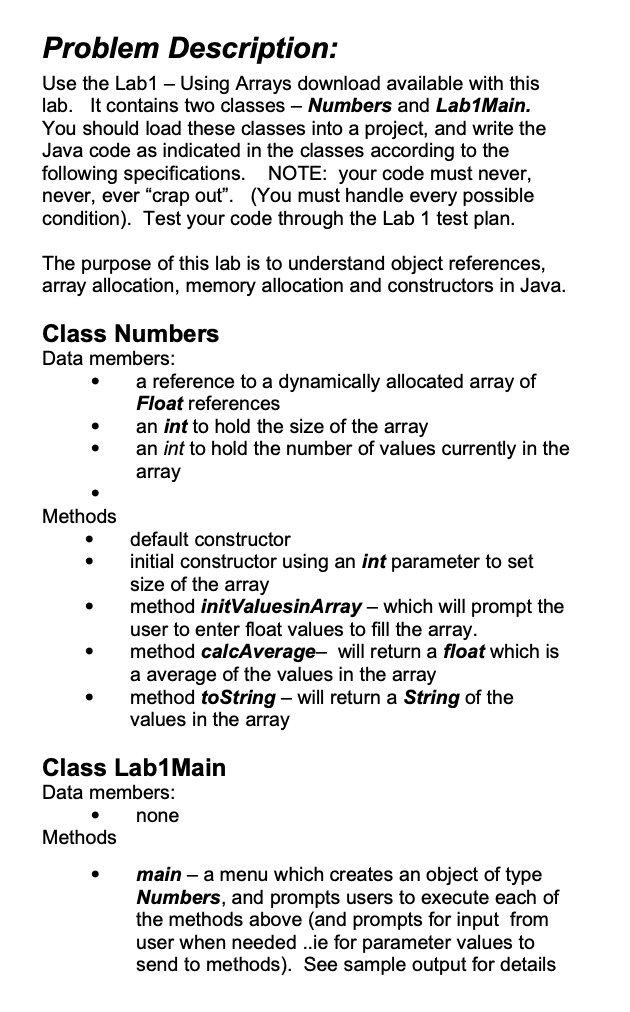
Problem Description: Use the Lab1 - Using Arrays download available with this lab. It contains two classes - Numbers and Lab1Main. You should load these classes into a project, and write the Java code as indicated in the classes according to the following specifications. NOTE: your code must never, never, ever "crap out". (You must handle every possible condition). Test your code through the Lab 1 test plan The purpose of this lab is to understand object references, array allocation, memory allocation and constructors in Java Class Numbers Data members: a reference to a dynamically allocated array of Float references an int to hold the size of the array an int to hold the number of values currently in the array Methods .default constructor initial constructor using an int parameter to set size of the array method initValuesinArray - which will prompt the user to enter float values to fill the array. method calcAverage- will return a float which is a average of the values in the array method toString - will return a String of the values in the array Class Lab1 Main Data members: none Methods main - a menu which creates an object of type Numbers, and prompts users to execute each of the methods above (and prompts for input from user when needed ..ie for parameter values to send to methods). See sample output for details
Step by Step Solution
There are 3 Steps involved in it
To implement the described functionality in Java you need to complete the Numbers class and create a Lab1Main class with a menu to interact with the u... View full answer

Get step-by-step solutions from verified subject matter experts
 Study Help