







Question: The Utopian Coding Society (UCs)' is evaluating the how different programming languages handle pseudo-random number generation and very large values. You decided to contribute
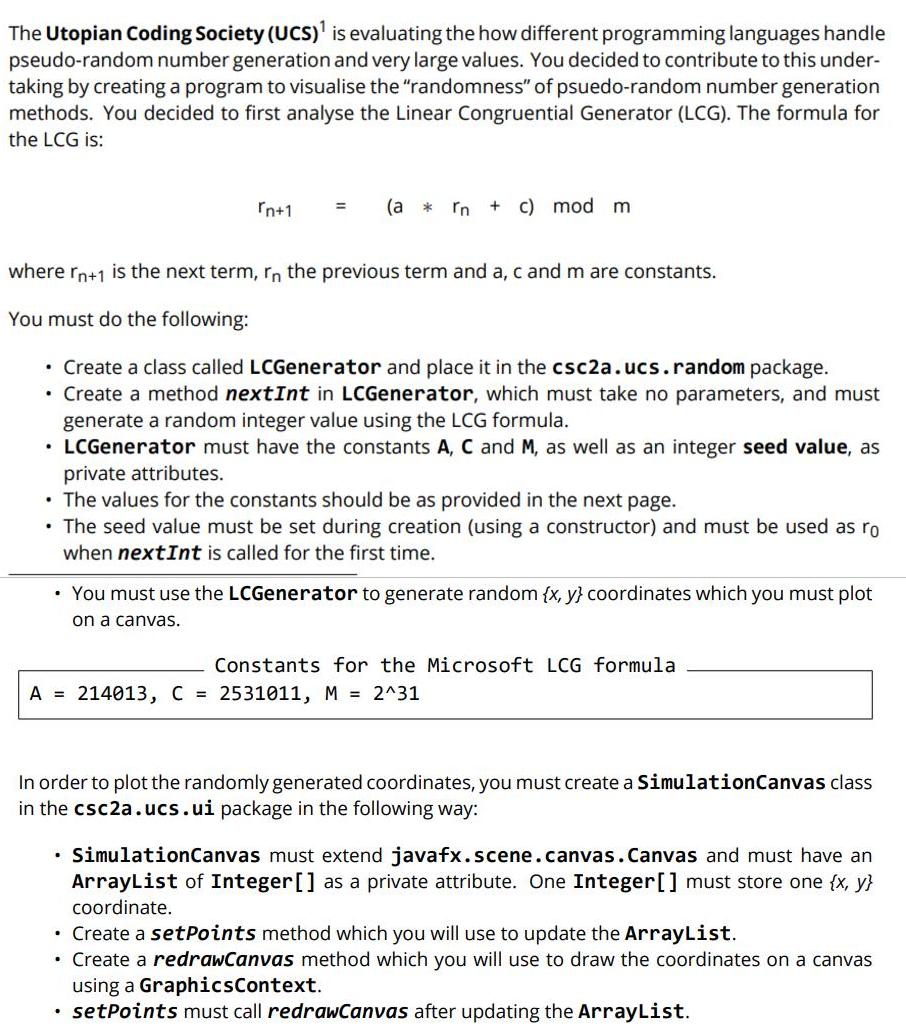

The Utopian Coding Society (UCs)' is evaluating the how different programming languages handle pseudo-random number generation and very large values. You decided to contribute to this under- taking by creating a program to visualise the "randomness" of psuedo-random number generation methods. You decided to first analyse the Linear Congruential Generator (LCG). The formula for the LCG is: rn+1 (a * In c) mod m %3D where rn+1 is the next term, rn the previous term and a, c and m are constants. You must do the following: Create a class called LCGenerator and place it in the csc2a.ucs.random package. Create a method nextInt in LCGenerator, which must take no parameters, and must generate a random integer value using the LCG formula. LCGenerator must have the constants A, C and M, as well as an integer seed value, as private attributes. The values for the constants should be as provided in the next page. The seed value must be set during creation (using a constructor) and must be used as ro when nextInt is called for the first time. You must use the LCGenerator to generate random {x, y} coordinates which you must plot on a canvas. Constants for the Microsoft LCG formula A 214013, C = 2531011, M = 2^31 In order to plot the randomly generated coordinates, you must create a SimulationCanvas class in the csc2a.ucs.ui package in the following way: SimulationCanvas must extend javafx.scene.canvas.Canvas and must have an ArrayList of Integer[] as a private attribute. One Integer[] must store one {x, y} coordinate. Create a setPoints method which you will use to update the ArrayList. Create a redrawCanvas method which you will use to draw the coordinates on a canvas using a GraphicsContext. setPoints must call redrawCanvas after updating the ArrayList. Here is an example of how the points should be drawn on the canvas: Linear Congruential Generator Visualizer O X Plot Values Create a Main class and do the following: Create an LCGenerator instance using a seed value of your choice and generate 10000 random {x, y} coordinates. Note: Becuase the given formula can potentially generate integers that are larger than the maximum value for an integer in Java, it is possible for the nextInt method to return neg- ative integers in some cases. Therefore, after generating {x, y} coordinates, you must first check that they are both not negative before storing them (if one of the coordinates is neg- ative, you may simply skip to the next iteration. You not have to call nextInt again). Note: Remember to mod the random number with the canvas' width (for x-coordinates) and height (for y-coordinates) to make sure that all your coordinates are within range.
Step by Step Solution
There are 3 Steps involved in it
Step1 create LCGeneratorJava and add below code Package csc2aucs random Public class LCGenerator Pri... View full answer

Get step-by-step solutions from verified subject matter experts
 Study Help