





Question: This practical task introduces you to arrays and lists that allow you to group, store and manage related data. Arrays are fixed in size and
This practical task introduces you to arrays and
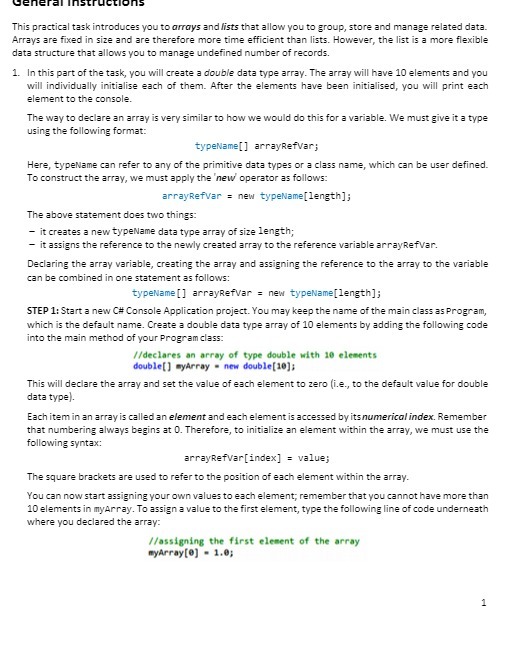
This practical task introduces you to arrays and lists that allow you to group, store and manage related data. Arrays are fixed in size and are therefore more time efficient than lists. However, the list is a more flexible data structure that allows you to manage undefined number of records. 1. In this part of the task, you will create a double data type array. The array will have 10 elements and you will individually initialise each of them. After the elements have been initialised, you will print each element to the console. The way to declare an array is very similar to how we would do this for a variable. We must give it a type using the following format: typeName arrayRefvar; Here, typeName can refer to any of the primitive date types or a class name, which can be user defined. To construct the array, we must apply the 'new operator as follows: arrayRefvar = new typeName[length]; The above statement does two things: - it creates a new typeName data type array of size length; - it assigns the reference to the newly created array to the reference variable arrayRefvar. Declaring the array variable, creating the array and assigning the reference to the array to the variable can be combined in one statement as follows: typeName arrayRefvar = new typeName[length]; STEP 1: Start a new C# Console Application project. You may keep the name of the main class as Program, which is the default name. Create a double date type array of 10 elements by adding the following code into the main method of your Program class: //declares an array of type double with 10 elements double myArray = new double[10]; This will declare the array and set the value of each element to zero (i.e., to the default value for double data type). Each item in an array is called an element and each element is accessed by its numerical index. Remember that numbering always begins at 0. Therefore, to initialize an element within the array, we must use the following syntax: arrayRefvar [index] = value; The square brackets are used to refer to the position of each element within the array. You can now start assigning your own values to each element; remember that you cannot have more than 10 elements in myArray. To assign a value to the first element, type the following line of code underneath where you declared the array: //assigning the first element of the array myArray [0] = 1.0; 1

Step by Step Solution

There are 3 Steps involved in it

1 Expert Approved Answer
Step: 1 Unlock blur-text-image

Question Has Been Solved by an Expert!

Get step-by-step solutions from verified subject matter experts

Step: 2 Unlock
Step: 3 Unlock

Students Have Also Explored These Related Mathematics Questions!