







Question: This programming is processing language. Please help. Create an animation of a ball (circle, diameter: 20) moving and bouncing when it collides with the edges
This programming is processing language. Please help.
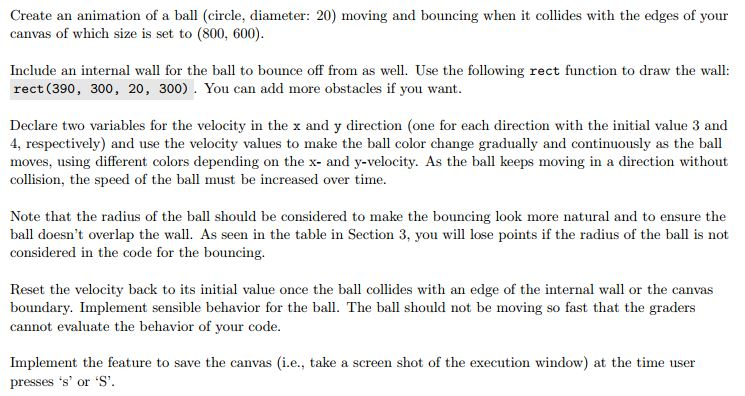
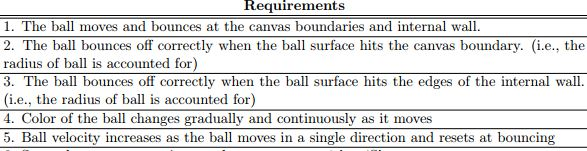
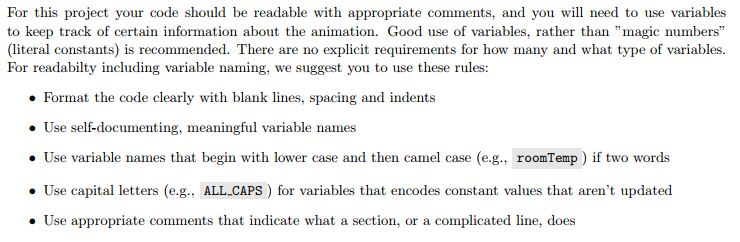
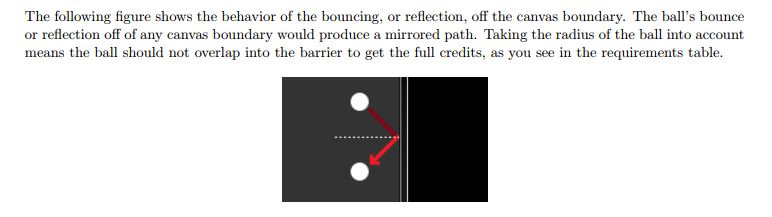

Create an animation of a ball (circle, diameter: 20) moving and bouncing when it collides with the edges of your canvas of which size is set to (800, 600) Include an internal wall for the ball to bounce off from as well. Use the following rect function to draw the wall: rect (390, 300, 20, 300). You can add more obstacles if you want Declare two variables for the velocity in the x and y direction (one for each direction with the initial value 3 and 4, respectively) and use the velocity values to make the ball color change gradually and continuously as the ball moves, using different colors depending on the x- and y-velocity. As the ball keeps moving in a direction without collision, the speed of the ball must be increased over time. Note that the radius of the ball should be considered to make the bouncing look more natural and to ensure the ball doesn't overlap the wall. As seen in the table in Section 3, you considered in the code for the bouncing. i will lose points if the radius of the ball is not Reset the velocity back to its initial value once the ball collides with an edge of the internal wall or the canvas boundary. Implement sensible behavior for the ball. The ball should not be moving so fast that the graders cannot evaluate the behavior of your code. Implement the feature to save the canvas (i.e., take a screen shot of the execution window) at the time user presses s or S' Create an animation of a ball (circle, diameter: 20) moving and bouncing when it collides with the edges of your canvas of which size is set to (800, 600) Include an internal wall for the ball to bounce off from as well. Use the following rect function to draw the wall: rect (390, 300, 20, 300). You can add more obstacles if you want Declare two variables for the velocity in the x and y direction (one for each direction with the initial value 3 and 4, respectively) and use the velocity values to make the ball color change gradually and continuously as the ball moves, using different colors depending on the x- and y-velocity. As the ball keeps moving in a direction without collision, the speed of the ball must be increased over time. Note that the radius of the ball should be considered to make the bouncing look more natural and to ensure the ball doesn't overlap the wall. As seen in the table in Section 3, you considered in the code for the bouncing. i will lose points if the radius of the ball is not Reset the velocity back to its initial value once the ball collides with an edge of the internal wall or the canvas boundary. Implement sensible behavior for the ball. The ball should not be moving so fast that the graders cannot evaluate the behavior of your code. Implement the feature to save the canvas (i.e., take a screen shot of the execution window) at the time user presses s or S
Step by Step Solution
There are 3 Steps involved in it

Get step-by-step solutions from verified subject matter experts
 Study Help