







Question: This project requires making a tool in MS Excel to aid in financial planning. This will help manage and plan your finances for your time
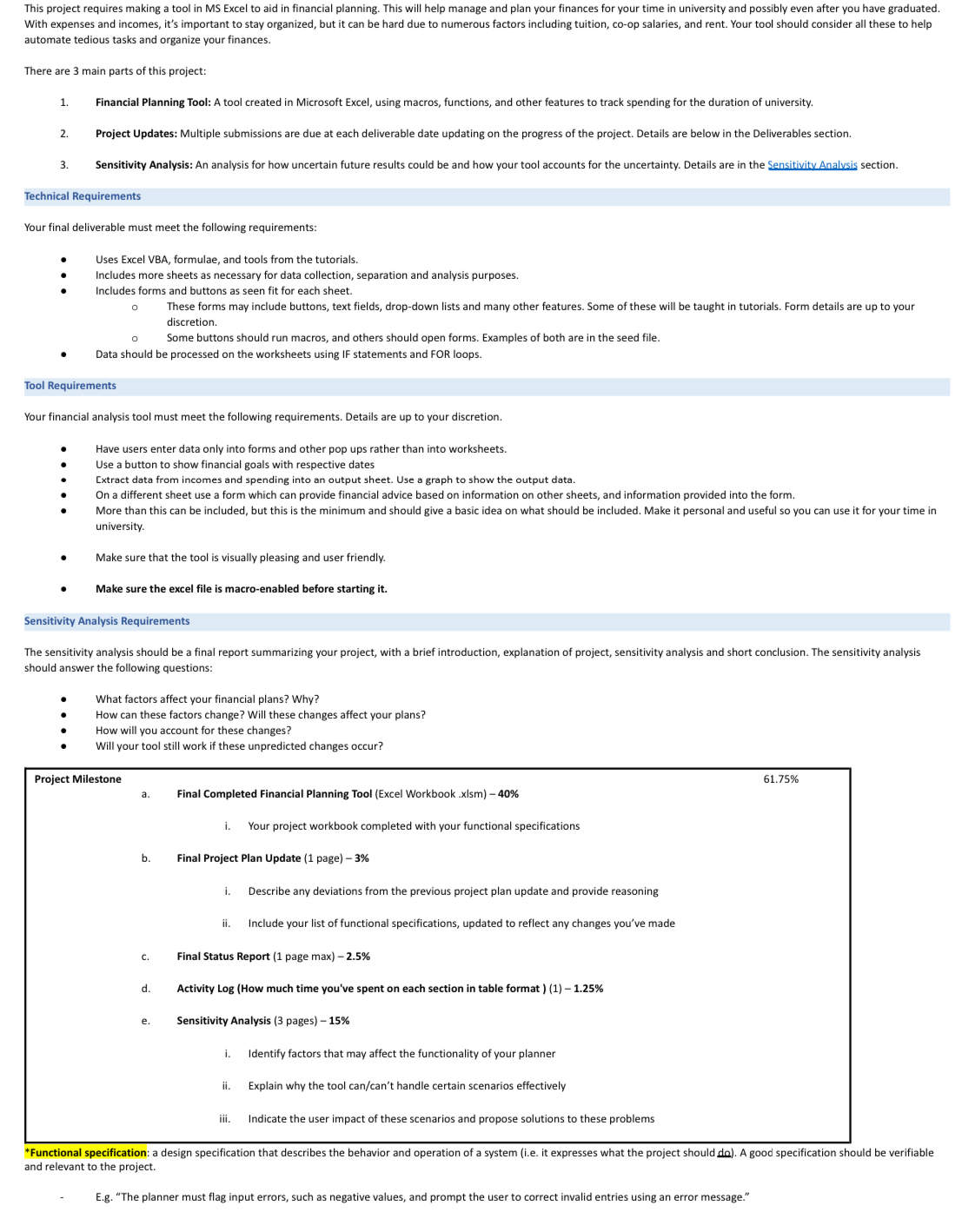
This project requires making a tool in MS Excel to aid in financial planning. This will help manage and plan your finances for your time in university and possibly even after you have graduated. With expenses and incomes, it's important to stay organized, but it can be hard due to numerous factors including tuition, coop salaries, and rent. Your tool should consider all these to help automate tedious tasks and organize your finances.
There are main parts of this project:
Financial Planning Tool: A tool created in Microsoft Excel, using macros, functions, and other features to track spending for the duration of university.
Project Updates: Multiple submissions are due at each deliverable date updating on the progress of the project. Details are below in the Deliverables section.
Sensitivity Analysis: An analysis for how uncertain future results could be and how your tool accounts for the uncertainty. Details are in the Sensitivity Analysis section.
Technical Requirements
Your final deliverable must meet the following requirements:
Uses Excel VBA, formulae, and tools from the tutorials.
Includes more sheets as necessary for data collection, separation and analysis purposes.
Includes forms and buttons as seen fit for each sheet.
These forms may include buttons, text fields, dropdown lists and many other features. Some of these will be taught in tutorials. Form details are up to your discretion.
Some buttons should run macros, and others should open forms. Examples of both are in the seed file.
Data should be processed on the worksheets using IF statements and FOR loops.
Tool Requirements
Your financial analysis tool must meet the following requirements. Details are up to your discretion.
Have users enter data only into forms and other pop ups rather than into worksheets.
Use a button to show financial goals with respective dates
Extract data from incomes and spending into an output sheet. Use a graph to show the output data.
On a different sheet use a form which can provide financial advice based on information on other sheets, and information provided into the form.
More than this can be included, but this is the minimum and should give a basic idea on what should be included. Make it personal and useful so you can use it for your time in university.
Make sure that the tool is visually pleasing and user friendly.
Make sure the excel file is macroenabled before starting it
Sensitivity Analysis Requirements
The sensitivity analysis should be a final report summarizing your project, with a brief introduction, explanation of project, sensitivity analysis and short conclusion. The sensitivity analysis should answer the following questions:
What factors affect your financial plans? Why?
How can these factors change? Will these changes affect your plans?
How will you account for these changes?
Will your tool still work if these unpredicted changes occur?
Project Milestone
a Final Completed Financial Planning Tool Excel Workbook xlsm
i Your project workbook completed with your functional specifications
b Final Project Plan Update page
i Describe any deviations from the previous project plan update and provide reasoning
ii Include your list of functional specifications, updated to reflect any changes you've made
c Final Status Report page max
d Activity Log How much time you've spent on each section in table format
e Sensitivity Analysis pages
i Identify factors that may affect the functionality of your planner
ii Explain why the tool cancant handle certain scenarios effectively
iii. Indicate the user impact of these scenarios and propose solutions to these problems
Functional specification: a design specification that describes the behavior and operation of a system ie it expresses what the project should da A good specification should be verifiable and relevant to the project.
Eg "The planner must flag input errors, such as negative values, and prompt the user to correct invalid entries using an error message."
Step by Step Solution
There are 3 Steps involved in it
1 Expert Approved Answer
Step: 1 Unlock

Question Has Been Solved by an Expert!
Get step-by-step solutions from verified subject matter experts
Step: 2 Unlock
Step: 3 Unlock
 Study Help