







Question: This should be done on Excel using VBA. The picture attached has all the details provided. Please take a screenshot of the codes then attach
This should be done on Excel using VBA. The picture attached has all the details provided. Please take a screenshot of the codes then attach it here. Please notice that the content under " Writing Comments to Document Programs" are just tips about how to write good comments and not part of the question.Thank you!
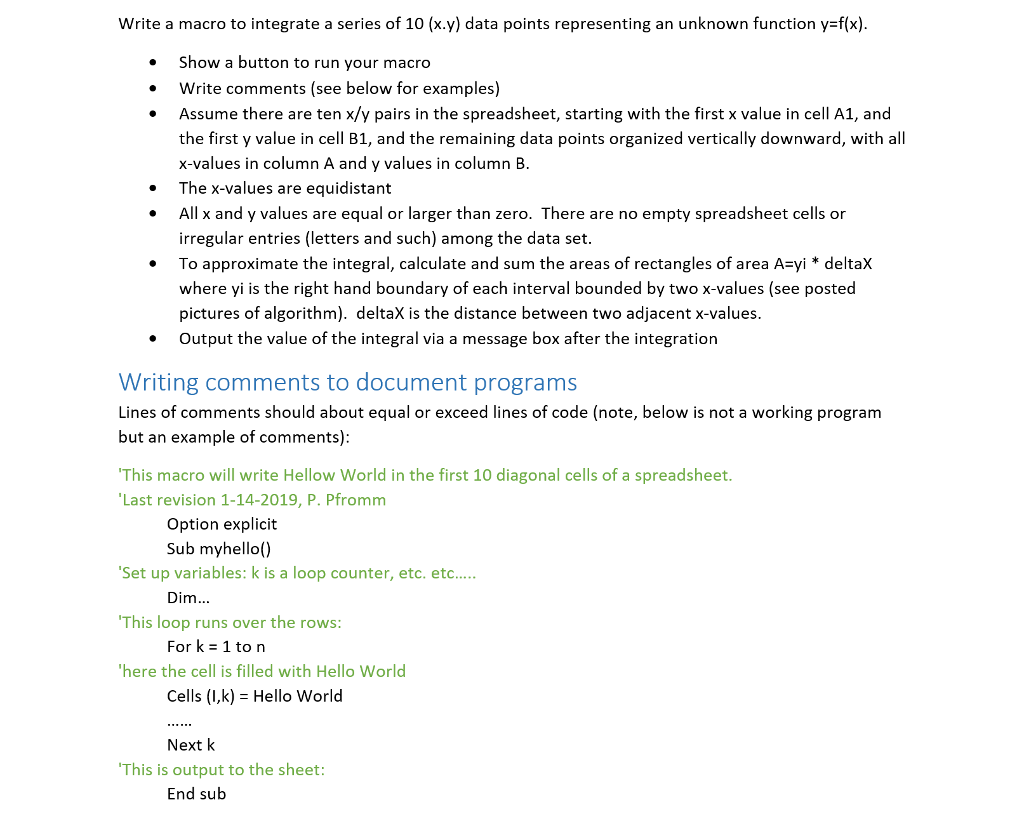
Write a macro to integrate a series of 10 (x.y) data points representing an unknown function y-f(x) . Show a button to run your macro . Write comments (see below for examples) . Assume there are ten x/y pairs in the spreadsheet, starting with the first x value in cell A1, and the first y value in cell B1, and the remaining data points organized vertically downward, with all x-values in column A and y values in column B The x-values are equidistant Allx and y values are equal or larger than zero. There are no empty spreadsheet cells or irregular entries (letters and such) among the data set . To approximate the integral, calculate and sum the areas of rectangles of area A-yi *deltaX where yi is the right hand boundary of each interval bounded by two x-values (see posted pictures of algorithm). deltaX is the distance between two adjacent x-values Output the value of the integral via a message box after the integration . Writing comments to document programs Lines of comments should about equal or exceed lines of code (note, below is not a working program but an example of comments) This macro will write Hellow World in the first 10 diagonal cells of a spreadsheet Last revision 1-14-2019, P. Pfromm Option explicit Sub myhello() Set up variables: k is a loop counter, etc. etc.... This loop runs over the rows here the cell is filled with Hello World Dim.. For k 1 to n Cells (I,k) Hello World Next k This is output to the sheet End sub
Step by Step Solution
There are 3 Steps involved in it

Get step-by-step solutions from verified subject matter experts
 Study Help