



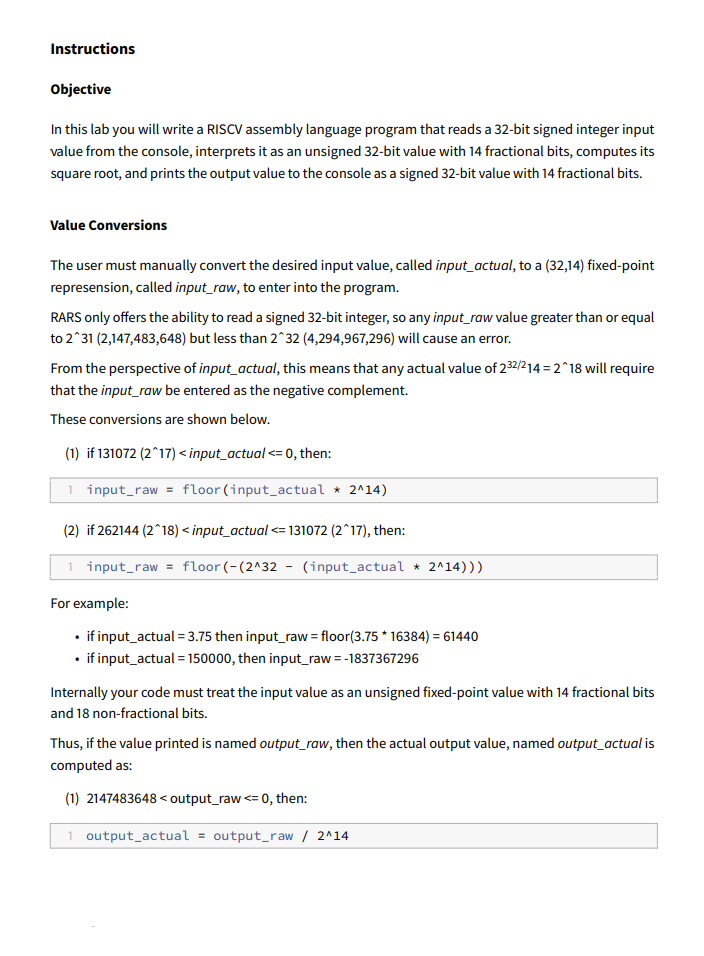
Question: This uses the RV 3 2 I instruction set in the RARS simulator. Please help me understand why my code does not work: . data
This uses the RVI instruction set in the RARS simulator. Please help me understand why my code does not work:
data
inputraw:
word # Placeholder for the input value inputraw
text
globl main
main:
# A Read input value points
li a # Syscall for reading an integer a
ecall # Read the integer from the console result in a
la t inputraw # Load address of inputraw into t
sw at # Store the input into inputraw already in fixedpoint format
# Load the inputraw value fixedpoint format
lw tt # t now contains the inputraw value unsigned interpretation
# Initialize registers
li t # t guess initial guess is
li t # t initial step for fixedpoint
loop:
# B Square the guess and shift result points
add t t t # t t tcurrent guess
mul t t t # tt tlower bits
srli t t # t tadjust for fractional bits
# C Compare guess with input value points
bltu t t increaseguess # If t inputraw, increase guess
bgeu t t decreaseguess # If t inputraw, decrease guess
increaseguess:
# D Add to guess points
add t t t # t t tincrease guess
j halvestep # Go to halvestep
decreaseguess:
# D Subtract from guess points
sub t t t # t t tdecrease guess
halvestep:
# E Shift step points
srli t t # t thalve step size
# F Loop until step becomes points
bnez t loop # If t continue looping
# G Print final guess points
done:
mv a t # Move the final guess outputraw to a
li a # Syscall for printing an integer a
ecall # Print the final square root in raw format
# Exit the program
li a # Syscall for exit a
ecall
Step by Step Solution
There are 3 Steps involved in it
1 Expert Approved Answer
Step: 1 Unlock

Question Has Been Solved by an Expert!
Get step-by-step solutions from verified subject matter experts
Step: 2 Unlock
Step: 3 Unlock