







Question: THREE.js library geometry/world space: I have a ferris wheel. Baskets on the ferris wheel follow dummy placeholders so they always point to the ground when
THREE.js library geometry/world space: I have a ferris wheel. Baskets on the ferris wheel follow dummy placeholders so they always point to the ground when rotating on the wheel:
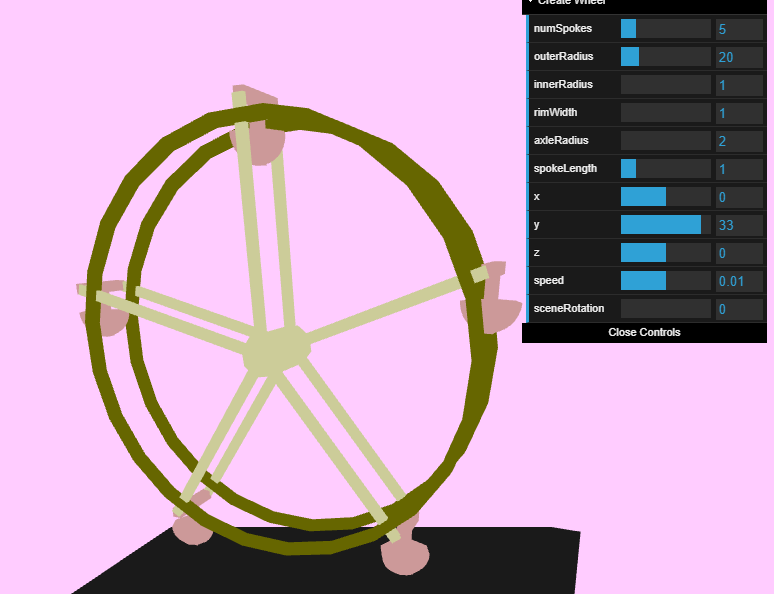
All works as expected, until the scene is rotated. When the scene is rotated, the baskets no longer line up with the rotation of the ferris wheel: 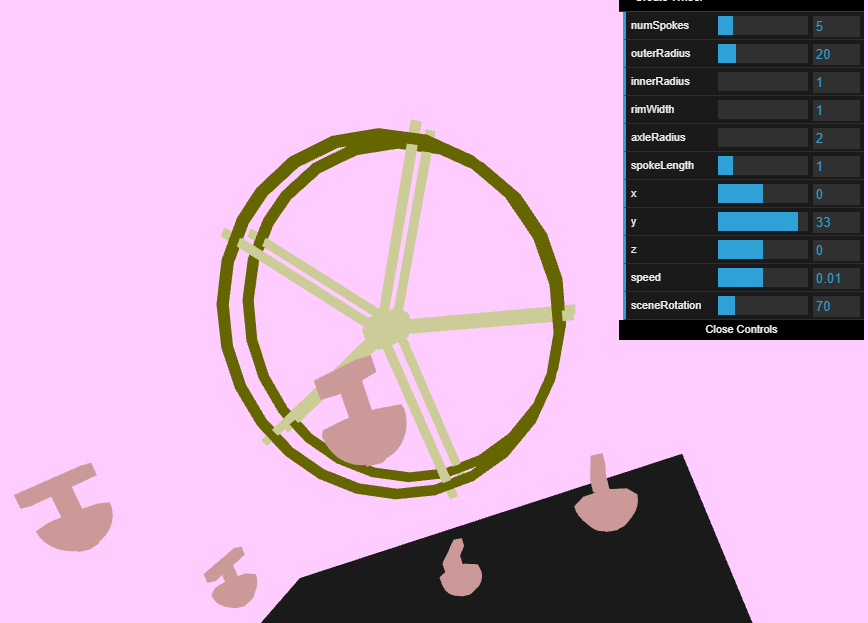
How can I fix it so that the baskets line up with the position of the wheel and stay pointed towards the ground when the wheel rotates?
Logic of basket creation:
Spoke meshes are created and rotated around the wheel evenly, as a child of the wheel. At the end of each spoke, an empty THREE.Object3D() is placed, named "dummy0", "dummy1", etc... to keep track of the position of the end of the spoke as the wheel rotates. These dummy objects are children of the spokes, which are children of the wheel.
The baskets are then created. They are children of the scene, not children of the wheel. They are named "basket0", "basket1", etc... In the render method, the wheel is rotated with wheel.rotation.z+=controls.speed; The scene is rotated with scene.rotation.x=controls.sceneRotation;
The position of each basket is dictated in the render method by:
scene.updateMatrixWorld(); wheel.updateMatrixWorld(); for(var i = 0; i
When the scene is not rotated, this works. When the scene is rotated, it does not work.
5 20 numSpokes outerRadius innerRadius rimWidth axleRadius spokeLength 1 X 0 33 Z speed 0.01 1 sceneRotation Close Controls numSpokes 5 20 1 outerRadius innerRadius rimWidth axleRadius 2 spokeLength X 0 33 Z 0 speed 0.01 sceneRotation 70 Close Controls I 5 20 numSpokes outerRadius innerRadius rimWidth axleRadius spokeLength 1 X 0 33 Z speed 0.01 1 sceneRotation Close Controls numSpokes 5 20 1 outerRadius innerRadius rimWidth axleRadius 2 spokeLength X 0 33 Z 0 speed 0.01 sceneRotation 70 Close Controls
Step by Step Solution
There are 3 Steps involved in it

Get step-by-step solutions from verified subject matter experts
 Study Help