







Question: Timers in LPC2148 Code: #include void initClocks(void); // Setup PLL and Clock Frequency void initTimer0(void); // Setup and Initialize Timer0 void delay_ms(unsigned int counts); //
Timers in LPC2148
Code:
#include
void initClocks(void); // Setup PLL and Clock Frequency
void initTimer0(void); // Setup and Initialize Timer0
void delay_ms(unsigned int counts); // Generate delay
int main(void)
{
initClocks(); //Initialize CPU and Peripheral Clocks @ 60Mhz
initTimer0(); //Initialize Timer0
IO0DIR = (1
while(1)
{
IO0SET = (1
delay_ms(1000);
IO0CLR = (1
delay_ms(1000);
}
//return 0;
}
void initTimer0(void)
{
T0CTCR = 0x0; //Set Timer 0 into Timer Mode
T0PR = 59999; //Increment T0TC at every 60000 clock cycles
//Count begins from zero hence subtracting 1
//60000 clock cycles @60Mhz = 1 mS
T0TCR = 0x02; //Reset Timer
}
void delay_ms(unsigned int counts) //Using Timer0
{
T0TCR = 0x02; //Reset Timer
T0TCR = 0x01; //Enable timer
while(T0TC
T0TCR = 0x00; //Disable timer
}
void initClocks(void)
{
PLL0CON = 0x01; //Enable PLL
PLL0CFG = 0x24; //Multiplier and divider setup
PLL0FEED = 0xAA; //Feed sequence
PLL0FEED = 0x55;
while(!(PLL0STAT & 0x00000400)); //is locked?
PLL0CON = 0x03; //Connect PLL after PLL is locked
PLL0FEED = 0xAA; //Feed sequence
PLL0FEED = 0x55;
VPBDIV = 0x01; // PCLK is same as CCLK i.e.60 MHz
}
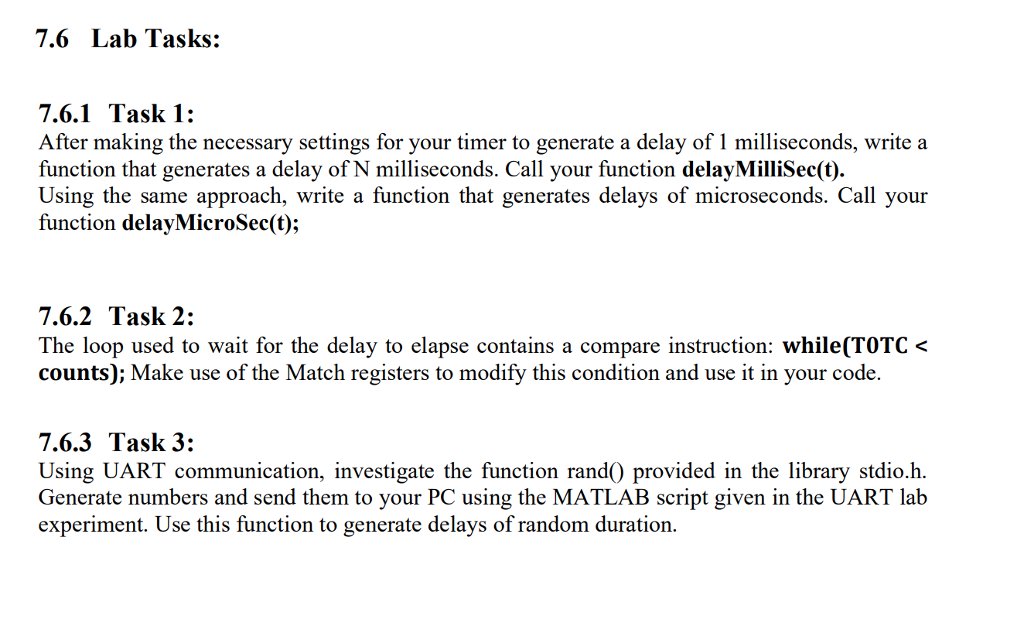
7.6 Lab Tasks: 7.6.1Task 1: After making the necessary settings for your timer to generate a delay of 1 milliseconds, write a function that generates a delay of N milliseconds. Call your function delayMilliSec(t). Using the same approach, write a function that generates delays of microseconds. Call your function delayMicroSec(t); 7.6.2 Task 2: The loop used to wait for the delay to elapse contains a compare instruction: while(TOTC
Step by Step Solution
There are 3 Steps involved in it

Get step-by-step solutions from verified subject matter experts
 Study Help