







Question: To run the HuffmanCodeGenerator program, one command line argument, the file name, must be provided: HuffmanCodeGenerator symbol - frequency - file > I have provided
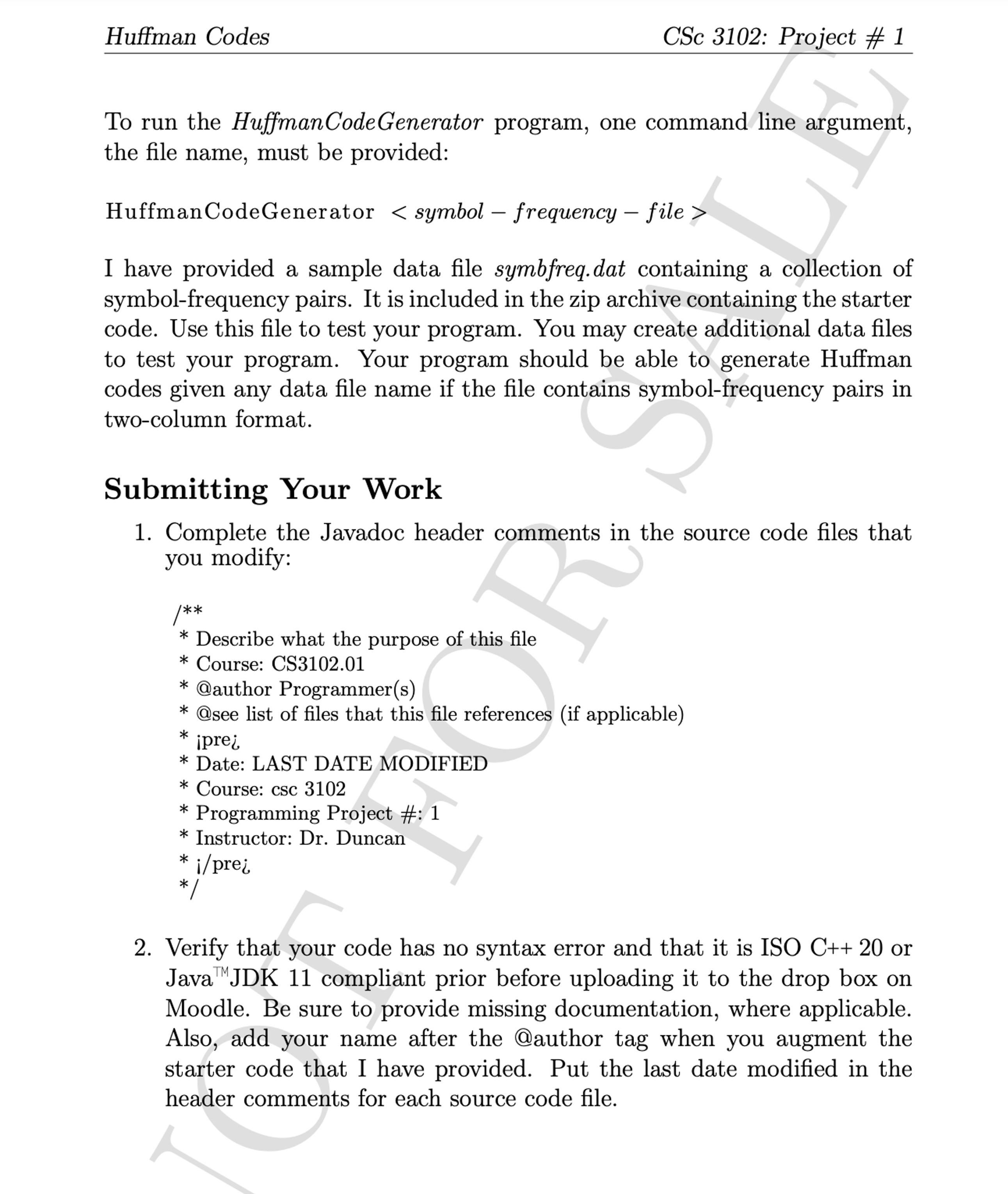
To run the HuffmanCodeGenerator program, one command line argument,
the file name, must be provided:
HuffmanCodeGenerator symbol frequency file
I have provided a sample data file symbfreq.dat containing a collection of
symbolfrequency pairs. It is included in the zip archive containing the starter
code. Use this file to test your program. You may create additional data files
to test your program. Your program should be able to generate Huffman
codes given any data file name if the file contains symbolfrequency pairs in
twocolumn format.
Submitting Your Work
Complete the Javadoc header comments in the source code files that
you modify:
Describe what the purpose of this file
Course: CS
@author Programmers
@see list of files that this file references if applicable
iprei
Date: LAST DATE MODIFIED
Course: csc
Programming Project #:
Instructor: Dr Duncan
ipre
Verify that your code has no syntax error and that it is ISO C or
Java JDK compliant prior before uploading it to the drop box on
Moodle. Be sure to provide missing documentation, where applicable.
Also, add your name after the @author tag when you augment the
starter code that I have provided. Put the last date modified in the
header comments for each source code file.
Step by Step Solution
There are 3 Steps involved in it
1 Expert Approved Answer
Step: 1 Unlock

Question Has Been Solved by an Expert!
Get step-by-step solutions from verified subject matter experts
Step: 2 Unlock
Step: 3 Unlock
 Study Help