







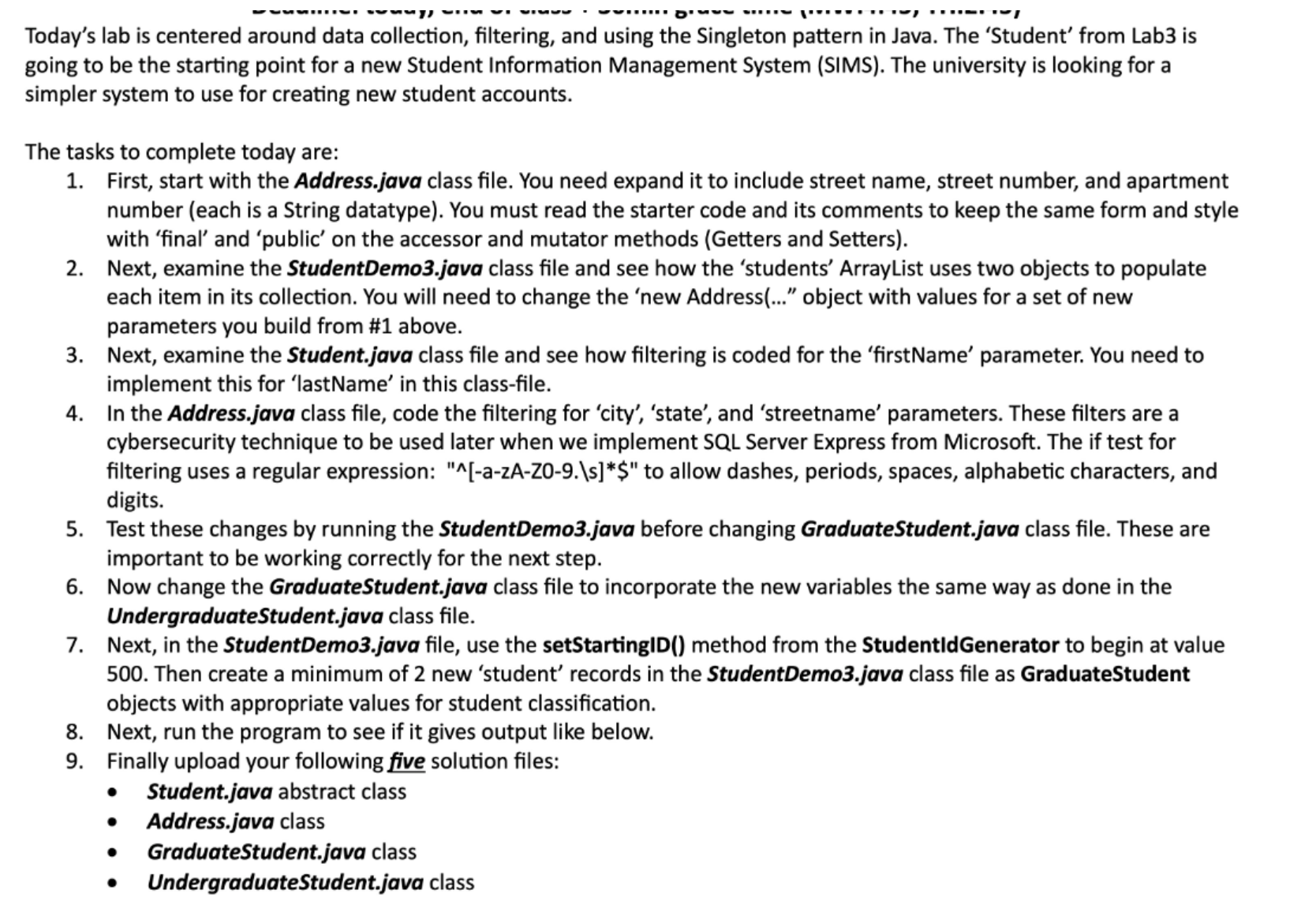
Question: Today's lab is centered around data collection, filtering, and using the Singleton pattern in Java. The 'Student' from Lab 3 is going to be the
Today's lab is centered around data collection, filtering, and using the Singleton pattern in Java. The 'Student' from Lab is
going to be the starting point for a new Student Information Management System SIMS The university is looking for a
simpler system to use for creating new student accounts.
The tasks to complete today are:
First, start with the Address.java class file. You need expand it to include street name, street number, and apartment
number each is a String datatype You must read the starter code and its comments to keep the same form and style
with 'final' and 'public' on the accessor and mutator methods Getters and Setters
Next, examine the StudentDemojava class file and see how the 'students' ArrayList uses two objects to populate
each item in its collection. You will need to change the 'new Address object with values for a set of new
parameters you build from # above.
Next, examine the Student.java class file and see how filtering is coded for the 'firstName' parameter. You need to
implement this for 'lastName' in this classfile.
In the Address.java class file, code the filtering for 'city', 'state', and 'streetname' parameters. These filters are a
cybersecurity technique to be used later when we implement SQL Server Express from Microsoft. The if test for
filtering uses a regular expression: to allow dashes, periods, spaces, alphabetic characters, andazAZs
digits.
Test these changes by running the StudentDemojava before changing GraduateStudent.java class file. These are
important to be working correctly for the next step.
Now change the GraduateStudent.java class file to incorporate the new variables the same way as done in the
UndergraduateStudent.java class file.
Next, in the StudentDemojava file, use the setStartingID method from the StudentIdGenerator to begin at value
Then create a minimum of new 'student' records in the StudentDemojava class file as GraduateStudent
objects with appropriate values for student classification.
Next, run the program to see if it gives output like below.
Finally upload your following five solution files:
Student.java abstract class
Address.java class
GraduateStudent.java class
UndergraduateStudent.java class
Step by Step Solution
There are 3 Steps involved in it
1 Expert Approved Answer
Step: 1 Unlock

Question Has Been Solved by an Expert!
Get step-by-step solutions from verified subject matter experts
Step: 2 Unlock
Step: 3 Unlock
 Study Help