







Question: Tools COSC 17010 Com... X 2 / 8 Question 1. Travel (Textbook, Page 483) mark You are a division manager for a regional hearing aid
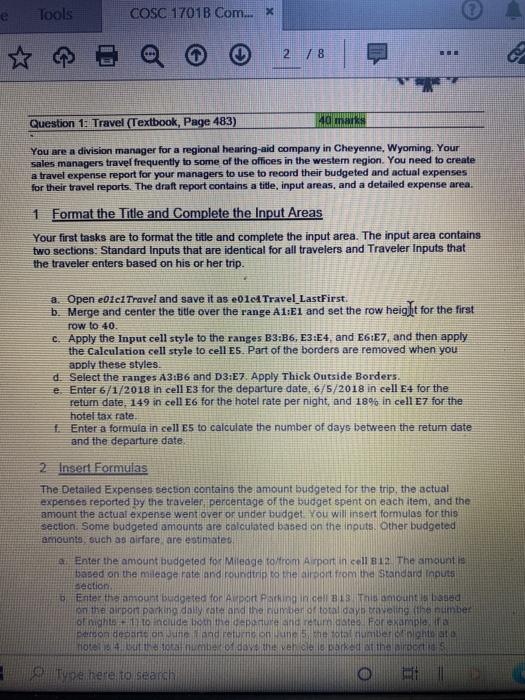
Tools COSC 17010 Com... X 2 / 8 Question 1. Travel (Textbook, Page 483) mark You are a division manager for a regional hearing aid company in Cheyenne, Wyoming. Your sales managers travel frequently to some of the offices in the western region. You need to create a travel expense report for your managers to use to record their budgeted and actual expenses for their travel reports. The draft report contains a title, input areas, and a detailed expense area. 1 Format the Title and Complete the Input Areas Your first tasks are to format the title and complete the input area. The input area contains two sections: Standard Inputs that are identical for all travelers and Traveler Inputs that the traveler enters based on his or her trip. a Open e01c1 Travel and save it as e01c Travel LastFirst. b. Merge and center the title over the range A1:1 and set the row height for the first row to 40 c. Apply the Input cell style to the ranges B3:36, E3:E4, and E6E7, and then apply the Calculation cell style to cell Es. Part of the borders are removed when you apply these styles. d. Select the ranges A3:B6 and D3E7. Apply Thick Outside Borders. e Enter 6/1/2018 in cell E3 for the departure date, 6/5/2018 in cell E4 for the retum date. 149 in cell E6 for the hotel rate per night, and 18% in cell E7 for the hotel tax rate Enter a formula in cell es to calculate the number of days between the return date and the departure date 2 Insert Formulas The Detailed Expenses secuon contains the amount budgeted for the trip, the actual expenses reported by the traveler percentage of the budget spent on each item, and the amount the actual expense went over or under budget. You will insert formulas for this section. Some budgeted amounts are calculated based on the inputs. Other budgeted amounts, such as airfare are estimate 4 Enter the amount budgeted for Mileage to/from Airport in cell B12. The amount is based on the mileage rate and roundtrip to the airport from the Standard Inputs Bection, Enter the amount budgeted for at Parking BTh out based on the pipon parking daily cate and the number of total day aveling the numbet of right to include both the departure and return idates For example a toon depans an une and return on total number night at Total number day this versared at the mos Type here to search Tools COSC 17010 Com... X 2 / 8 Question 1. Travel (Textbook, Page 483) mark You are a division manager for a regional hearing aid company in Cheyenne, Wyoming. Your sales managers travel frequently to some of the offices in the western region. You need to create a travel expense report for your managers to use to record their budgeted and actual expenses for their travel reports. The draft report contains a title, input areas, and a detailed expense area. 1 Format the Title and Complete the Input Areas Your first tasks are to format the title and complete the input area. The input area contains two sections: Standard Inputs that are identical for all travelers and Traveler Inputs that the traveler enters based on his or her trip. a Open e01c1 Travel and save it as e01c Travel LastFirst. b. Merge and center the title over the range A1:1 and set the row height for the first row to 40 c. Apply the Input cell style to the ranges B3:36, E3:E4, and E6E7, and then apply the Calculation cell style to cell Es. Part of the borders are removed when you apply these styles. d. Select the ranges A3:B6 and D3E7. Apply Thick Outside Borders. e Enter 6/1/2018 in cell E3 for the departure date, 6/5/2018 in cell E4 for the retum date. 149 in cell E6 for the hotel rate per night, and 18% in cell E7 for the hotel tax rate Enter a formula in cell es to calculate the number of days between the return date and the departure date 2 Insert Formulas The Detailed Expenses secuon contains the amount budgeted for the trip, the actual expenses reported by the traveler percentage of the budget spent on each item, and the amount the actual expense went over or under budget. You will insert formulas for this section. Some budgeted amounts are calculated based on the inputs. Other budgeted amounts, such as airfare are estimate 4 Enter the amount budgeted for Mileage to/from Airport in cell B12. The amount is based on the mileage rate and roundtrip to the airport from the Standard Inputs Bection, Enter the amount budgeted for at Parking BTh out based on the pipon parking daily cate and the number of total day aveling the numbet of right to include both the departure and return idates For example a toon depans an une and return on total number night at Total number day this versared at the mos Type here to search
Step by Step Solution
There are 3 Steps involved in it

Get step-by-step solutions from verified subject matter experts
 Study Help