





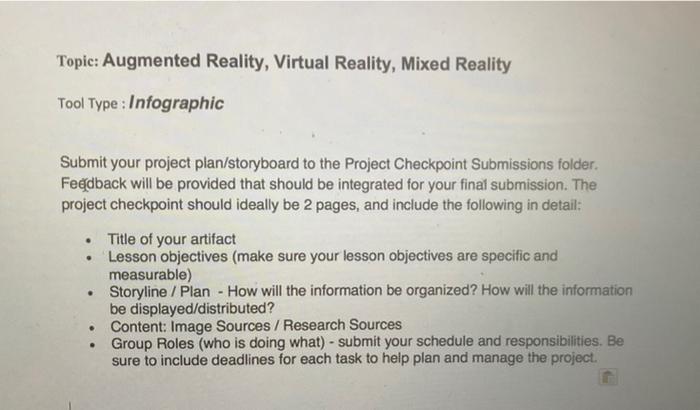
Question: Topic: Augmented Reality, Virtual Reality, Mixed Reality Tool Type : Infographic Submit your project plan/storyboard to the Project Checkpoint Submissions folder. Feedback will be provided
Topic: Augmented Reality, Virtual Reality, Mixed
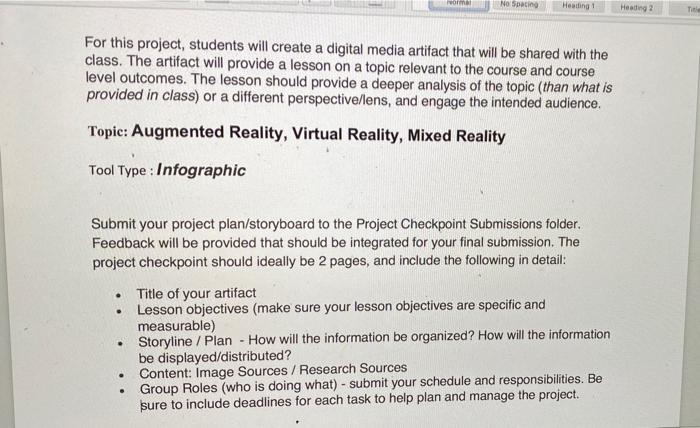
Topic: Augmented Reality, Virtual Reality, Mixed Reality Tool Type : Infographic Submit your project plan/storyboard to the Project Checkpoint Submissions folder. Feedback will be provided that should be integrated for your final submission. The project checkpoint should ideally be 2 pages, and include the following in detail: . . . Title of your artifact Lesson objectives (make sure your lesson objectives are specific and measurable) Storyline / Plan - How will the information be organized? How will the information be displayed/distributed? Content: Image Sources / Research Sources Group Roles (who is doing what) - submit your schedule and responsibilities. Be sure to include deadlines for each task to help plan and manage the project. ra No Spacing Heading 1 Heading 2 Title For this project, students will create a digital media artifact that will be shared with the class. The artifact will provide a lesson on a topic relevant to the course and course level outcomes. The lesson should provide a deeper analysis of the topic (than what is provided in class) or a different perspective/lens, and engage the intended audience. Topic: Augmented Reality, Virtual Reality, Mixed Reality Tool Type : Infographic . Submit your project plan/storyboard to the Project Checkpoint Submissions folder. Feedback will be provided that should be integrated for your final submission. The project checkpoint should ideally be 2 pages, and include the following in detail: Title of your artifact Lesson objectives (make sure your lesson objectives are specific and measurable) Storyline / Plan - How will the information be organized? How will the information be displayed/distributed? Content: Image Sources / Research Sources Group Roles (who is doing what) - submit your schedule and responsibilities. Be sure to include deadlines for each task to help plan and manage the project. . Topic: Augmented Reality, Virtual Reality, Mixed Reality Tool Type : Infographic Submit your project plan/storyboard to the Project Checkpoint Submissions folder. Feedback will be provided that should be integrated for your final submission. The project checkpoint should ideally be 2 pages, and include the following in detail: . . . Title of your artifact Lesson objectives (make sure your lesson objectives are specific and measurable) Storyline / Plan - How will the information be organized? How will the information be displayed/distributed? Content: Image Sources / Research Sources Group Roles (who is doing what) - submit your schedule and responsibilities. Be sure to include deadlines for each task to help plan and manage the project. ra No Spacing Heading 1 Heading 2 Title For this project, students will create a digital media artifact that will be shared with the class. The artifact will provide a lesson on a topic relevant to the course and course level outcomes. The lesson should provide a deeper analysis of the topic (than what is provided in class) or a different perspective/lens, and engage the intended audience. Topic: Augmented Reality, Virtual Reality, Mixed Reality Tool Type : Infographic . Submit your project plan/storyboard to the Project Checkpoint Submissions folder. Feedback will be provided that should be integrated for your final submission. The project checkpoint should ideally be 2 pages, and include the following in detail: Title of your artifact Lesson objectives (make sure your lesson objectives are specific and measurable) Storyline / Plan - How will the information be organized? How will the information be displayed/distributed? Content: Image Sources / Research Sources Group Roles (who is doing what) - submit your schedule and responsibilities. Be sure to include deadlines for each task to help plan and manage the project

Step by Step Solution

There are 3 Steps involved in it

1 Expert Approved Answer
Step: 1 Unlock blur-text-image

Question Has Been Solved by an Expert!

Get step-by-step solutions from verified subject matter experts

Step: 2 Unlock
Step: 3 Unlock

Students Have Also Explored These Related General Management Questions!