







Question: Topic is on HTML, VueJS and CSS Please continue from my code : I am not sure how to make the link visible after rotation
Topic is on HTML, VueJS and CSS 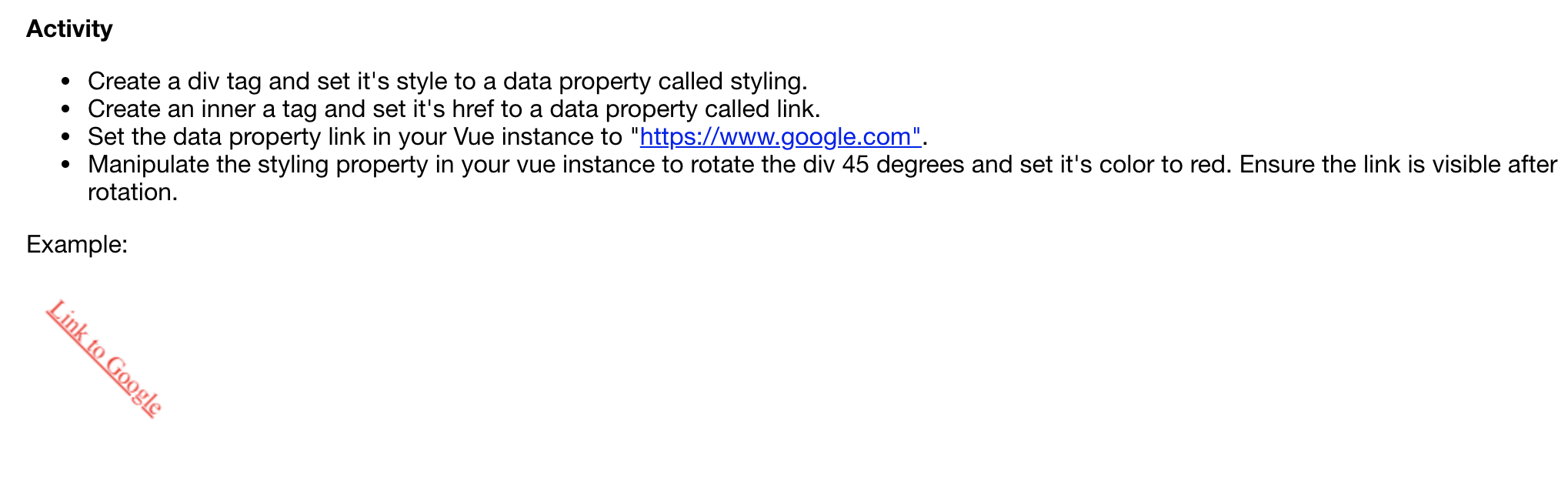
Please continue from my code :
I am not sure how to make the link visible after rotation and how to change the link's color to red
The following is my code:
*HTML code*
v-bind:style="styling">
Link to Google
*JS code*
var example = new Vue({
el: '#app',
data: {
styling: {
color: 'orange',
fontSize: '30px',
transform: 'rotate(45deg)',
float: 'left'
},
isActive: true,
link: "https://www.google.com",
fontSize: 30,
activeColor: 'red'
}
})
Activity Create a div tag and set it's style to a data property called styling. Create an inner a tag and set it's href to a data property called link. Set the data property link in your Vue instance to "https://www.google.com". Manipulate the styling property in your vue instance to rotate the div 45 degrees and set it's color to red. Ensure the link is visible after rotation. Example: Link to Google
Step by Step Solution
There are 3 Steps involved in it

Get step-by-step solutions from verified subject matter experts
 Study Help