







Question: Topics Covered:-Intro to Classes,Methods, Objects, and Strings , Methods(In Deep), Classes and Objects(In deep), Arrays in C# woorkstation- visual studio 2019 picture2 picture1 Develop a
Topics Covered:-Intro to Classes,Methods, Objects, and Strings , Methods(In Deep), Classes and Objects(In deep), Arrays in C#
woorkstation- visual studio 2019
picture2
picture1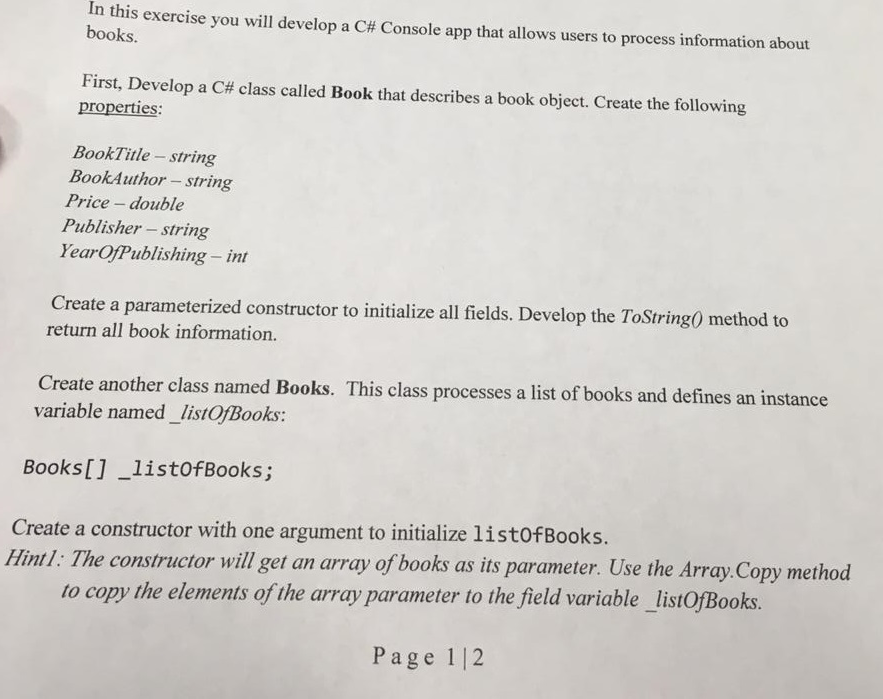
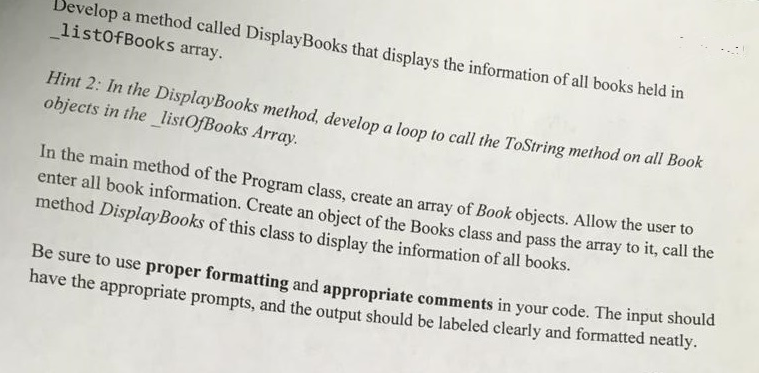
Develop a method called DisplayBooks that displays the information of all books held in listofBooks array. Hint 2: In the DisplayBooks method, develop a loop to call the ToString method on all Book objects in the listOfBooks Array In the main method of the Program class, create an array of Book objects. Allow the use enter all book information. Create an object of the Books class and pass the array to it, method Display Books of this class to display the information of all books. Be sure to use proper formatting and appropriate comments in your code. The input si have the appropriate prompts, and the output should be labeled clearly and formatted neatly. In this exercise you will develop a C# Console app that allows users to process information about books. First, Develop a C# class called Book that describes a book object. Create the following properties: BookTitle - string BookAuthor - string Price - double Publisher -- string YearOfPublishing - int Create a parameterized constructor to initialize all fields. Develop the ToString() method to return all book information. Create another class named Books. This class processes a list of books and defines an instance variable named_listOfBooks: Books[] listofBooks; Create a constructor with one argument to initialize listOfBooks. Hintl: The constructor will get an array of books as its parameter. Use the Array. Copy method to copy the elements of the array parameter to the field variable_listOfBooks. Page 12
Step by Step Solution
There are 3 Steps involved in it

Get step-by-step solutions from verified subject matter experts
 Study Help