







Question: Tracking customer transactions should be completed in which order? Enter invoices, update Customer Center, receive payments, generate reports Enter invoices, receive payments, update Customer Center,
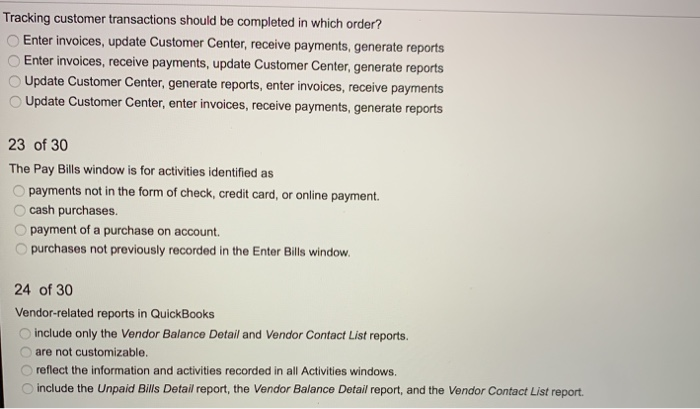
Tracking customer transactions should be completed in which order? Enter invoices, update Customer Center, receive payments, generate reports Enter invoices, receive payments, update Customer Center, generate reports Update Customer Center, generate reports, enter invoices, receive payments Update Customer Center, enter invoices, receive payments, generate reports 23 of 30 The Pay Bills window is for activities identified as payments not in the form of check, credit card, or online payment cash purchases. payment of a purchase on account. purchases not previously recorded in the Enter Bills window. 24 of 30 Vendor-related reports in QuickBooks include only the Vendor Balance Detail and Vendor Contact List reports. are not customizable. reflect the information and activities recorded in all Activities windows, include the Unpaid Bills Detail report, the Vendor Balance Detail report, and the Vendor Contact List report
Step by Step Solution
There are 3 Steps involved in it

Get step-by-step solutions from verified subject matter experts
 Study Help