





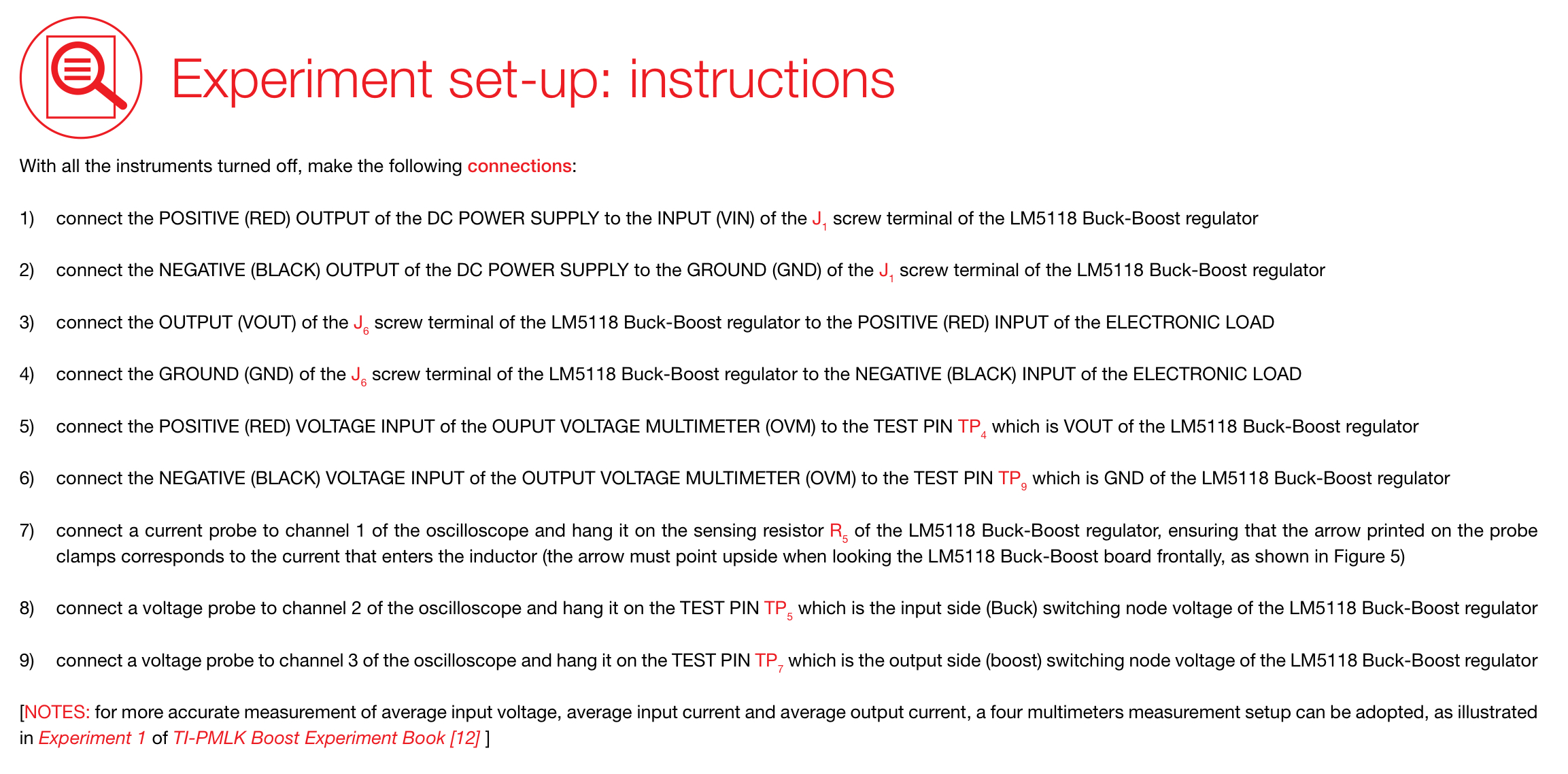
Question: Traduce este E Experiment set-up: instructions With all the instruments turned off, make the following connections: 1) connect the POSITIVE (RED) OUTPUT of the DC

Traduce este
Traduce este E Experiment set-up: instructions
E Experiment set-up: instructions With all the instruments turned off, make the following connections: 1) connect the POSITIVE (RED) OUTPUT of the DC POWER SUPPLY to the INPUT (VIN) of the J, screw terminal of the LM5118 Buck-Boost regulator 2) connect the NEGATIVE (BLACK) OUTPUT of the DC POWER SUPPLY to the GROUND (GND) of the J, screw terminal of the LM5118 Buck-Boost regulator 3) connect the OUTPUT (VOUT) of the J. screw terminal of the LM5118 Buck-Boost regulator to the POSITIVE (RED) INPUT of the ELECTRONIC LOAD 4) connect the GROUND (GND) of the J screw terminal of the LM5118 Buck-Boost regulator to the NEGATIVE (BLACK) INPUT of the ELECTRONIC LOAD 5) connect the POSITIVE (RED) VOLTAGE INPUT of the OUPUT VOLTAGE MULTIMETER (OVM) to the TEST PIN TP, which is VOUT of the LM5118 Buck-Boost regulator 6) connect the NEGATIVE (BLACK) VOLTAGE INPUT of the OUTPUT VOLTAGE MULTIMETER (OVM) to the TEST PIN TP, which is GND of the LM5118 Buck-Boost regulator 7) connect a current probe to channel 1 of the oscilloscope and hang it on the sensing resistor R, of the LM5118 Buck-Boost regulator, ensuring that the arrow printed on the probe clamps corresponds to the current that enters the inductor (the arrow must point upside when looking the LM5118 Buck-Boost board frontally, as shown in Figure 5) 8) connect a voltage probe to channel 2 of the oscilloscope and hang it on the TEST PIN TP, which is the input side (Buck) switching node voltage of the LM5118 Buck-Boost regulator 9) connect a voltage probe to channel 3 of the oscilloscope and hang it on the TEST PIN TP, which is the output side (boost) switching node voltage of the LM5118 Buck-Boost regulator [NOTES: for more accurate measurement of average input voltage, average input current and average output current, a four multimeters measurement setup can be adopted, as illustrated in Experiment 1 of TI-PMLK Boost Experiment Book [12] ]

Step by Step Solution

There are 3 Steps involved in it

1 Expert Approved Answer
Step: 1 Unlock blur-text-image

Question Has Been Solved by an Expert!

Get step-by-step solutions from verified subject matter experts

Step: 2 Unlock
Step: 3 Unlock

Students Have Also Explored These Related Accounting Questions!