



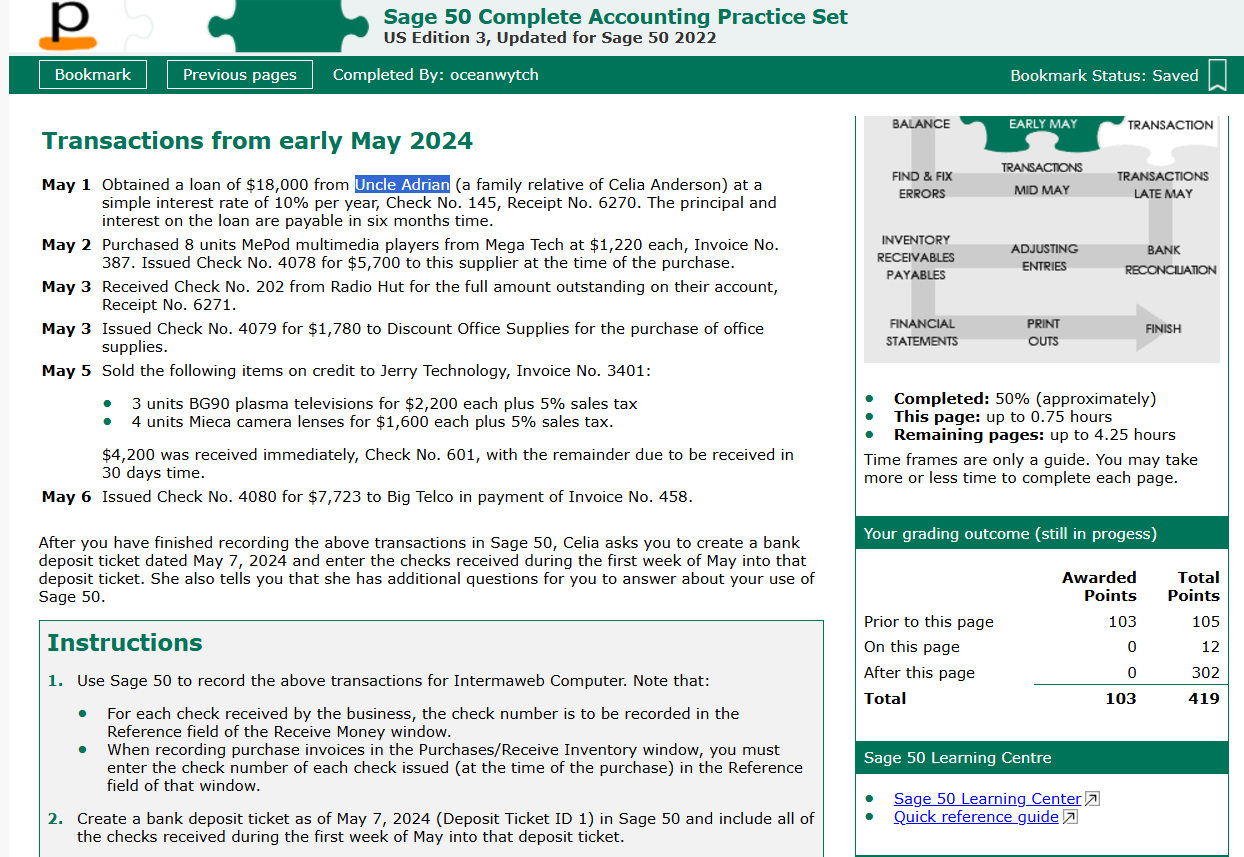
Question: Transactions from early May 2 0 2 4 May 1 Obtained a loan of $ 1 8 , 0 0 0 from Uncle Adrian (
Transactions from early May
May Obtained a loan of $ from Uncle Adrian a family relative of Celia Anderson at a simple interest rate of per year, Check No Receipt No The principal and interest on the loan are payable in six months time.
May Purchased units MePod multimedia players from Mega Tech at $ each, Invoice No Issued Check No for $ to this supplier at the time of the purchase.
May Received Check No from Radio Hut for the full amount outstanding on their account, Receipt No
May Issued Check No for $ to Discount Office Supplies for the purchase of office supplies.
May Sold the following items on credit to Jerry Technology, Invoice No:
units BG plasma televisions for $ each plus sales tax
units Mieca camera lenses for $ each plus sales tax.
$ was received immediately, Check No with the remainder due to be received in days time.
May Issued Check No for $ to Big Telco in payment of Invoice No
After you have finished recording the above transactions in Sage Celia asks you to create a bank deposit ticket dated May and enter the checks received during the first week of May into that deposit ticket. She also tells you that she has additional questions for you to answer about your use of Sage
Instructions
Use Sage to record the above transactions for Intermaweb Computer. Note that:
For each check received by the business, the check number is to be recorded in the Reference field of the Receive Money window.
When recording purchase invoices in the PurchasesReceive Inventory window, you must enter the check number of each check issued at the time of the purchase in the Reference field of that window.
Create a bank deposit ticket as of May Deposit Ticket ID in Sage and include all of the checks received during the first week of May into that deposit ticket.
Step by Step Solution
There are 3 Steps involved in it
1 Expert Approved Answer
Step: 1 Unlock

Question Has Been Solved by an Expert!
Get step-by-step solutions from verified subject matter experts
Step: 2 Unlock
Step: 3 Unlock