







Question: ACC-260 QuickBooks Assignment 2 PURPOSE: The purpose of this assignment is to have students become familiar with an accounting software package that is used in
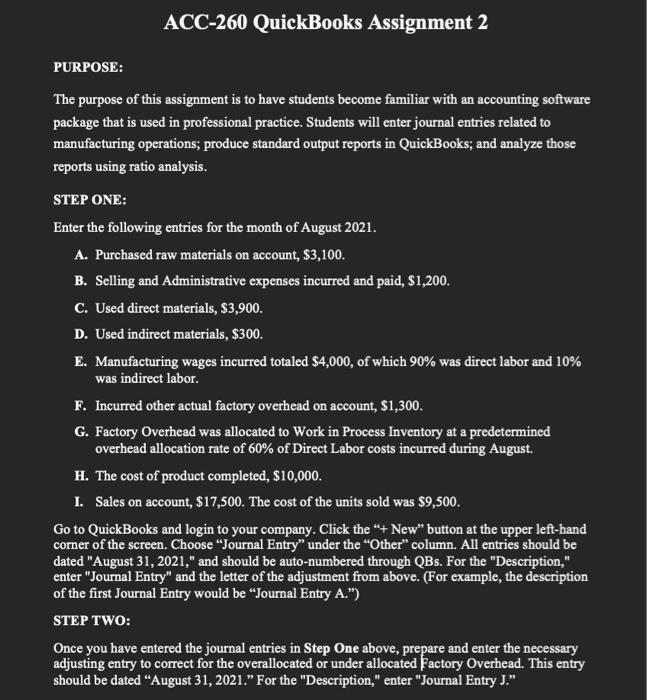
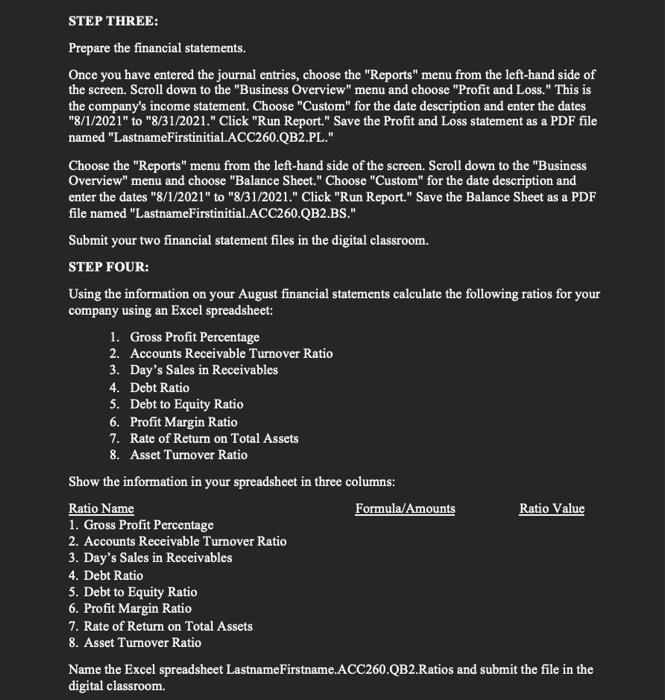
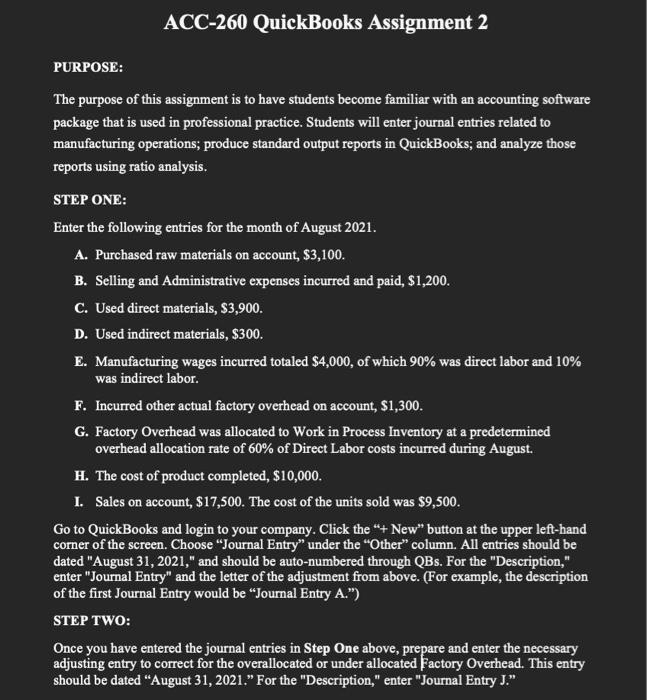
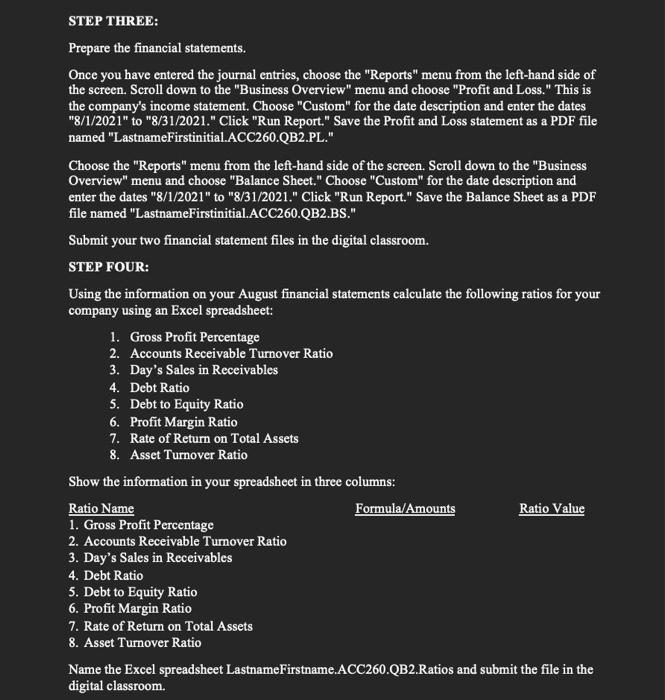
ACC-260 QuickBooks Assignment 2 PURPOSE: The purpose of this assignment is to have students become familiar with an accounting software package that is used in professional practice. Students will enter journal entries related to manufacturing operations; produce standard output reports in QuickBooks; and analyze those reports using ratio analysis. STEP ONE: Enter the following entries for the month of August 2021. A. Purchased raw materials on account, $3,100. B. Selling and Administrative expenses incurred and paid, $1,200. C. Used direct materials, $3,900. D. Used indirect materials, $300. E. Manufacturing wages incurred totaled $4,000, of which 90% was direct labor and 10% was indirect labor. F. Incurred other actual factory overhead on account, $1,300. G. Factory Overhead was allocated to Work in Process Inventory at a predetermined overhead allocation rate of 60% of Direct Labor costs incurred during August. H. The cost of product completed, $10,000. I. Sales on account, $17,500. The cost of the units sold was $9,500. Go to QuickBooks and login to your company. Click the "+ New" button at the upper left-hand corner of the screen. Choose "Journal Entry" under the "Other" column. All entries should be dated "August 31, 2021," and should be auto-numbered through QBs. For the "Description," enter "Journal Entry" and the letter of the adjustment from above. (For example, the description of the first Journal Entry would be "Journal Entry A.") STEP TWO: Once you have entered the journal entries in Step One above, prepare and enter the necessary adjusting entry to correct for the overallocated or under allocated Factory Overhead. This entry should be dated "August 31, 2021." For the "Description," enter "Journal Entry J." STEP THREE: Prepare the financial statements. Once you have entered the journal entries, choose the "Reports" menu from the left-hand side of the screen. Scroll down to the "Business Overview" menu and choose "Profit and Loss." This is the company's income statement. Choose "Custom" for the date description and enter the dates "8/1/2021" to "8/31/2021." Click "Run Report." Save the Profit and Loss statement as a PDF file named "LastnameFirstinitial.ACC260.QB2.PL." Choose the "Reports" menu from the left-hand side of the screen. Scroll down to the "Business Overview" menu and choose "Balance Sheet." Choose "Custom" for the date description and enter the dates "8/1/2021" to "8/31/2021." Click "Run Report." Save the Balance Sheet as a PDF file named "LastnameFirstinitial.ACC260.QB2.BS." Submit your two financial statement files in the digital classroom. STEP FOUR: Using the information on your August financial statements calculate the following ratios for your company using an Excel spreadsheet: 1. Gross Profit Percentage 2. Accounts Receivable Turnover Ratio 3. Day's Sales in Receivables 4. Debt Ratio 5. Debt to Equity Ratio 6. Profit Margin Ratio 7. Rate of Return on Total Assets 8. Asset Turnover Ratio Show the information in your spreadsheet in three columns: Ratio Name Formula/Amounts Ratio Value 1. Gross Profit Percentage 2. Accounts Receivable Turnover Ratio 3. Day's Sales in Receivables 4. Debt Ratio 5. Debt to Equity Ratio 6. Profit Margin Ratio 7. Rate of Return on Total Assets 8. Asset Turnover Ratio Name the Excel spreadsheet LastnameFirstname.ACC260.QB2.Ratios and submit the file in the digital classroom
Step by Step Solution
There are 3 Steps involved in it

Get step-by-step solutions from verified subject matter experts
 Study Help