







Question: Transferring Files To and From Hills Assignment 2 Part 2 Download the Assignment 2 Part 2 starter circuite. (Make sure to right-click the link and
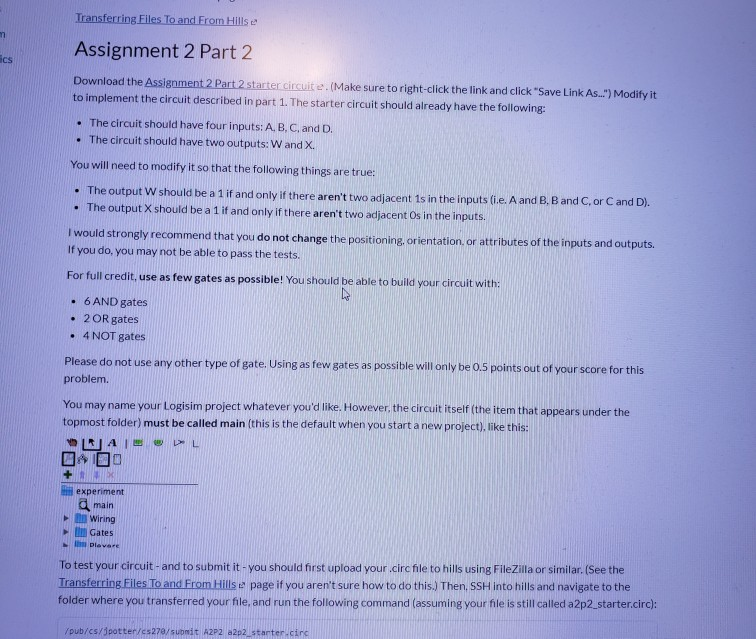
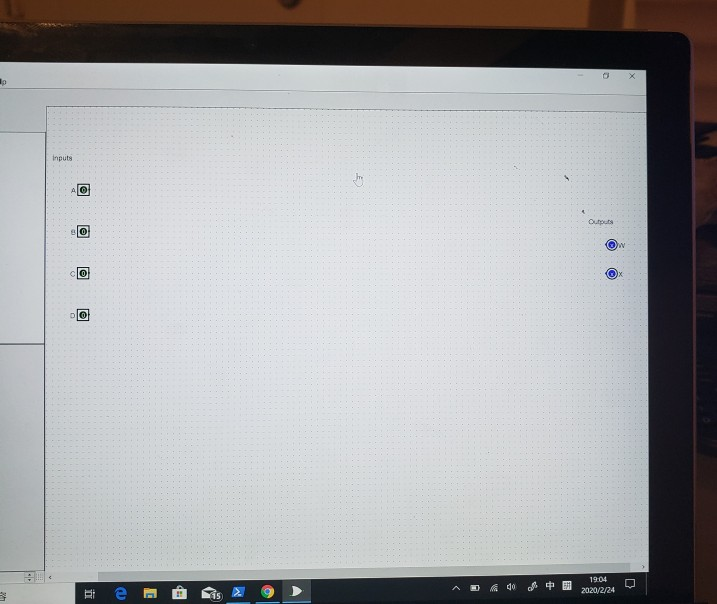
Transferring Files To and From Hills Assignment 2 Part 2 Download the Assignment 2 Part 2 starter circuite. (Make sure to right-click the link and click "Save Link As...") Modify it to implement the circuit described in part 1. The starter circuit should already have the following: The circuit should have four inputs: A, B, C, and D. The circuit should have two outputs: Wand X You will need to modify it so that the following things are true: The output w should be a 1 if and only if there aren't two adjacent 1s in the inputs (ie. A and B. B and C or C and D). The output X should be a 1 if and only if there aren't two adjacent Os in the inputs. I would strongly recommend that you do not change the positioning, orientation, or attributes of the inputs and outputs. If you do, you may not be able to pass the tests. For full credit, use as few gates as possible! You should be able to build your circuit with: 6 AND gates 2 OR gates 4 NOT gates Please do not use any other type of gate. Using as few gates as possible will only be 0.5 points out of your score for this problem. You may name your Logisim project whatever you'd like. However, the circuit itself (the item that appears under the topmost folder) must be called main(this is the default when you start a new project), like this: RADL 000 + experiment g main wiring To test your circuit - and to submit it-you should first upload your.circfile to hills using FileZilla or similar. (See the Transferring Files To and From Hills e page if you aren't sure how to do this.) Then. SSH into hills and navigate to the folder where you transferred your file, and run the following command (assuming your file is still called a 2p2 starter.circ): /pub/cs/dpotter/cs270/submit A2P2 12p2 starter.circ z24
Step by Step Solution
There are 3 Steps involved in it

Get step-by-step solutions from verified subject matter experts
 Study Help