







Question: Transform the ERD in Figure Q3(a)(i) into a logical model. Figure Q3(a)(i) Refer to the description of the columns and relationships and then code the
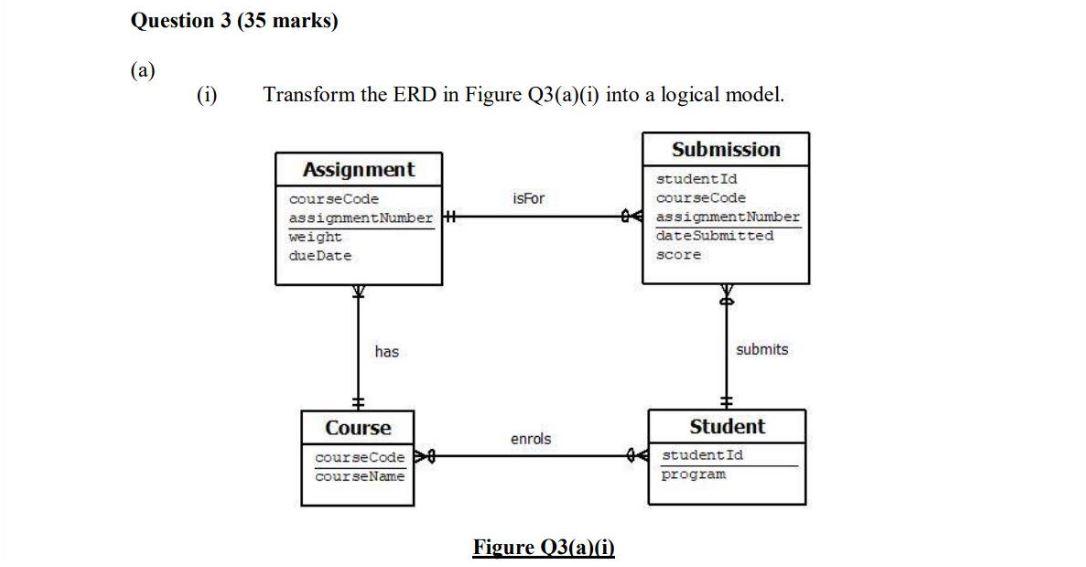
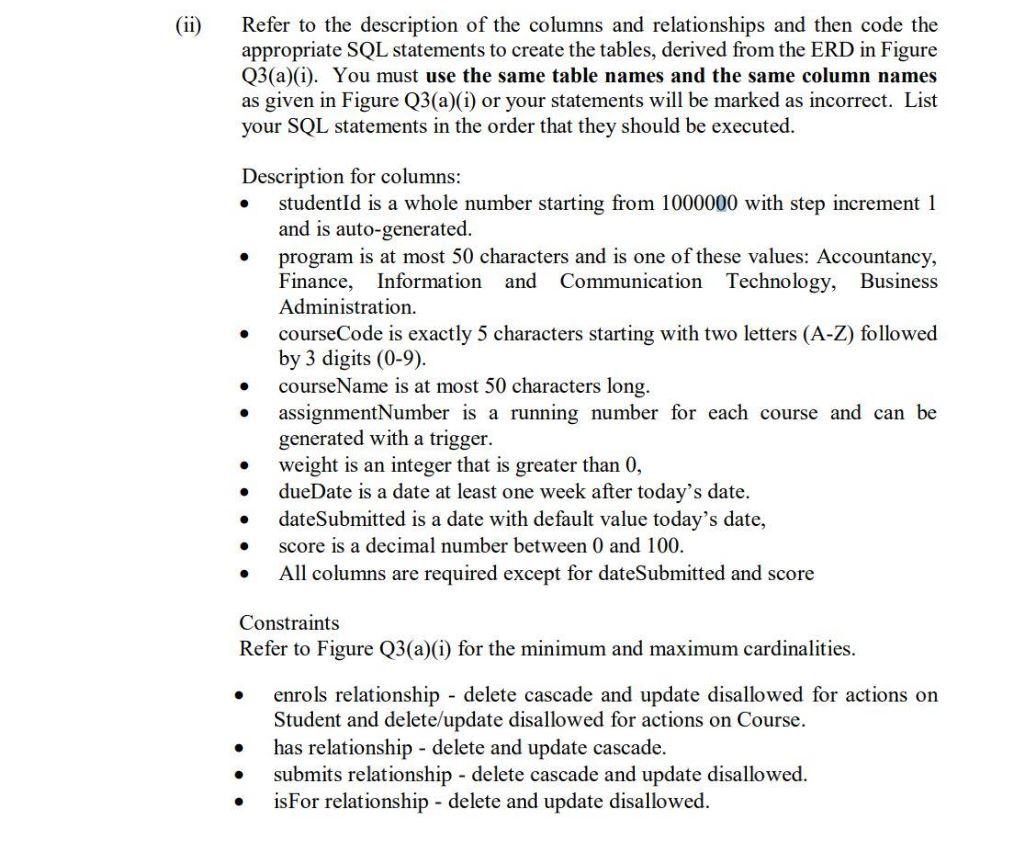
Transform the ERD in Figure Q3(a)(i) into a logical model. Figure Q3(a)(i) Refer to the description of the columns and relationships and then code the appropriate SQL statements to create the tables, derived from the ERD in Figure Q3(a)(i). You must use the same table names and the same column names as given in Figure Q3(a) (i) or your statements will be marked as incorrect. List your SQL statements in the order that they should be executed. Description for columns: - studentId is a whole number starting from 1000000 with step increment 1 and is auto-generated. - program is at most 50 characters and is one of these values: Accountancy, Finance, Information and Communication Technology, Business Administration. - courseCode is exactly 5 characters starting with two letters (A-Z) followed by 3 digits (09). - courseName is at most 50 characters long. - assignmentNumber is a running number for each course and can be generated with a trigger. - weight is an integer that is greater than 0 , - dueDate is a date at least one week after today's date. - dateSubmitted is a date with default value today's date, - score is a decimal number between 0 and 100 . - All columns are required except for dateSubmitted and score Constraints Refer to Figure Q3(a)(i) for the minimum and maximum cardinalities. - enrols relationship - delete cascade and update disallowed for actions on Student and delete/update disallowed for actions on Course. - has relationship - delete and update cascade. - submits relationship - delete cascade and update disallowed. - isFor relationship - delete and update disallowed
Step by Step Solution
There are 3 Steps involved in it

Get step-by-step solutions from verified subject matter experts
 Study Help