







Question: / / Trim test 1: leading and trailing space character / Load TrimTest1Addr / Store TrimStringAddr / JnS TrimString / Load TrimStringAddr / Store PrintStringAddr
/ / Trim test 1: leading and trailing space character / Load TrimTest1Addr / Store TrimStringAddr / JnS TrimString / Load TrimStringAddr / Store PrintStringAddr / JnS PrintString
TrimStringAddr, HEX 0 / address of string to trim TrimString, HEX 0 /
/ Trimming test cases TrimTest1Addr, ADR TrimTest1 TrimTest1, HEX 20 HEX 049 HEX 0
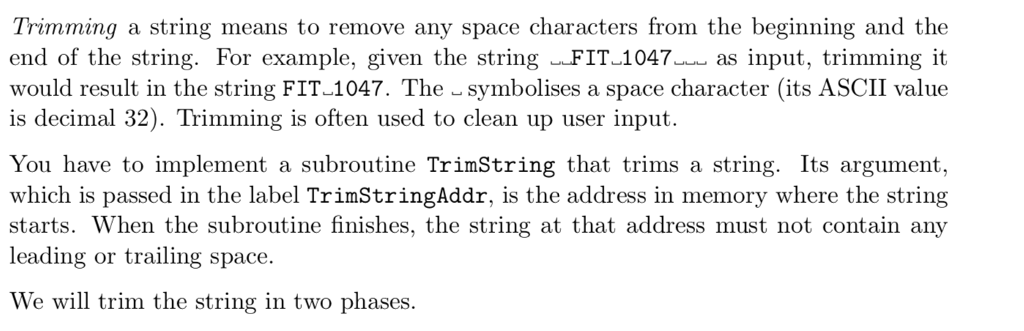
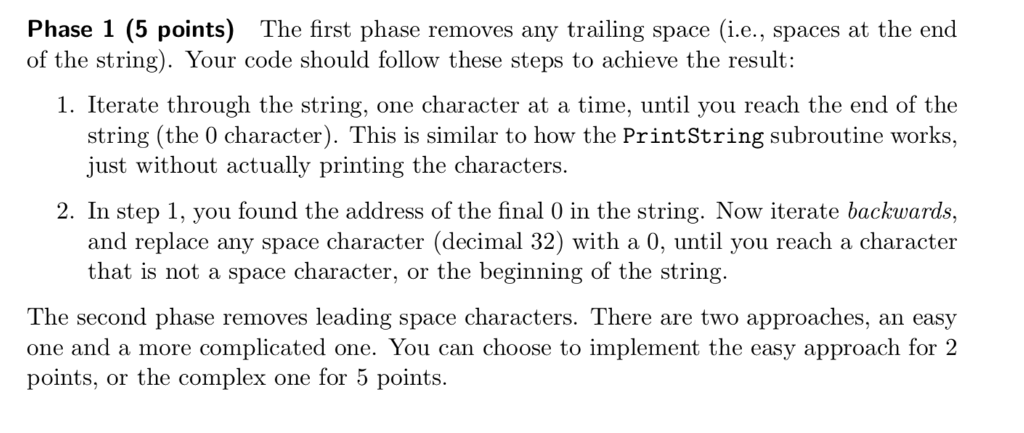
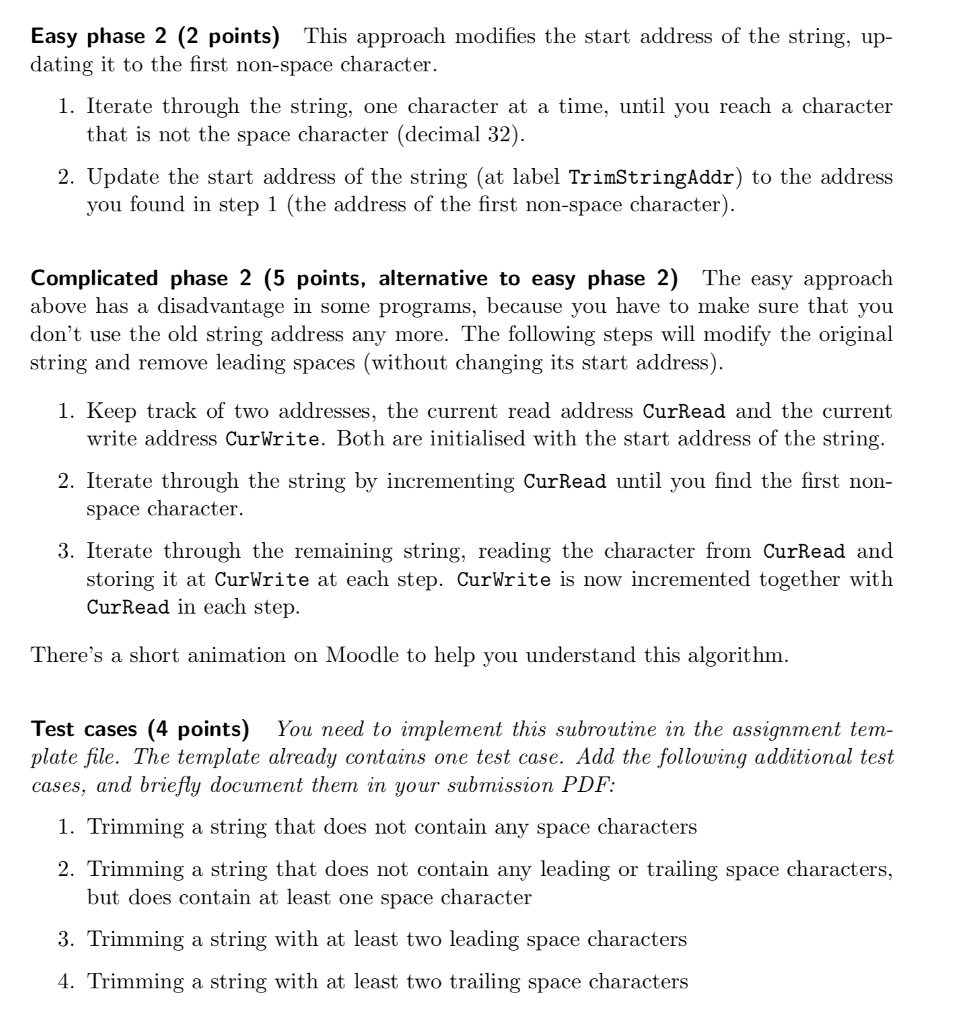
/ Trimming a string means to remove any space characters from the beginning and the end of the string. For example, given the string FIT 1047 as input, trimming it would result in the string FIT-1047. The symbolises a space character (its ASCII value is decimal 32). Trimming is often used to clean up user input You have to implement a subroutine TrimString that trims a string. Its argument which is passed in the label TrimStringAddr, is the address in memory where the string starts. When the subroutine finishes, the string at that address must not contain any leading or trailing space. We will trim the string in two phases. Trimming a string means to remove any space characters from the beginning and the end of the string. For example, given the string FIT 1047 as input, trimming it would result in the string FIT-1047. The symbolises a space character (its ASCII value is decimal 32). Trimming is often used to clean up user input You have to implement a subroutine TrimString that trims a string. Its argument which is passed in the label TrimStringAddr, is the address in memory where the string starts. When the subroutine finishes, the string at that address must not contain any leading or trailing space. We will trim the string in two phases
Step by Step Solution
There are 3 Steps involved in it

Get step-by-step solutions from verified subject matter experts
 Study Help