







Question: True/False Indicate whether the statement is true or false :1. The customer invoice, vendor bill, and check are three-forms used in QuickBooks Accountant. 2. In
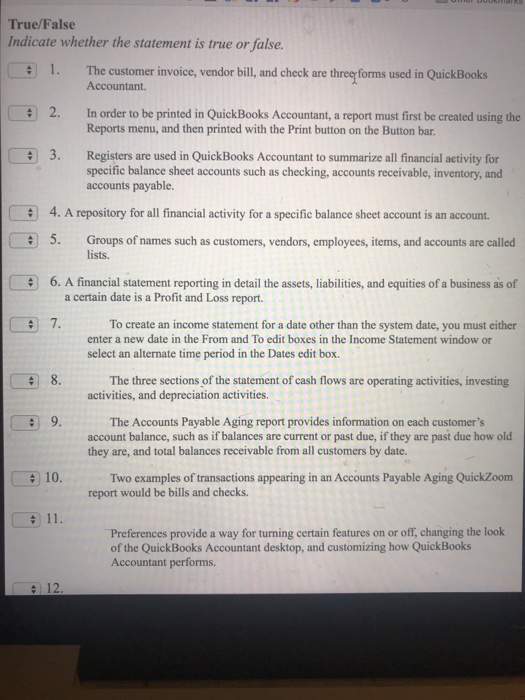
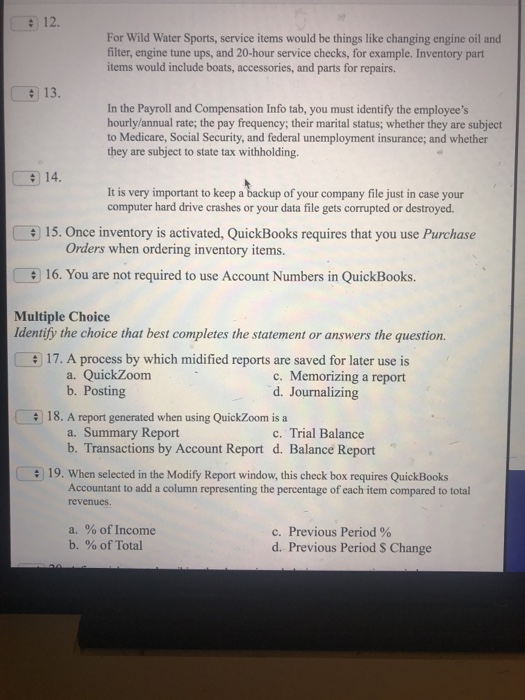
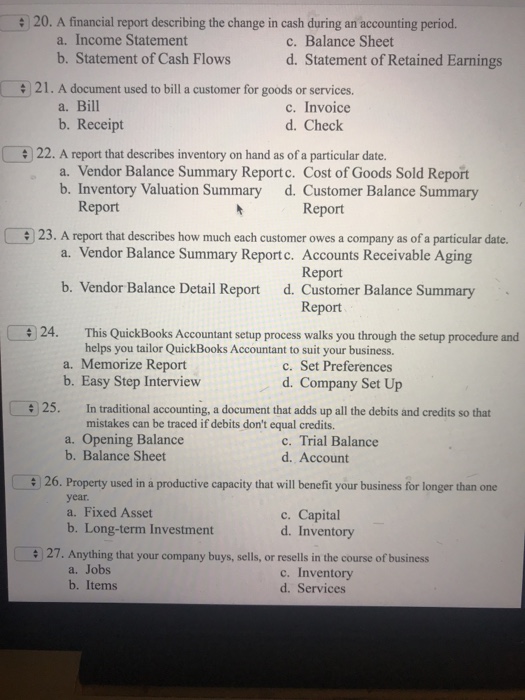
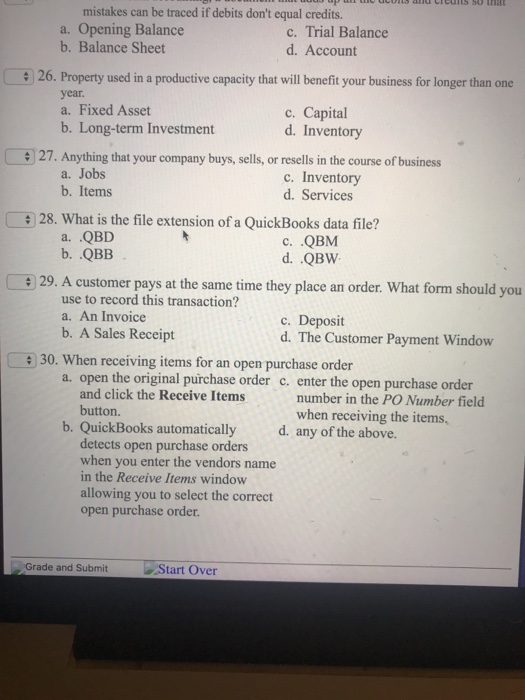
True/False Indicate whether the statement is true or false :1. The customer invoice, vendor bill, and check are three-forms used in QuickBooks Accountant. 2. In order to be printed in QuickBooks Accountant, a report must first be created using the Reports menu, and then printed with the Print button on the Button bar. 3. Registers are used in QuickBooks Accountant to summarize all financial activity for specific balance sheet accounts such as checking, accounts receivable, inventory, and accounts payable. e 4. A repository for all financial activity for a specific balance sheet account is an account. 5. Groups of names such as customers, vendors, employees, items, and accounts are called 6. A financial statement reporting in detail the assets, liabilities, and equities of a business as of 7. lists. a certain date is a Profit and Loss report. To create an income statement for a date other than the system date, you must either enter a new date in the From and To edit boxes in the Income Statement window or select an alternate time period in the Dates edit box. 8. The three sections of the statement of cash flows are operating activities, investing activities, and depreciation activities. The Accounts Payable Aging report provides information on each customer's account balance, such as if balances are current or past due, if they are past due how old they are, and total balances receivable from all customers by date. 10. Two examples of transactions appearing in an Accounts Payable Aging QuickZoom report would be bills and checks. Preferences provide a way for turning certain features on or off, changing the look of the QuickBooks Accountant desktop, and customizing how QuickBooks Accountant performs 12
Step by Step Solution
There are 3 Steps involved in it

Get step-by-step solutions from verified subject matter experts
 Study Help