







Question: Two Labs (you may use the block programming, or you may enter the code using text programming Basic Lab#1: 1. Install a wire from pin
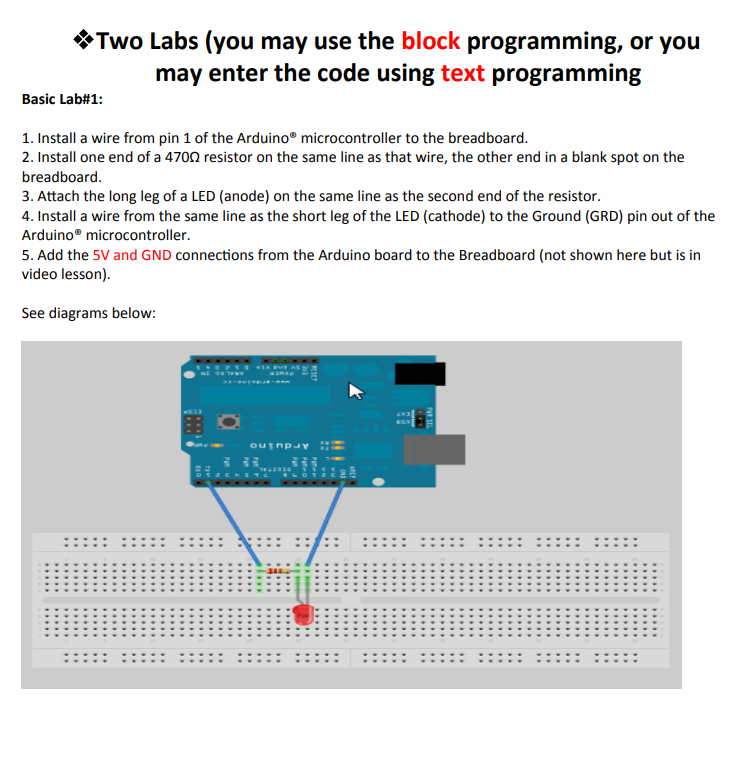
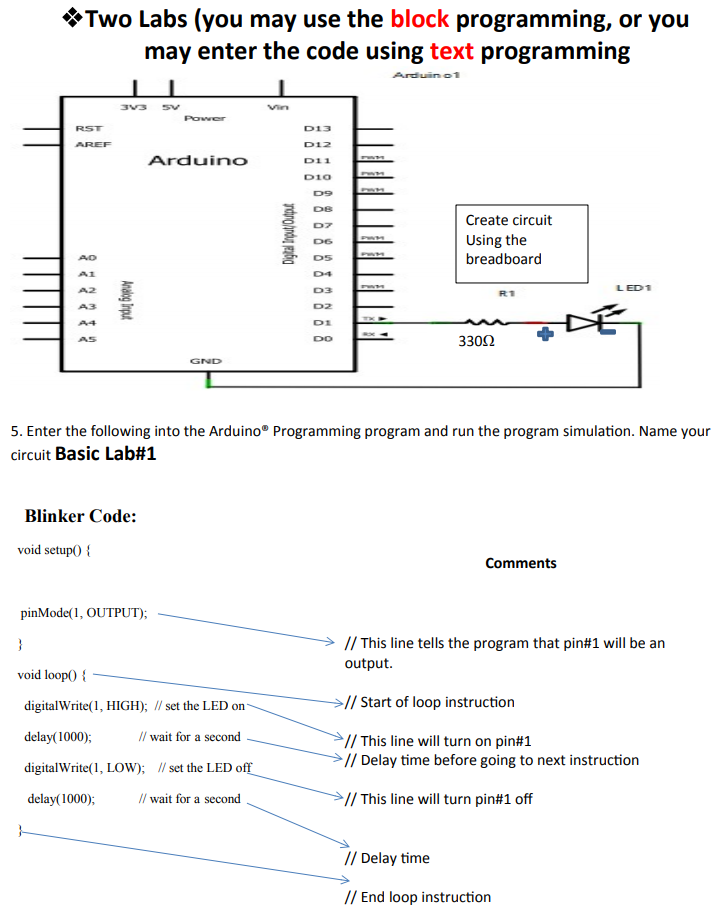
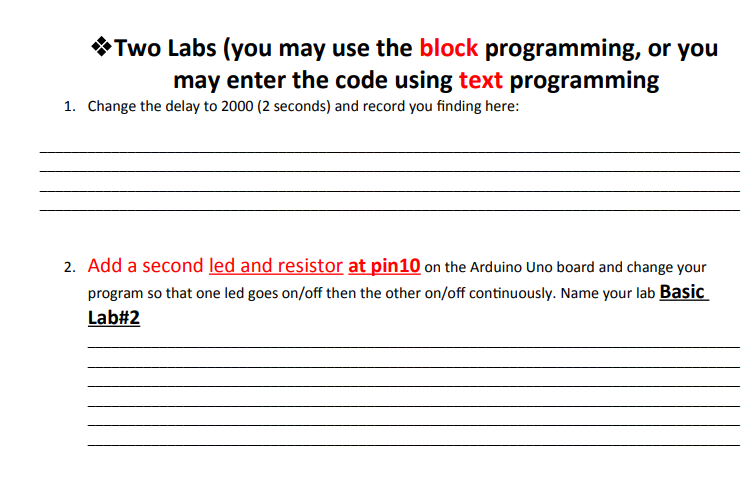
Two Labs (you may use the block programming, or you may enter the code using text programming Basic Lab#1: 1. Install a wire from pin 1 of the Arduino microcontroller to the breadboard. 2. Install one end of a 4700 resistor on the same line as that wire, the other end in a blank spot on the breadboard. 3. Attach the long leg of a LED (anode) on the same line as the second end of the resistor. 4. Install a wire from the same line as the short leg of the LED (cathode) to the Ground (GRD) pin out of the Arduino microcontroller. 5. Add the 5V and GND connections from the Arduino board to the Breadboard (not shown here but is in video lesson). See diagrams below: ounpur . : Two Labs (you may use the block programming, or you may enter the code using text programming Arduino1 1 33 5v Power D13 RST AREF Arduino D12 D11 DIO 09 DB Digtal Input/Output D6 Create circuit Using the breadboard AD R1 LED 1 indu Gopur DS 04 D3 D2 DI DO A3 33002 GND 5. Enter the following into the Arduino Programming program and run the program simulation. Name your circuit Basic Lab#1 Blinker Code: void setup() { Comments pinMode(1, OUTPUT); } // This line tells the program that pin#1 will be an output. void loop( { > // Start of loop instruction digitalWrite(1, HIGH); // set the LED on delay(1000); // wait for a second digitalWrite(1, LOW); // set the LED off // This line will turn on pin#1 // Delay time before going to next instruction delay(1000); // wait for a second // This line will turn pin#1 off // Delay time // End loop instruction *Two Labs (you may use the block programming, or you may enter the code using text programming 1. Change the delay to 2000 (2 seconds) and record you finding here: 2. Add a second led and resistor at pin10 on the Arduino Uno board and change your program so that one led goes on/off then the other on/off continuously. Name your lab Basic Lab#2
Step by Step Solution
There are 3 Steps involved in it

Get step-by-step solutions from verified subject matter experts
 Study Help