







Question: Type 10 integer numbers. Data #1:1 Data #2:2 Data #3:3 Data #4:4 Data #5:5 Data #6:6 Data #7:7 Data #8:8 Data #9:9 Data #10:10 Display
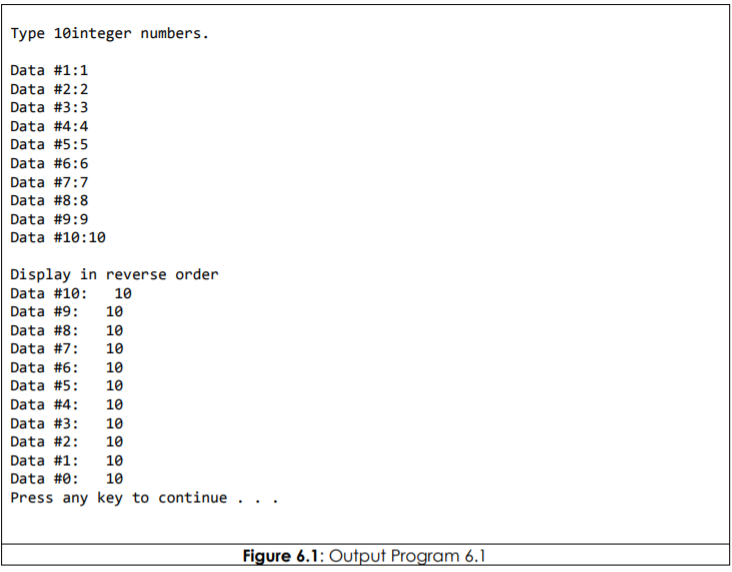
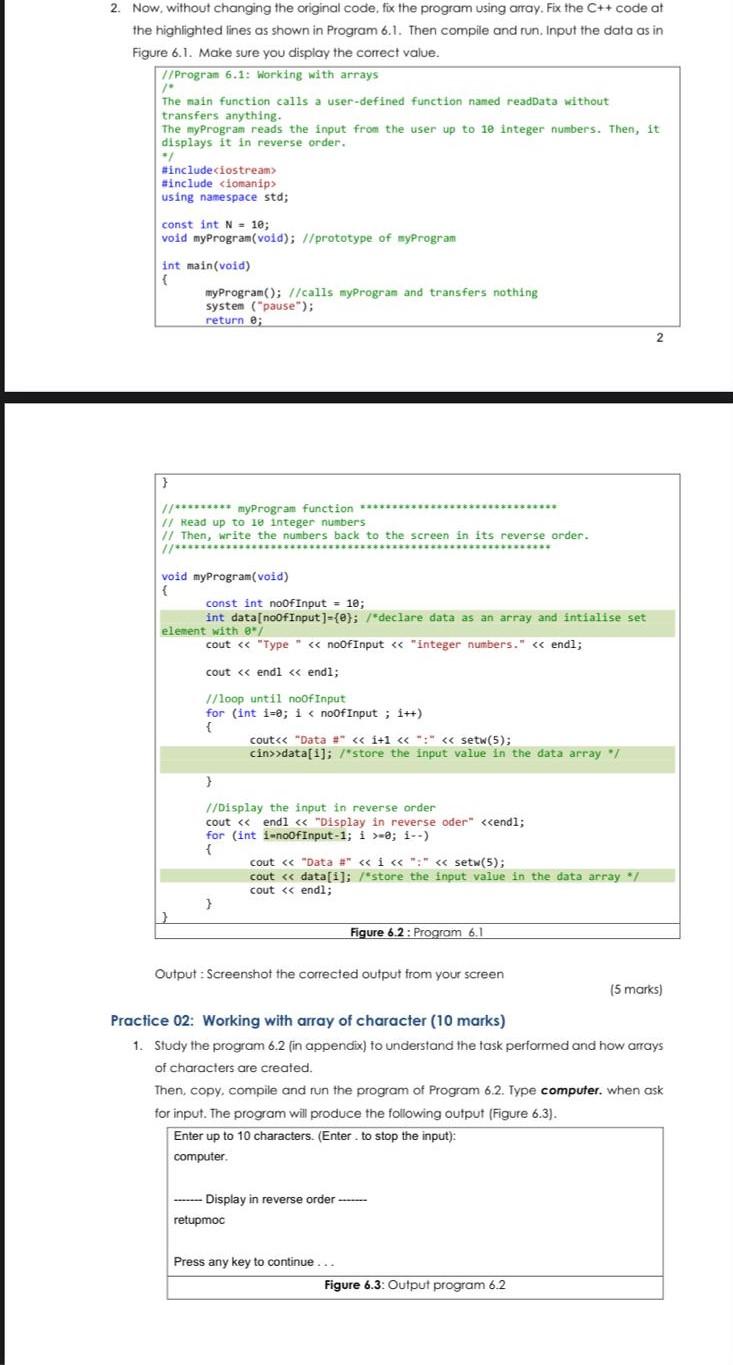
Type 10 integer numbers. Data #1:1 Data #2:2 Data #3:3 Data #4:4 Data #5:5 Data #6:6 Data #7:7 Data #8:8 Data #9:9 Data #10:10 Display in reverse order Data #10: 10 Data #9: 10 Data #8: 10 Data #7: 10 Data #6: 10 Data #5: 10 Data #4: 10 Data #3: 10 Data #2: 10 Data #1: 10 Data #0: 10 Press any key to continue... Figure 6.1: Output Program 6.1 2. Now, without changing the original code, fix the program using array. Fix the C++ code at the highlighted lines as shown in Program 6.1. Then compile and run. Input the data as in Figure 6.1. Make sure you display the correct value. /Program 6.1: Working with arrays The main function calls a user-defined function named readData without transfers anything. The myProgram reads the input from the user up to 10 integer numbers. Then, it displays it in reverse order #include
Step by Step Solution
There are 3 Steps involved in it

Get step-by-step solutions from verified subject matter experts
 Study Help