







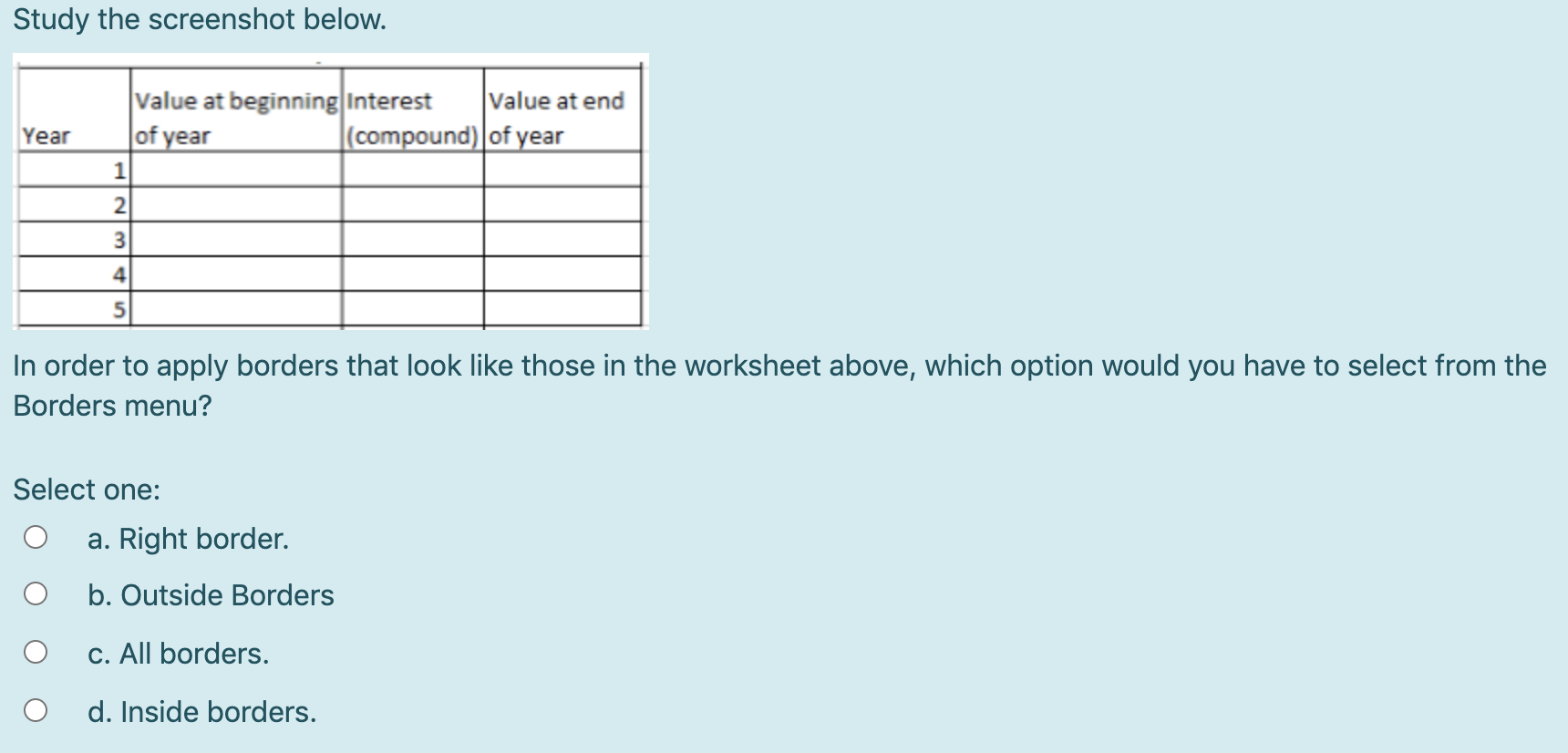
Question: Type or paste question here Study the screenshot below. Value at beginning Interest Value at end (compound) of year Year of year 1 2 3
 Type or paste question here
Study the screenshot below. Value at beginning Interest Value at end (compound) of year Year of year 1 2 3 4 In order to apply borders that look like those in the worksheet above, which option would you have to select from the Borders menu? Select one: a. Right border. b. Outside Borders C. All borders. d. Inside borders
Step by Step Solution
There are 3 Steps involved in it
1 Expert Approved Answer
Step: 1 Unlock

Question Has Been Solved by an Expert!
Get step-by-step solutions from verified subject matter experts
Step: 2 Unlock
Step: 3 Unlock
 Study Help