







Question: Type the following command: CS50_hw_session03 Please execute the appropriate Unix command to perform the action described. Put your login name in the file session03_hw. Put
Type the following command: CS50_hw_session03
Please execute the appropriate Unix command to perform the action described.
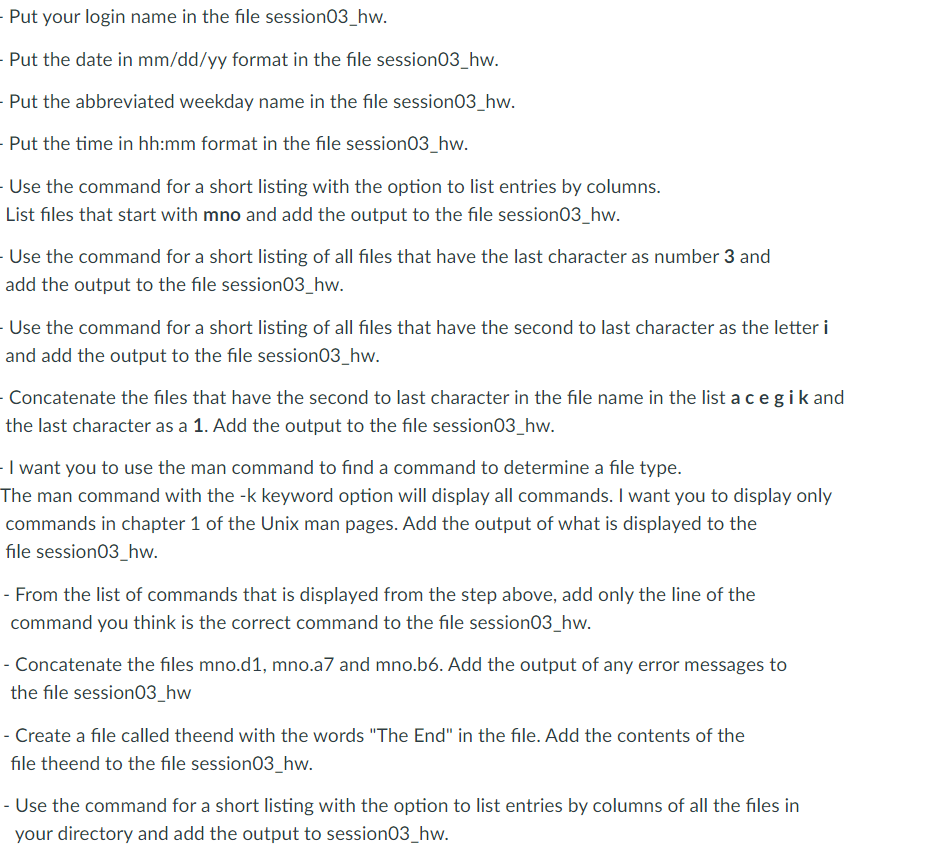
Put your login name in the file session03_hw. Put the date in mm/dd/yy format in the file session03_hw. Put the abbreviated weekday name in the file session03_hw. Put the time in hh:mm format in the file session03_hw. - Use the command for a short listing with the option to list entries by columns. List files that start with mno and add the output to the file session03_hw. Use the command for a short listing of all files that have the last character as number 3 and add the output to the file session03_hw. Use the command for a short listing of all files that have the second to last character as the letter i and add the output to the file session03_hw. Concatenate the files that have the second to last character in the file name in the list a cegik and the last character as a 1. Add the output to the file session03_hw. I want you to use the man command to find a command to determine a file type. The man command with the -k keyword option will display all commands. I want you to display only commands in chapter 1 of the Unix man pages. Add the output of what is displayed to the file session03_hw. - From the list of commands that is displayed from the step above, add only the line of the command you think is the correct command to the file session03_hw. - Concatenate the files mno.d1, mno.a7 and mno.b6. Add the output of any error messages to the file session03_hw - Create a file called theend with the words "The End" in the file. Add the contents of the file theend to the file session03_hw. - Use the command for a short listing with the option to list entries by columns of all the files in your directory and add the output to session03_hw
Step by Step Solution
There are 3 Steps involved in it

Get step-by-step solutions from verified subject matter experts
 Study Help