







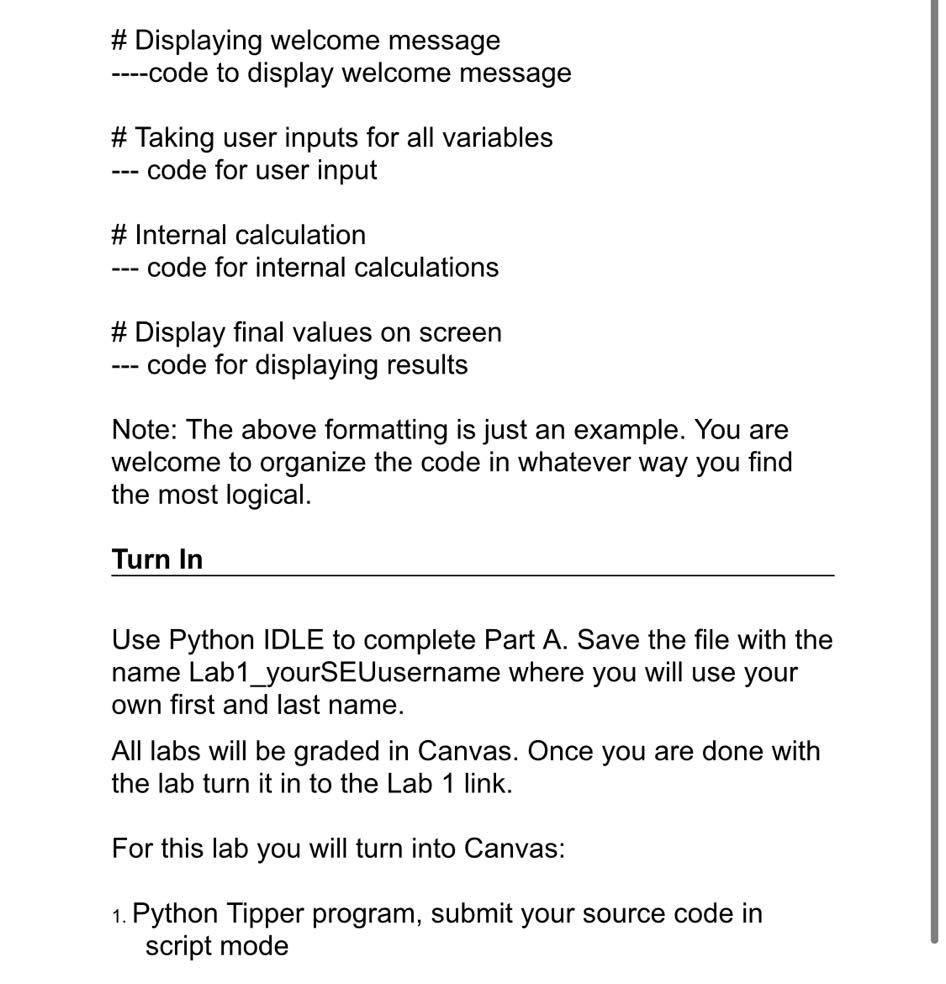
Question: undefined # Displaying welcome message ----code to display welcome message # Taking user inputs for all variables code for user input # Internal calculation code
 undefined
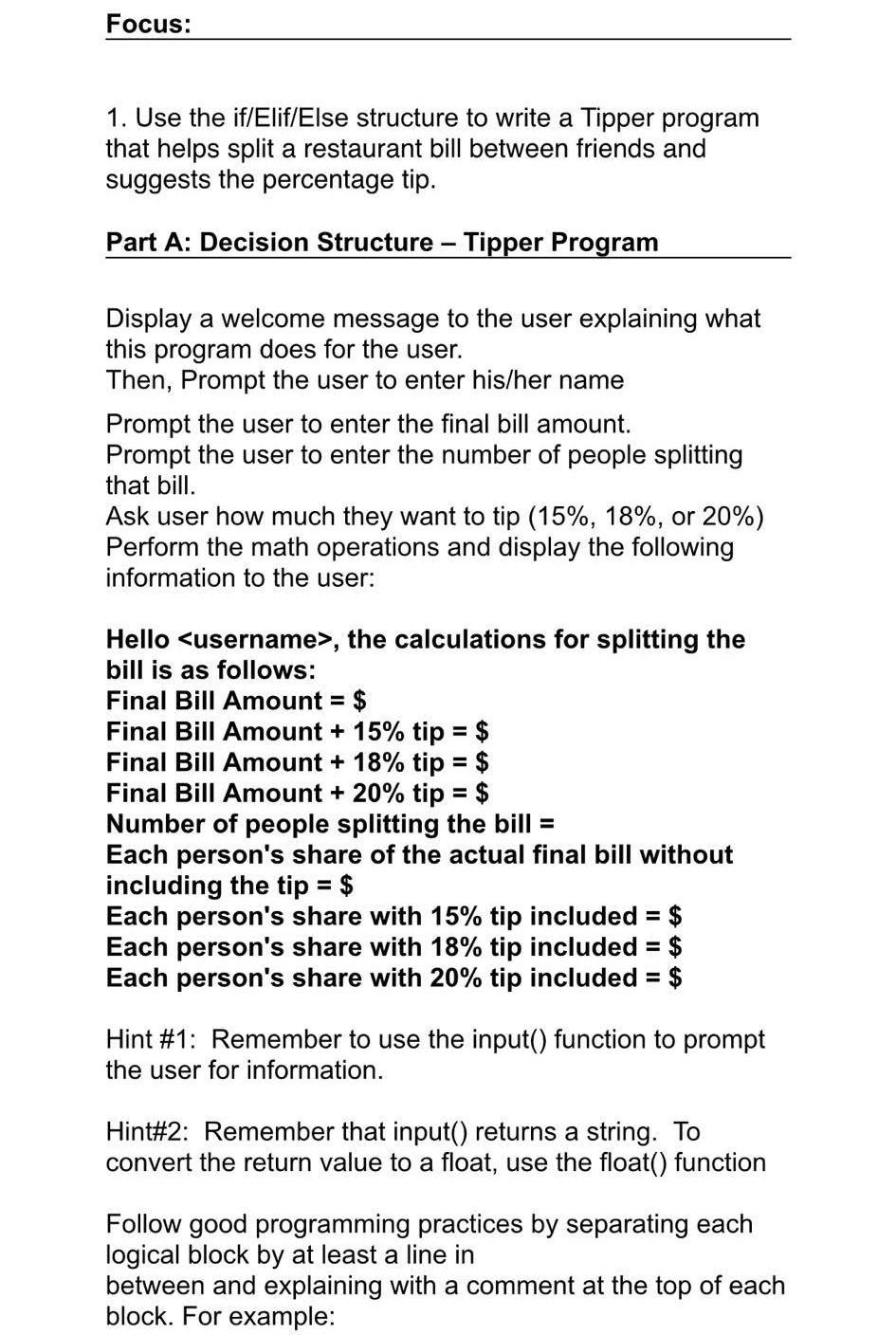
# Displaying welcome message ----code to display welcome message # Taking user inputs for all variables code for user input # Internal calculation code for internal calculations # Display final values on screen --- code for displaying results Note: The above formatting is just an example. You are welcome to organize the code in whatever way you find the most logical. Turn In Use Python IDLE to complete Part A. Save the file with the name Lab1_yourSEUusername where you will use your own first and last name. All labs will be graded in Canvas. Once you are done with the lab turn it in to the Lab 1 link. For this lab you will turn into Canvas: 1. Python Tipper program, submit your source code in script mode Focus: 1. Use the if/Elif/Else structure to write a Tipper program that helps split a restaurant bill between friends and suggests the percentage tip. Part A: Decision Structure - Tipper Program Display a welcome message to the user explaining what this program does for the user. Then, Prompt the user to enter his/her name Prompt the user to enter the final bill amount. Prompt the user to enter the number of people splitting that bill. Ask user how much they want to tip (15%, 18%, or 20%) Perform the math operations and display the following information to the user: Hello
Step by Step Solution
There are 3 Steps involved in it

Get step-by-step solutions from verified subject matter experts
 Study Help