





Question: undefined PRCH-1012 Procurement SCM Modules 6, 9, 12 & 13 Assignment Creation and Review of Documentation Part 1: - REQUISITION Create a requisition for a
undefined PRCH-1012 Procurement SCM Modules 6, 9,undefined

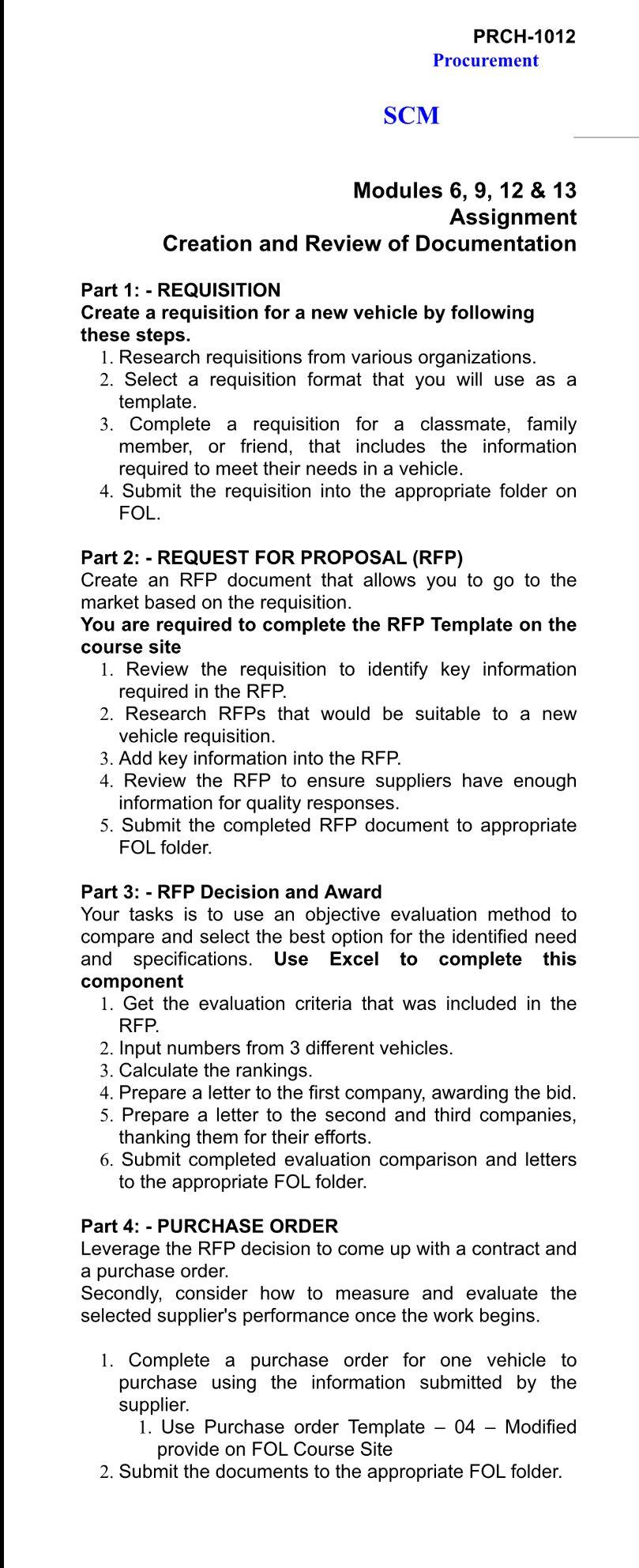
PRCH-1012 Procurement SCM Modules 6, 9, 12 & 13 Assignment Creation and Review of Documentation Part 1: - REQUISITION Create a requisition for a new vehicle by following these steps. 1. Research requisitions from various organizations. 2. Select a requisition format that you will use as a template. 3. Complete a requisition for a classmate, family member, or friend, that includes the information required to meet their needs in a vehicle. 4. Submit the requisition into the appropriate folder on FOL. Part 2: - REQUEST FOR PROPOSAL (REP) Create an RFP document that allows you to go to the market based on the requisition. You are required to complete the RFP Template on the course site 1. Review the requisition to identify key information required in the RFP. 2. Research RFPs that would be suitable to a new vehicle requisition. 3. Add key information into the RFP. 4. Review the RFP to ensure suppliers have enough information for quality responses. 5. Submit the completed RFP document to appropriate FOL folder. Part 3: - RFP Decision and Award Your tasks is to use an objective evaluation method to compare and select the best option for the identified need and specifications. Use Excel to complete this component 1. Get the evaluation criteria that was included in the REP. 2. Input numbers from 3 different vehicles. 3. Calculate the rankings. 4. Prepare a letter to the first company, awarding the bid. 5. Prepare a letter to the second and third companies, thanking them for their efforts. 6. Submit completed evaluation comparison and letters to the appropriate FOL folder. Part 4: - PURCHASE ORDER Leverage the RFP decision to come up with a contract and a purchase order. Secondly, consider how to measure and evaluate the selected supplier's performance once the work begins. 1. Complete a purchase order for one vehicle to purchase using the information submitted by the supplier. 1. Use Purchase order Template 04 Modified provide on FOL Course Site 2. Submit the documents to the appropriate FOL folder

Step by Step Solution

There are 3 Steps involved in it

1 Expert Approved Answer
Step: 1 Unlock blur-text-image

Question Has Been Solved by an Expert!

Get step-by-step solutions from verified subject matter experts

Step: 2 Unlock
Step: 3 Unlock

Students Have Also Explored These Related General Management Questions!