







Question: undefined Question 1 (5 points): Purpose: To practice creating and manipulating lists. Degree of Difficulty: Easy MO4rP41n is an up and coming death metal band

 undefined
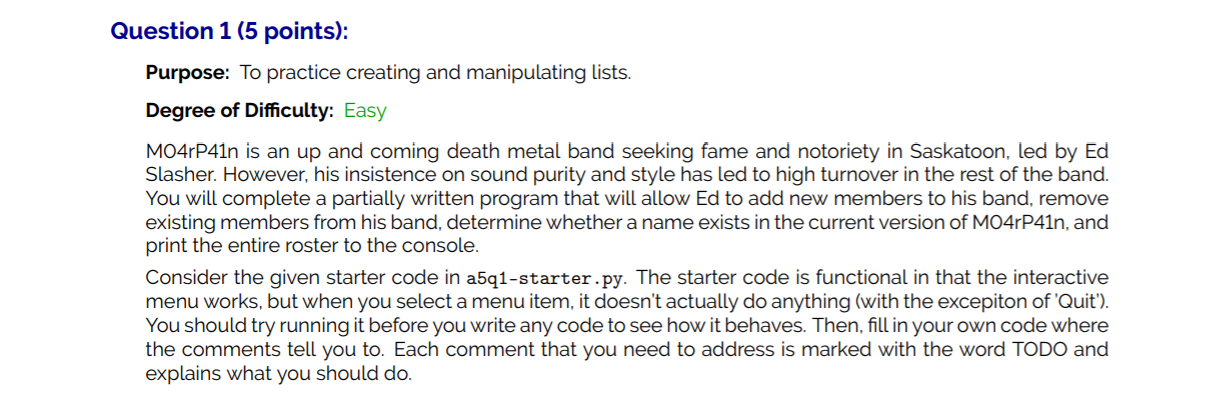
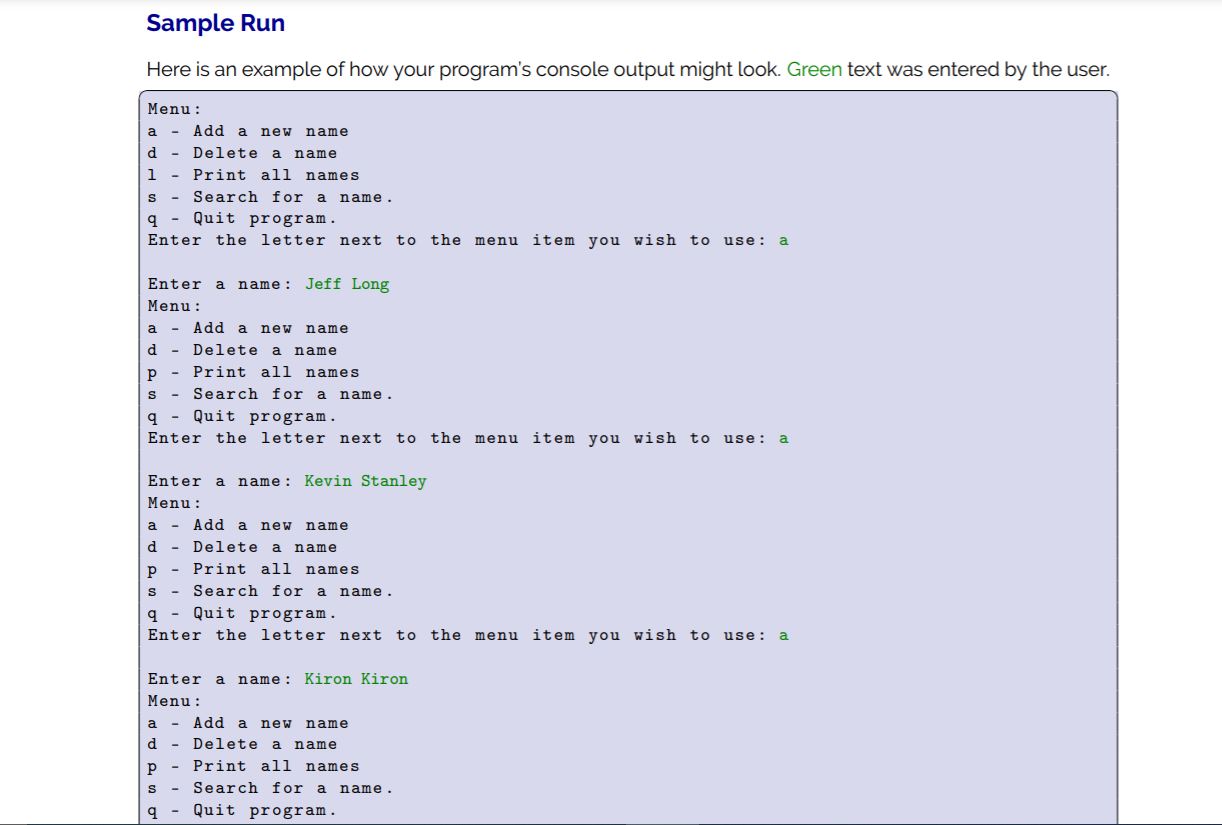
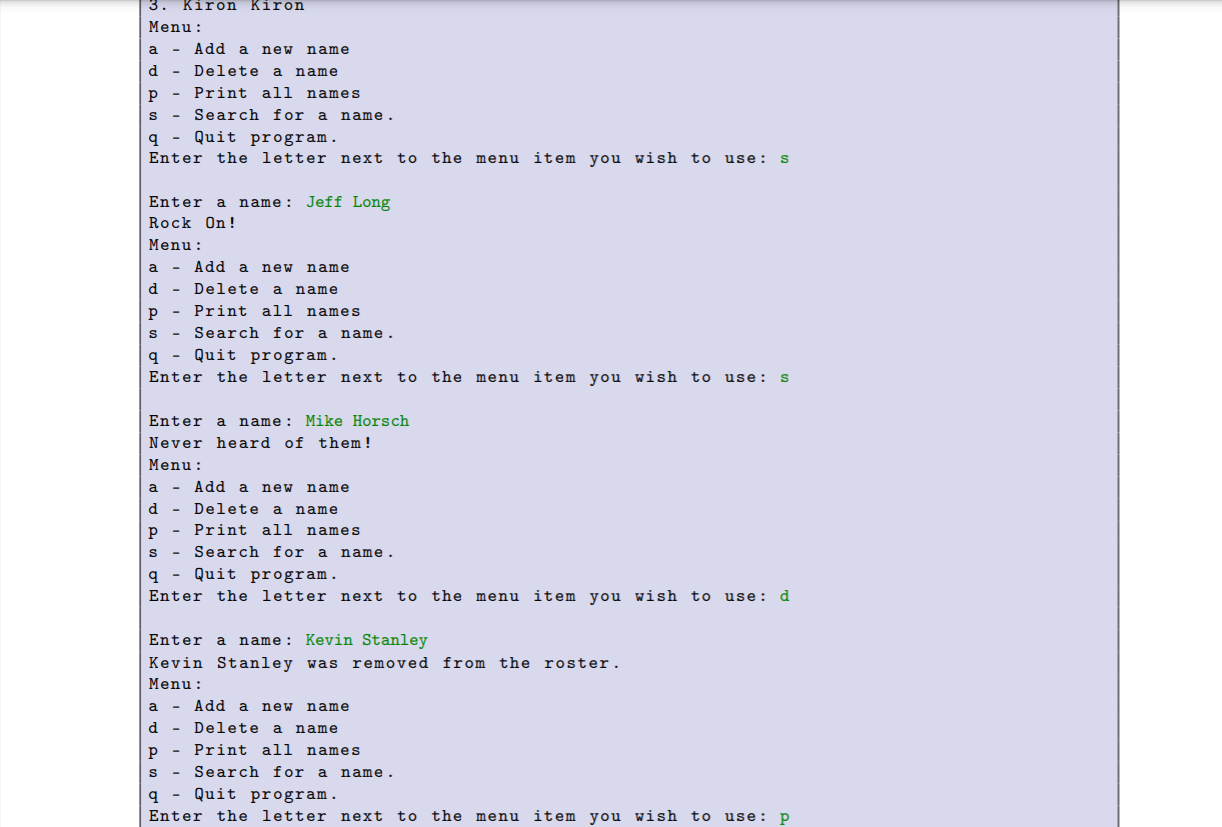
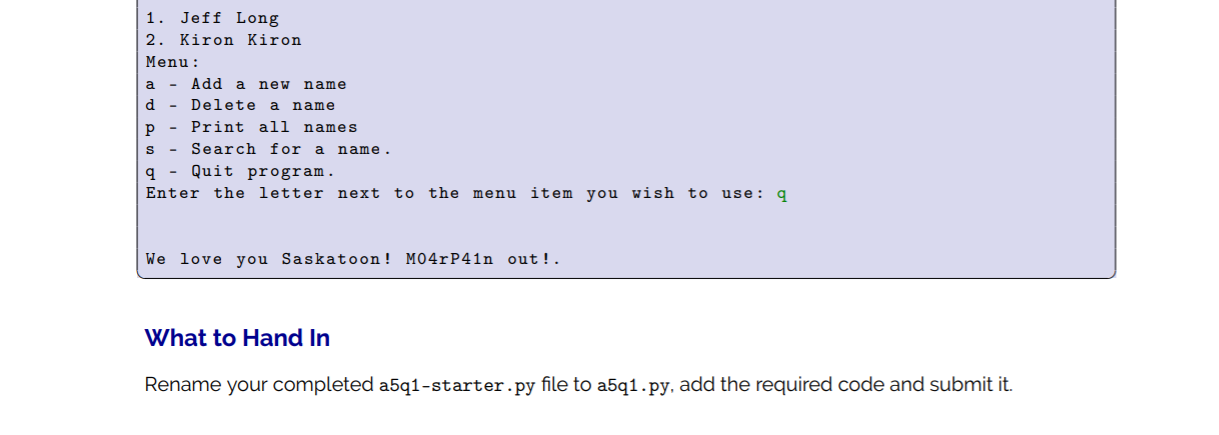
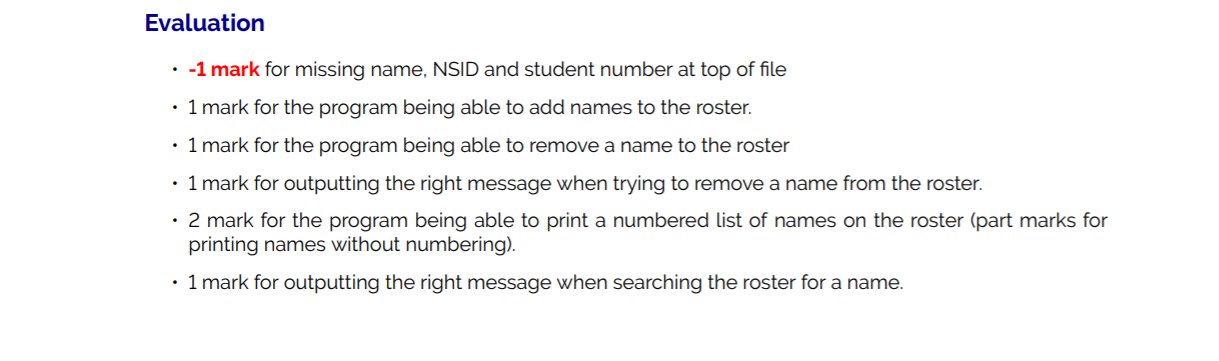
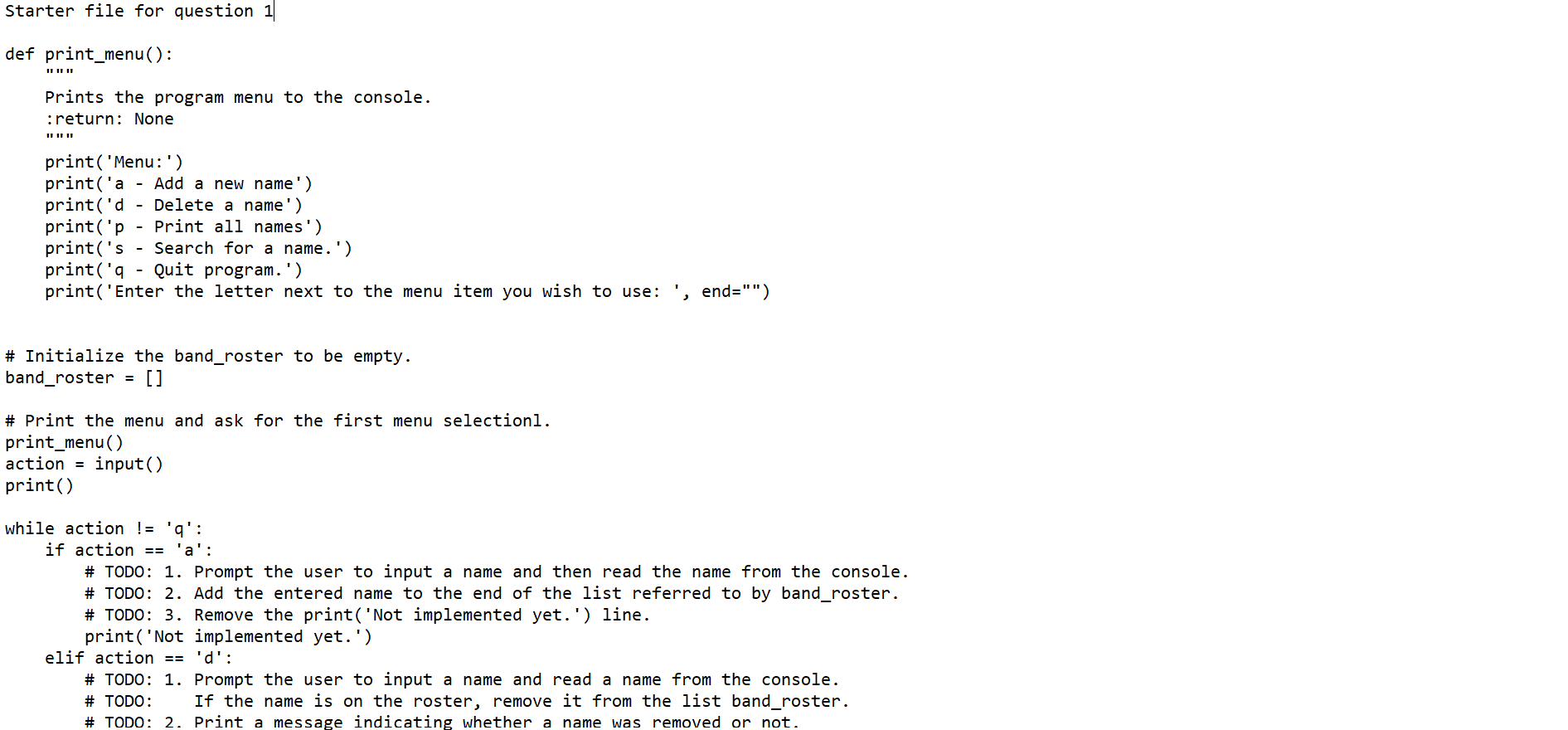
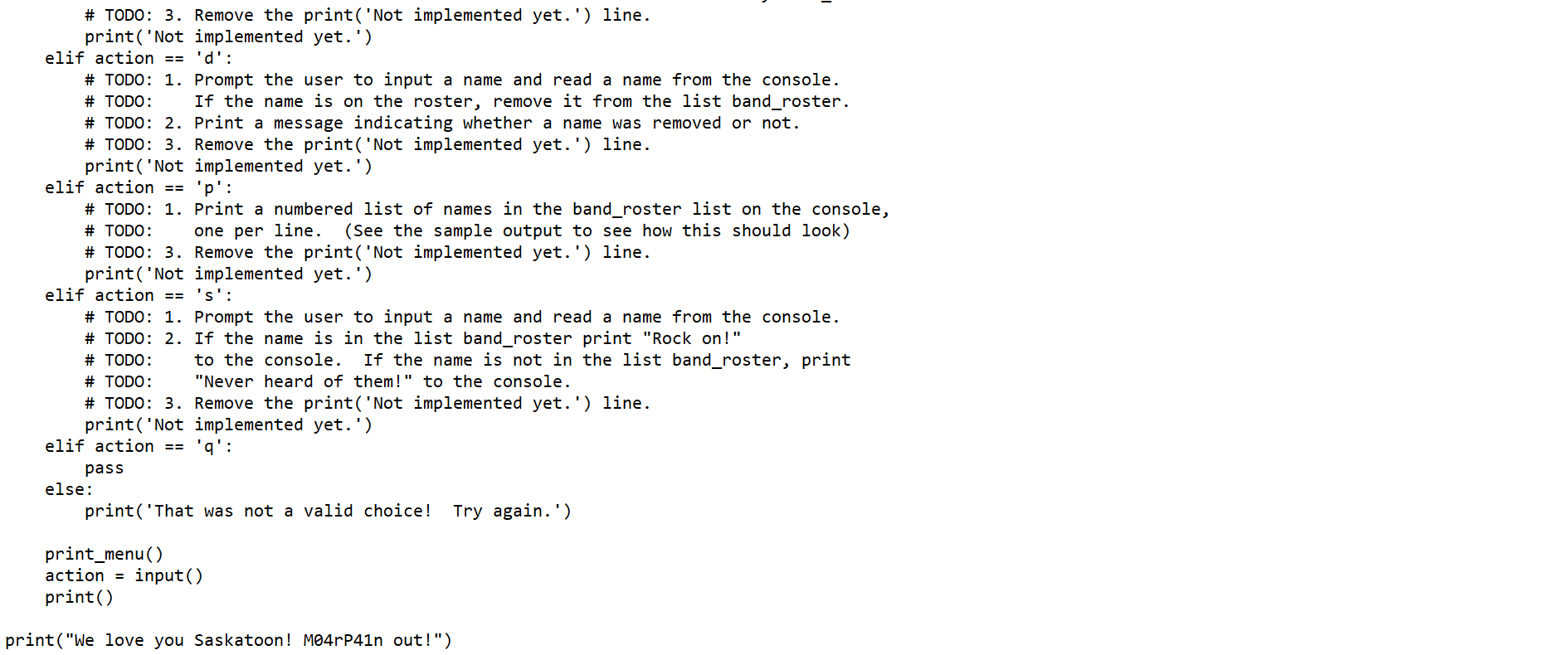
Question 1 (5 points): Purpose: To practice creating and manipulating lists. Degree of Difficulty: Easy MO4rP41n is an up and coming death metal band seeking fame and notoriety in Saskatoon, led by Ed Slasher. However, his insistence on sound purity and style has led to high turnover in the rest of the band. You will complete a partially written program that will allow Ed to add new members to his band, remove existing members from his band, determine whether a name exists in the current version of MO4P41n, and print the entire roster to the console. Consider the given starter code in a5q1-starter.py. The starter code is functional in that the interactive menu works, but when you select a menu item, it doesn't actually do anything (with the excepiton of 'Quit'). You should try running it before you write any code to see how it behaves. Then, fill in your own code where the comments tell you to. Each comment that you need to address is marked with the word TODO and explains what you should do. Sample Run Here is an example of how your program's console output might look. Green text was entered by the user. Menu: a - Add a new name d - Delete a name 1 - Print all names S - Search for a name. q - Quit program. Enter the letter next to the menu item you wish to use: a a Enter a name: Jeff Long Menu: a - Add a new name d - Delete name P - Print all names s - Search for a name. q - Quit program. Enter the letter next to the menu item you wish to use: a Enter a name : Kevin Stanley Menu: a - Add a new name d - Delete a name p - Print all names S - Search for name. 9 - Quit program. Enter the letter next to the menu item you wish to use: a Enter a name: Kiron Kiron Menu: a - Add a new name d - Delete name P Print all names Search for a name. Quit program. a Enter the letter next to the menu item you wish to use: P 1. Jeff Long 2. Kevin Stanley 3. Kiron Kiron Menu: a - Add a new name d - Delete a name P - Print all names s - Search for a name. q - Quit program. Enter the letter next to the menu item you wish to use: S Enter a name: Jeff Long Rock On ! Menu: a - Add a new name d - Delete a name Print all names S - Search for a name. q - Quit program. Enter the letter next to the menu item you wish to use: s Enter a name : Mike Horsch Never heard of them! Menu: a - Add a new name d - Delete a name Print all names s - Search for a name. q - Quit program. Enter the letter next to the menu item you wish to use: d Enter a name : Kevin Stanley Kevin Stanley was removed from the roster. Menu: a - Add a new name d - Delete name p - Print all names S Search for a name. a Quit program. Enter the letter next to the menu item you wish to use: P a 1. Jeff Long 2. Kiron Kiron Menu: a - Add a new name d - Delete a name P - Print all names S - Search for a name. q - Quit program. Enter the letter next to the menu item you wish to use: 9 We love you Saskatoon! M04r P41n out!. What to Hand In Rename your completed a5q1-starter.py file to a5q1.py, add the required code and submit it. Evaluation -1 mark for missing name, NSID and student number at top of file 1 mark for the program being able to add names to the roster. 1 mark for the program being able to remove a name to the roster 1 mark for outputting the right message when trying to remove a name from the roster. 2 mark for the program being able to print a numbered list of names on the roster (part marks for printing names without numbering). 1 mark for outputting the right message when searching the roster for a name. Starter file for question 1 def print_menu(): Prints the program menu to the console. :return: None print('Menu:') print('a - Add a new name') print('d - Delete a name') print('p - Print all names') print('s - Search for a name.') print('q - Quit program.') print('Enter the letter next to the menu item you wish to use: end="") # Initialize the band_roster to be empty. band_roster = [] # Print the menu and ask for the first menu selectionl. print_menu() action = input() print() while action != 'q': if action == 'a': # TODO: 1. Prompt the user to input a name and then read the name from the console. # TODO: 2. Add the entered name to the end of the list referred to by band_roster. # TODO: 3. Remove the print('Not implemented yet.') line. print('Not implemented yet.') elif action == 'd': # TODO: 1. Prompt the user to input a name and read a name from the console. # TODO: If the name is on the roster, remove it from the list band_roster. # TODO: 2. Print a message indicating whether a name was removed or not. # TODO: 3. Remove the print('Not implemented yet.') line. print('Not implemented yet.') elif action == 'd': # TODO: 1. Prompt the user to input a name and read a name from the console. # TODO: If the name is on the roster, remove it from the list band_roster. # TODO: 2. Print a message indicating whether a name was removed or not. # TODO: 3. Remove the print('Not implemented yet.') line. print('Not implemented yet.') elif action == 'p': # TODO: 1. Print a numbered list of names in the band_roster list on the console, # TODO: one per line. (See the sample output to see how this should look) # TODO: 3. Remove the print('Not implemented yet.') line. print('Not implemented yet.') elif action == 's': # TODO: 1. Prompt the user to input a name and read a name from the console. # TODO: 2. If the name is in the list band_roster print "Rock on!" # TODO: to the console. If the name is not in the list band_roster, print # TODO: "Never heard of them!" to the console. # TODO: 3. Remove the print('Not implemented yet.') line. print('Not implemented yet.') elif action == 'q': pass else: print('That was not a valid choice! Try again.') print_menu() action = input() print() print("We love you Saskatoon! MO4rP41n out!")
Step by Step Solution
There are 3 Steps involved in it

Get step-by-step solutions from verified subject matter experts
 Study Help