







Question: Under View menu, make the Icon View. Change the icon to look like below: Page 2 VLSI DESIGN CSE 3 5 4 Tuesday, Nov 0
Under "View" menu, make the Icon View. Change the icon to look like below:
Page
VLSI DESIGN
CSE
Tuesday, Nov
To test the NAND gate schematic, create a new schematic cell "Nand simsch
Drag the NAND icon and create the following schematic:
NAND Gate Lavout and Schematic
Follow the directions below and answer any questions.
Put your name and ID above.
Start FI FCTRIC VLSI and open Projectjelib
PART : Nand Gate Schematic
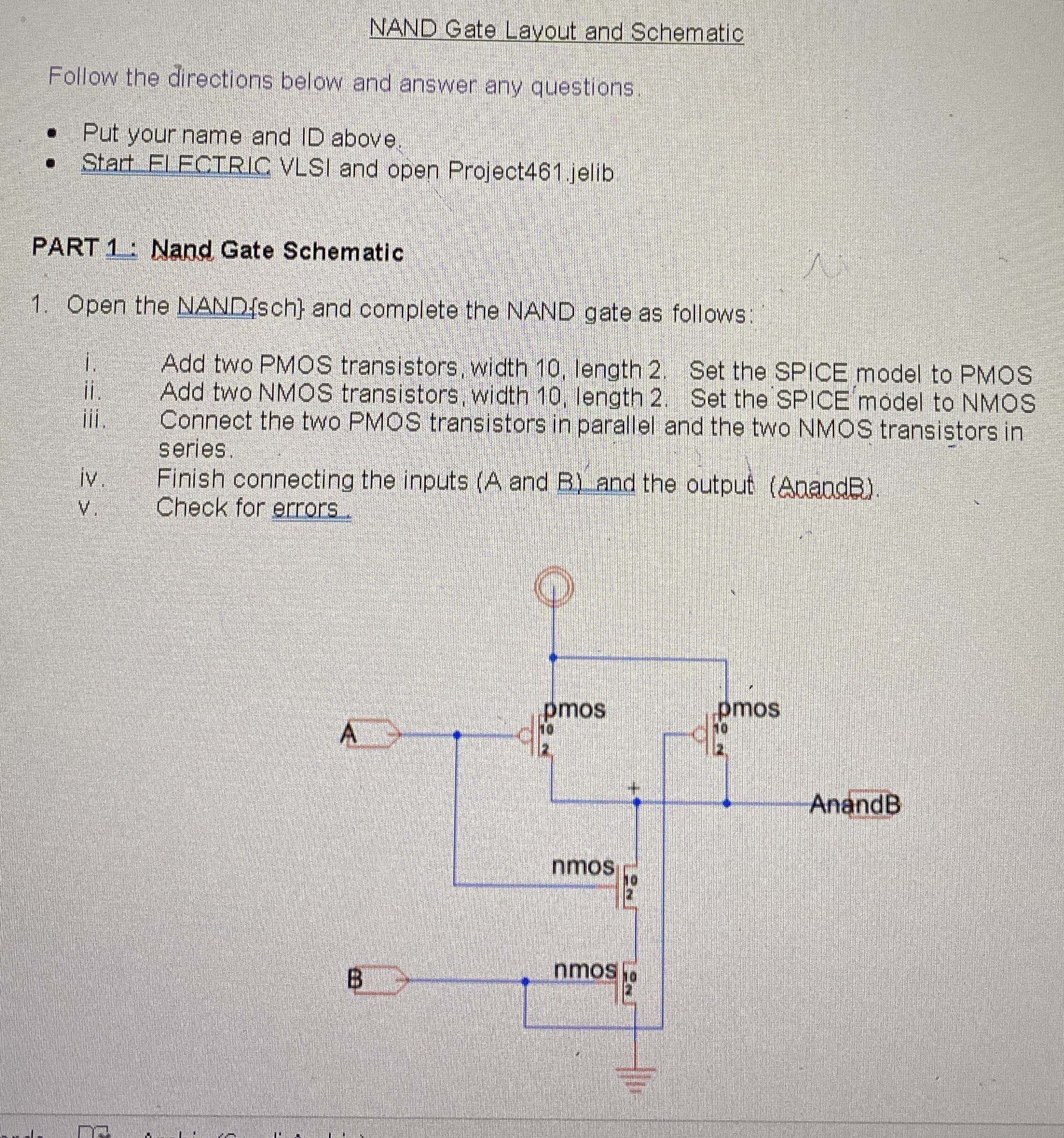
Open the NAND sch and complete the NAND gate as follows:
I. Add two PMOS transistors, width length Set the SPICE model to PMOS
ii Add two NMOS transistors, width length Set the SPICE model to NMOS
iii. Connect the two PMOS transistors in parallel and the two NMOS transistors in series.
iv Finish connecting the inputs A and and the output AaandB
v Check for errors.
Step by Step Solution
There are 3 Steps involved in it
1 Expert Approved Answer
Step: 1 Unlock

Question Has Been Solved by an Expert!
Get step-by-step solutions from verified subject matter experts
Step: 2 Unlock
Step: 3 Unlock
 Study Help