







Question: Unit IV Project Part t For this project, create a new application and apply what you learned in this unit to the new application. Be
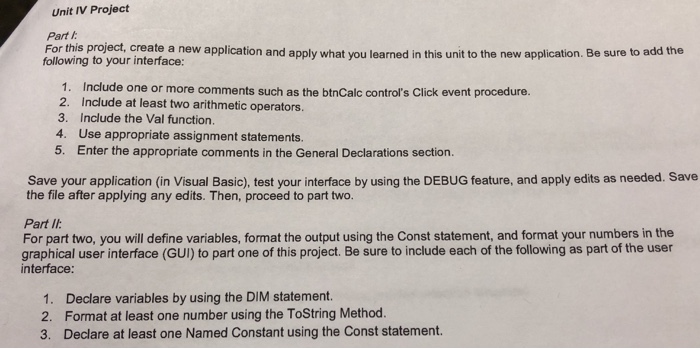
Unit IV Project Part t For this project, create a new application and apply what you learned in this unit to the new application. Be sure to add the following to your interface: 1. Includ 2. Include at least two arithmetic operators 3. Include the Val function. 4. Use appropriate assignment statements. 5. Enter the appropriate comments in the General Declarations section. e one or more comments such as the btnCalc control's Click event procedure. Save your application (in Visual Basic), test your interface by using the DEBUG feature, and apply edits as needed. Save the file after applying any edits. Then, proceed to part two. Part I For part two, you will define variables, format the output using the Const statement, and format your numbers in the graphical user interface (GUI) to part one of this project. Be sure to include each of the following as part of the user interface 1. Declare variables by using the DIM statement. 2. Format at least one number using the ToString Method. 3. Declare at least one Named Constant using the Const statement
Step by Step Solution
There are 3 Steps involved in it

Get step-by-step solutions from verified subject matter experts
 Study Help