







Question: unix/linux assignment Please use Oracle VM Virtualbox or similar tool to do these steps: Instructions for submitting the script files: Use the zip command (zip
unix/linux assignment
Please use Oracle VM Virtualbox or similar tool to do these steps:
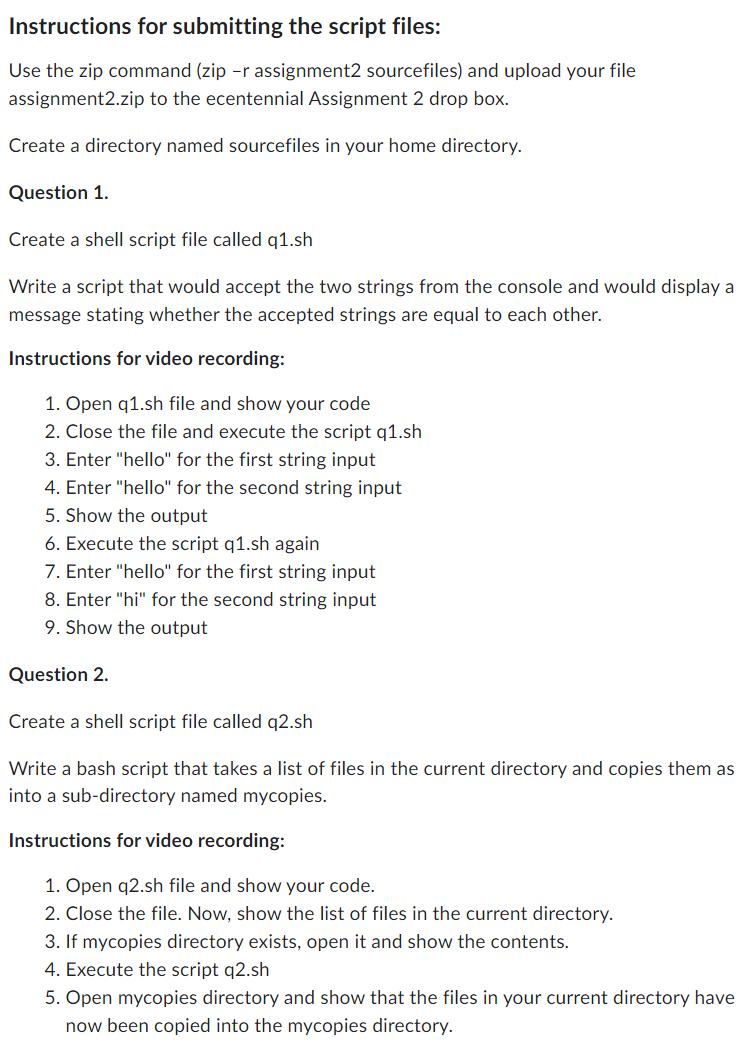
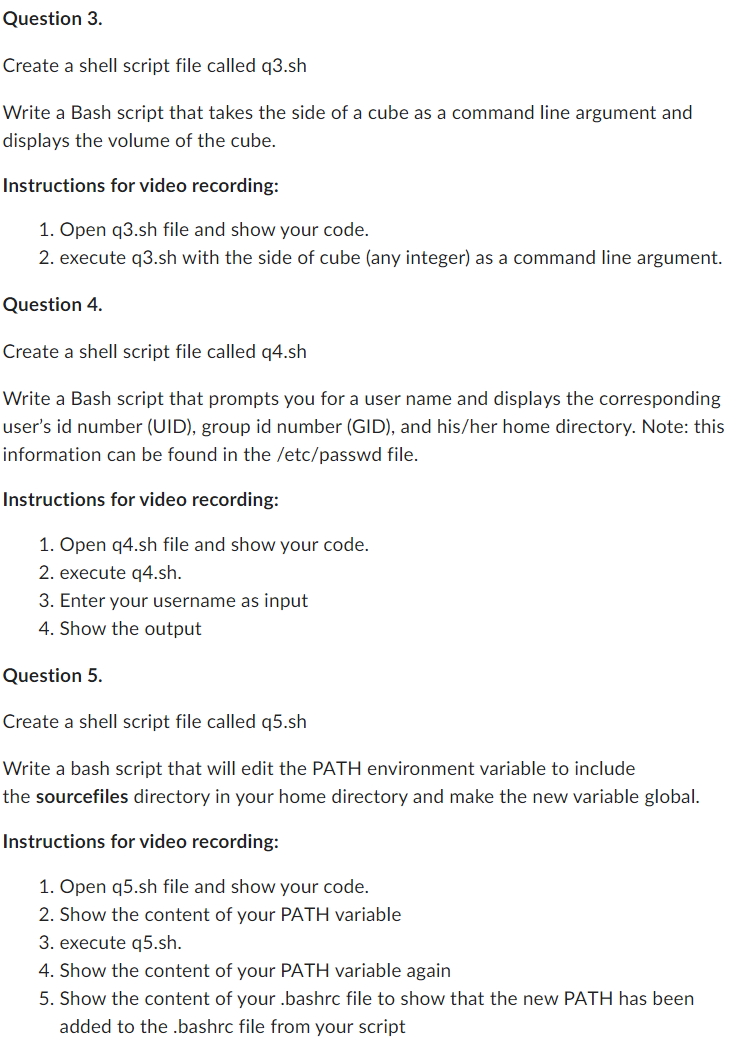
Instructions for submitting the script files: Use the zip command (zip r assignment2 sourcefiles) and upload your file assignment2.zip to the ecentennial Assignment 2 drop box. Create a directory named sourcefiles in your home directory. Question 1. Create a shell script file called q1.sh Write a script that would accept the two strings from the console and would display a message stating whether the accepted strings are equal to each other. Instructions for video recording: 1. Open q1.sh file and show your code 2. Close the file and execute the script q1.sh 3. Enter "hello" for the first string input 4. Enter "hello" for the second string input 5. Show the output 6. Execute the script q1.sh again 7. Enter "hello" for the first string input 8. Enter "hi" for the second string input 9. Show the output Question 2. Create a shell script file called q2.sh Write a bash script that takes a list of files in the current directory and copies them as into a sub-directory named mycopies. Instructions for video recording: 1. Open q2.sh file and show your code. 2. Close the file. Now, show the list of files in the current directory. 3. If mycopies directory exists, open it and show the contents. 4. Execute the script q2.sh 5. Open mycopies directory and show that the files in your current directory have now been copied into the mycopies directory. Question 3. Create a shell script file called q3.sh Write a Bash script that takes the side of a cube as a command line argument and displays the volume of the cube. Instructions for video recording: 1. Open q3.sh file and show your code. 2. execute q3.sh with the side of cube (any integer) as a command line argument. Question 4. Create a shell script file called q4.sh Write a Bash script that prompts you for a user name and displays the corresponding user's id number (UID), group id number (GID), and his/her home directory. Note: this information can be found in the /etc/passwd file. Instructions for video recording: 1. Open q4.sh file and show your code. 2. execute q4.sh. 3. Enter your username as input 4. Show the output Question 5. Create a shell script file called q5.sh Write a bash script that will edit the PATH environment variable to include the sourcefiles directory in your home directory and make the new variable global. Instructions for video recording: 1. Open q5.sh file and show your code. 2. Show the content of your PATH variable 3. execute q5.sh. 4. Show the content of your PATH variable again 5. Show the content of your bashre file to show that the new PATH has been added to the .bashrc file from your script
Step by Step Solution
There are 3 Steps involved in it

Get step-by-step solutions from verified subject matter experts
 Study Help