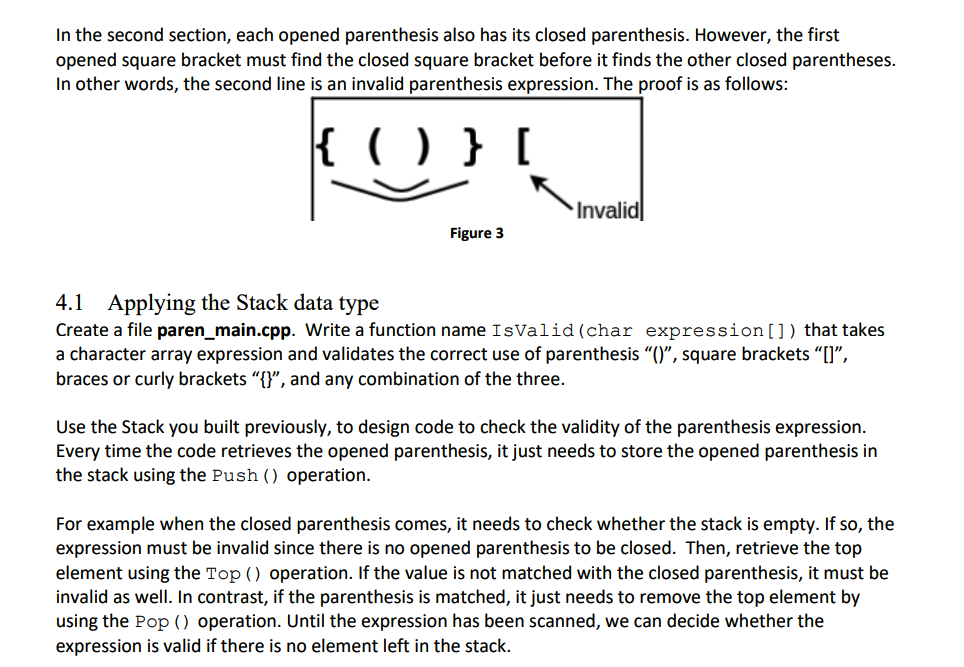
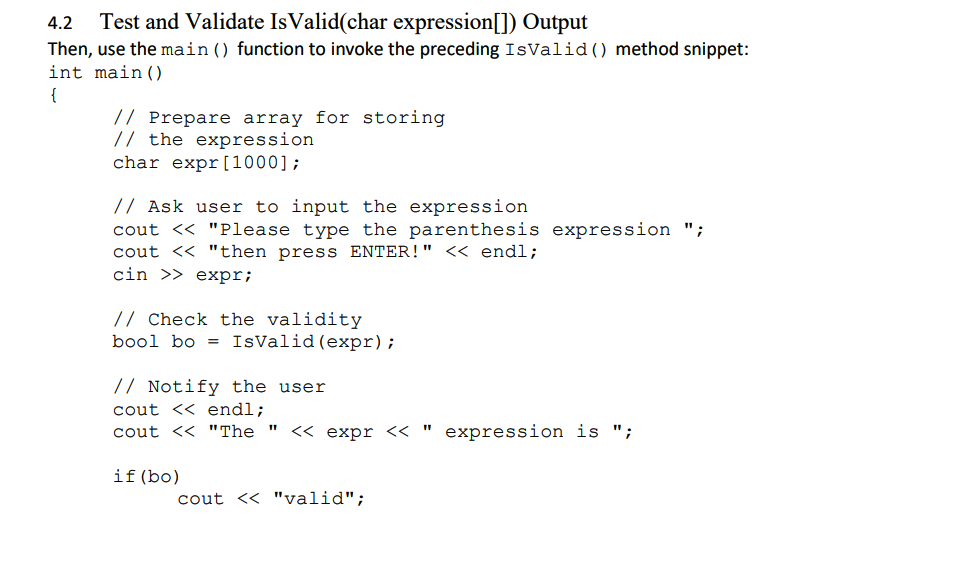
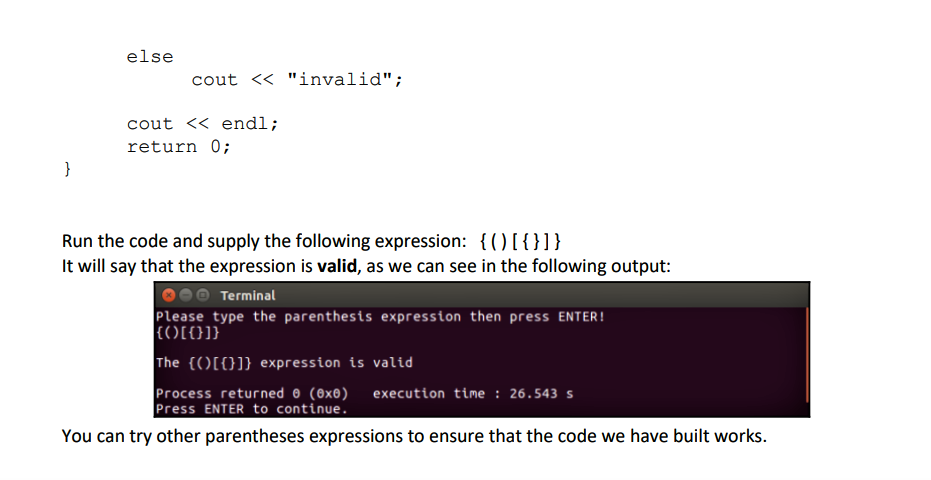
Question: UPDATED. Write codes in C++ 3.1 Declare the Node class in C++ Create the file Node.h, to create a Node data type to handle not

UPDATED. Write codes in C++
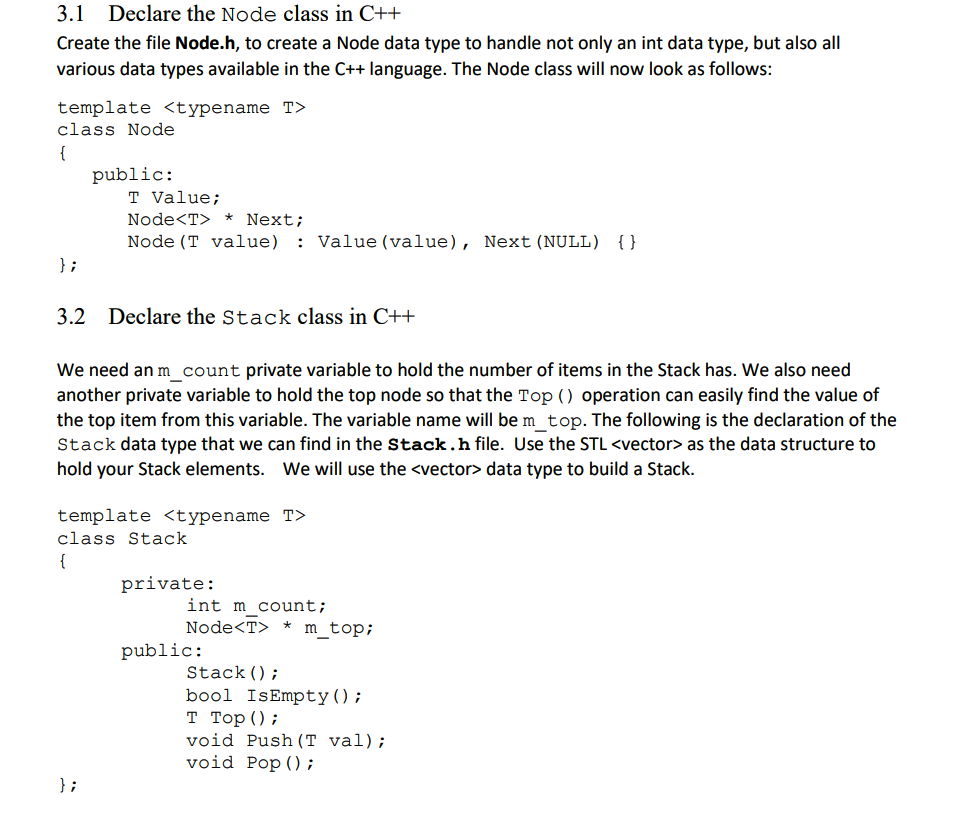
UPDATED. Write codes in C++ 3.1 Declare the Node class in C++Create the file Node.h, to create a Node data type to handlenot only an int data type, but also all various data typesavailable in the C++ language. The Node class will now look asfollows: template class Node { public: T Value; Node * Next; Node(T value) : Value (value), Next (NULL) { } }; 3.2 Declarethe Stack class in C++ We need an m_count private variable tohold the number of items in the Stack has. We also need

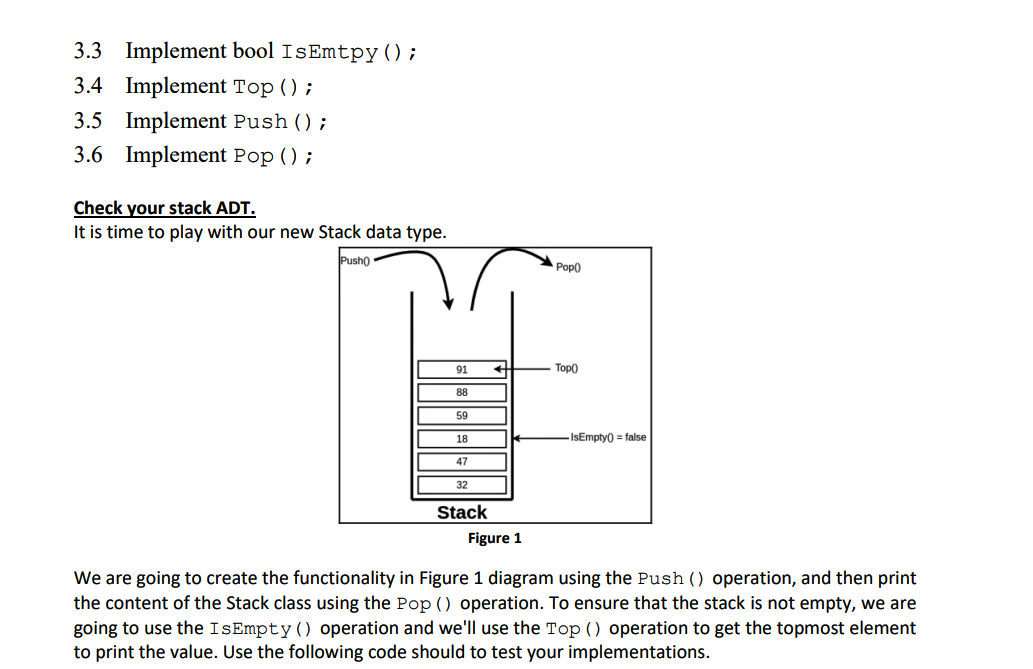
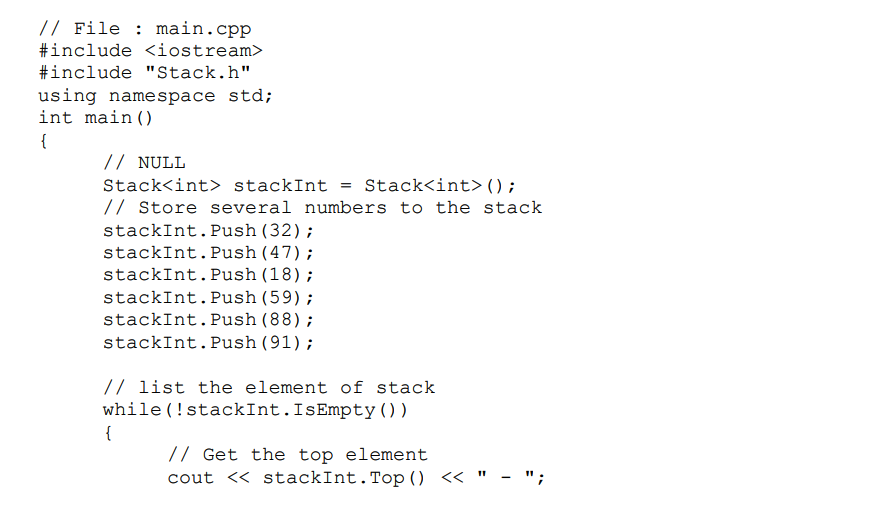
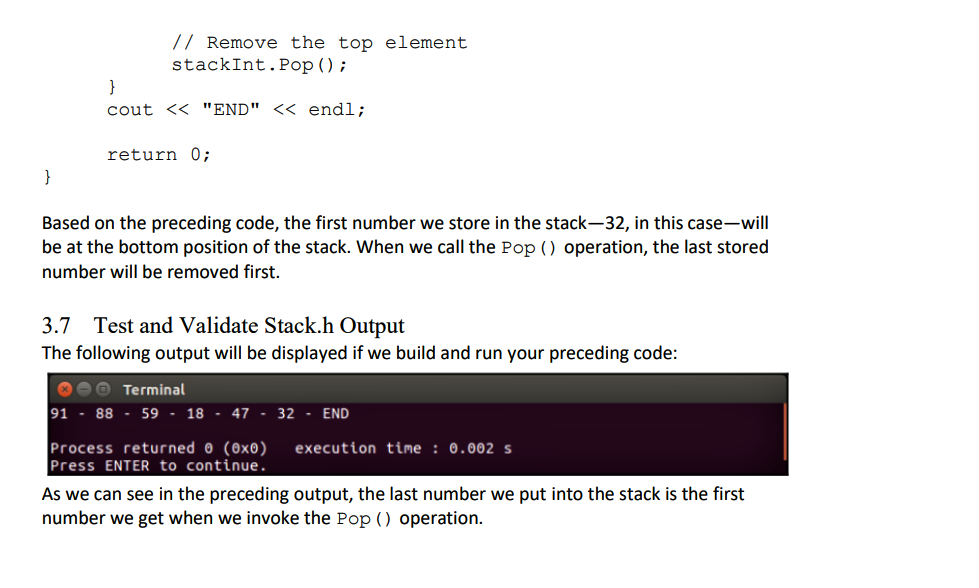
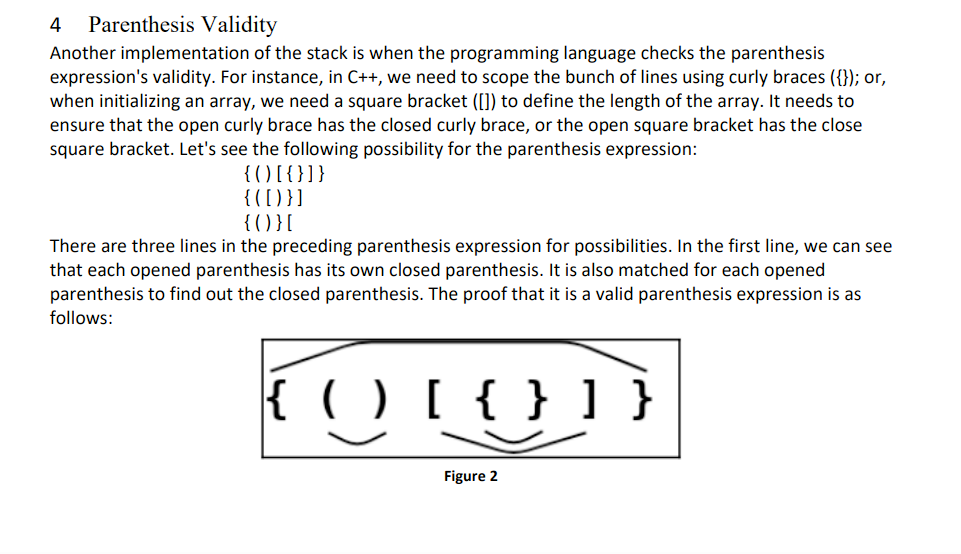
3.1 Declare the Node class in C++ Create the file Node.h, to create a Node data type to handle not only an int data type, but also all various data types available in the C++ language. The Node class will now look as follows: template class Node { public: T Value; Node * Next; Node (T value) : Value (value), Next (NULL) { } }; 3.2 Declare the Stack class in C++ We need an m_count private variable to hold the number of items in the Stack has. We also need another private variable to hold the top node so that the Top () operation can easily find the value of the top item from this variable. The variable name will be m_top. The following is the declaration of the Stack data type that we can find in the Stack.h file. Use the STL as the data structure to hold your Stack elements. We will use the data type to build a Stack. template class Stack { private: int m count; Node m_top; public: Stack(); bool IsEmpty(); T Top(); void Push (T val); void Pop(); }; 3.3 Implement bool IsEmtpy(); 3.4 Implement Top(); 3.5 Implement Push(); 3.6 Implement Pop(); Check your stack ADT. It is time to play with our new Stack data type. Push Popo 91 88 59 18 - IsEmpty = false 47 32 Stack Figure 1 We are going to create the functionality in Figure 1 diagram using the Push() operation, and then print the content of the Stack class using the Pop () operation. To ensure that the stack is not empty, we are going to use the IsEmpty() operation and we'll use the Top () operation to get the topmost element to print the value. Use the following code should to test your implementations. // File : main.cpp #include #include "Stack.h" using namespace std; int main() { // NULL Stack int> stackint Stack int>(); // Store several numbers to the stack stackInt. Push (32); stackInt. Push (47); stackInt. Push (18); stackInt. Push (59); stackInt. Push (88); stackint. Push (91); // list the element of stack while (!stackInt.IsEmpty()) { // Get the top element cout > expr; // Check the validity bool bo = IsValid (expr); // Notify the user cout class Node { public: T Value; Node * Next; Node (T value) : Value (value), Next (NULL) { } }; 3.2 Declare the Stack class in C++ We need an m_count private variable to hold the number of items in the Stack has. We also need another private variable to hold the top node so that the Top () operation can easily find the value of the top item from this variable. The variable name will be m_top. The following is the declaration of the Stack data type that we can find in the Stack.h file. Use the STL as the data structure to hold your Stack elements. We will use the data type to build a Stack. template class Stack { private: int m count; Node m_top; public: Stack(); bool IsEmpty(); T Top(); void Push (T val); void Pop(); }; 3.3 Implement bool IsEmtpy(); 3.4 Implement Top(); 3.5 Implement Push(); 3.6 Implement Pop(); Check your stack ADT. It is time to play with our new Stack data type. Push Popo 91 88 59 18 - IsEmpty = false 47 32 Stack Figure 1 We are going to create the functionality in Figure 1 diagram using the Push() operation, and then print the content of the Stack class using the Pop () operation. To ensure that the stack is not empty, we are going to use the IsEmpty() operation and we'll use the Top () operation to get the topmost element to print the value. Use the following code should to test your implementations. // File : main.cpp #include #include "Stack.h" using namespace std; int main() { // NULL Stack int> stackint Stack int>(); // Store several numbers to the stack stackInt. Push (32); stackInt. Push (47); stackInt. Push (18); stackInt. Push (59); stackInt. Push (88); stackint. Push (91); // list the element of stack while (!stackInt.IsEmpty()) { // Get the top element cout > expr; // Check the validity bool bo = IsValid (expr); // Notify the user cout

Step by Step Solution

There are 3 Steps involved in it

1 Expert Approved Answer
Step: 1 Unlock blur-text-image
Question Has Been Solved by an Expert!

Get step-by-step solutions from verified subject matter experts

Step: 2 Unlock
Step: 3 Unlock

Students Have Also Explored These Related Databases Questions!