







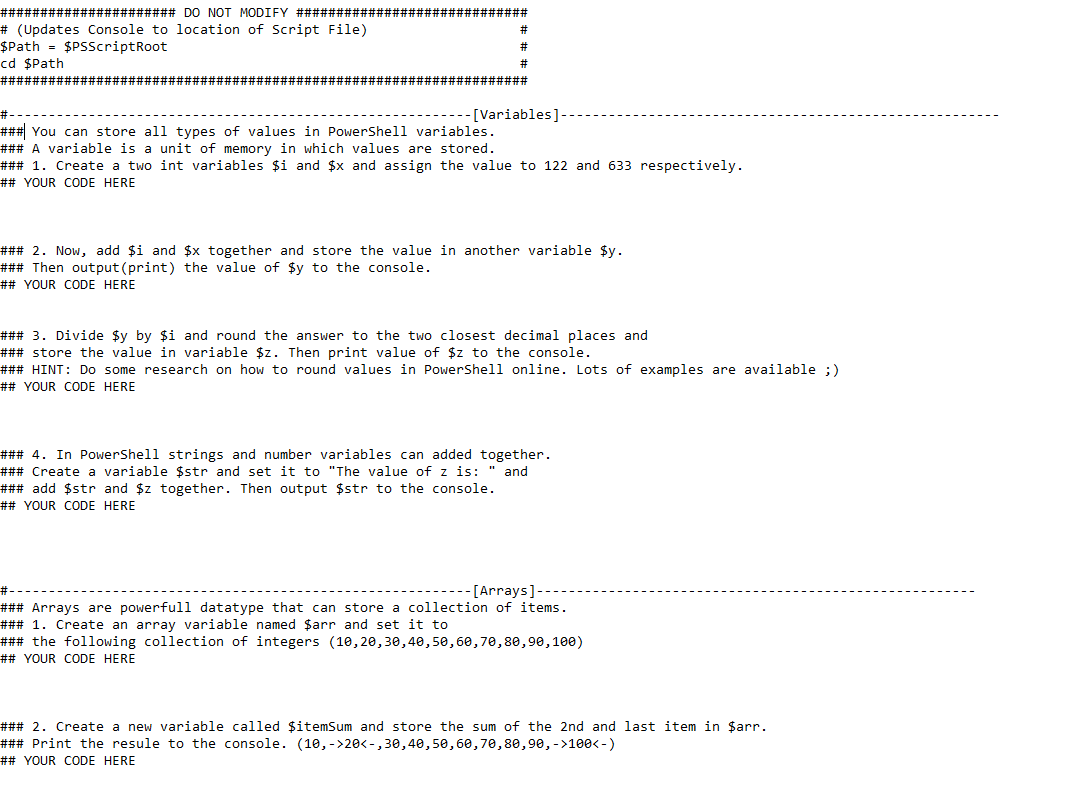
Question: # ( Updates Console to location of Script File ) # $Path = $PSScriptRoot cd $Path ############################################################################## [ Variables ] ### 1 . Create a
# Updates Console to location of Script File #
$Path $PSScriptRoot
cd $Path
##############################################################################
Variables
### Create a two int variables $i and $ and assign the value to and respectively.
## YOUR CODE HERE
### Now, add $i and $ together and store the value in another variable $
### Then outputprint the value of $ to the console.
## YOUR CODE HERE
### Divide $ by $i and round the answer to the two closest decimal places and
### store the value in variable $ Then print value of $ to the console.
### HINT: Do some research on how to round values in PowerShell online. Lots of examples are available
## YOUR CODE HERE
### In PowerShell strings and number variables can added together.
### Create a variable $str and set it to "The value of is: and
### add $ and $ together. Then output $ to the console.
## YOUR CODE HERE
### Create an array variable named $arr and set it to
### the following collection of integers
## YOUR CODE HERE
### Create a new variable called $ itemSum and store the sum of the nd and last item in $arr.
### Print the resule to the console.
## YOUR CODE HERE
Step by Step Solution
There are 3 Steps involved in it
1 Expert Approved Answer
Step: 1 Unlock

Question Has Been Solved by an Expert!
Get step-by-step solutions from verified subject matter experts
Step: 2 Unlock
Step: 3 Unlock
 Study Help